
Totality Nutrition guide
Saved meals
Save a whole meal once, log it again by the serving or by the gram, edit it, and the 10 saved meal limit on Free.
A saved meal is a group of foods you eat often, like "My usual breakfast". Log it again in one tap instead of adding each food. Saved meals are Free up to 10, unlimited on Trial and Paid.
Save a meal#
- Log the foods in your food log as normal.
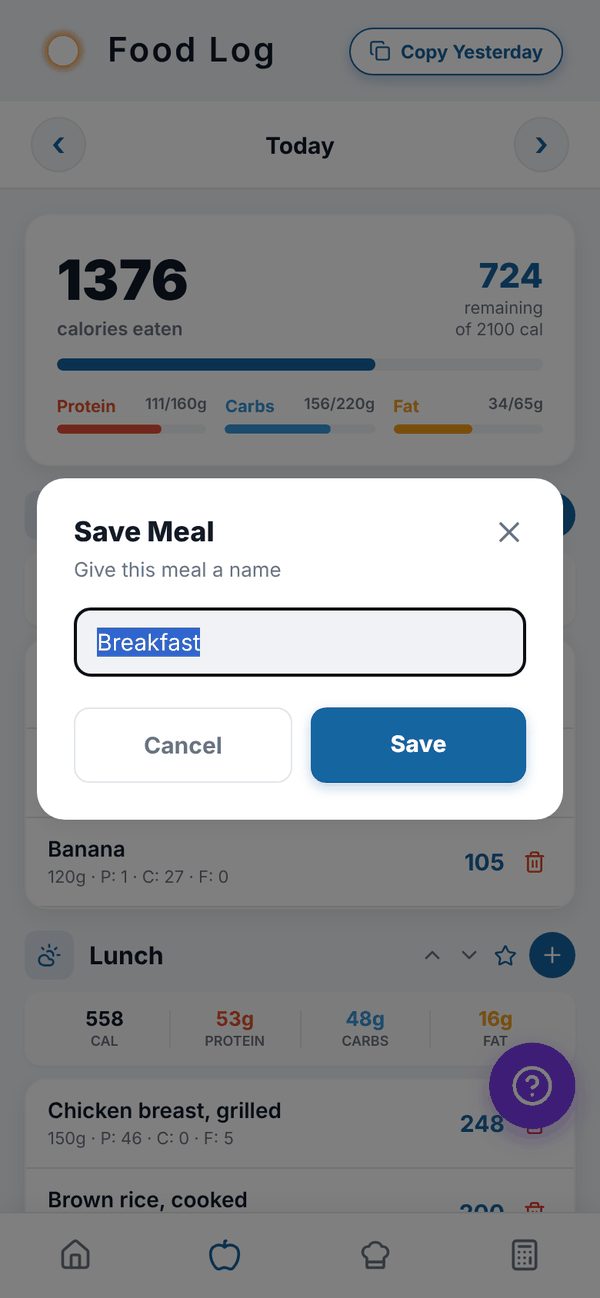
- Tap the star on that meal's header (next to the +). The star only shows once the meal has food in it.
- Give it a name in Save Meal, for example "Post gym shake".
- Tap Save. You'll see "Saved! ... Find it under Saved Meals."
Log a saved meal#
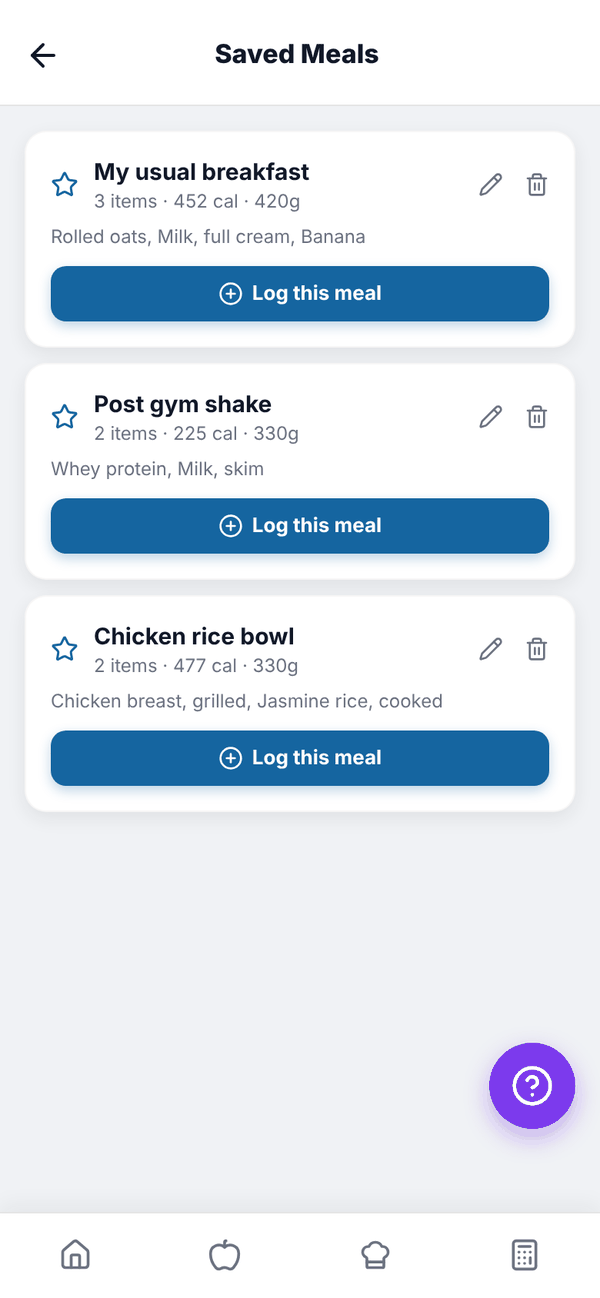
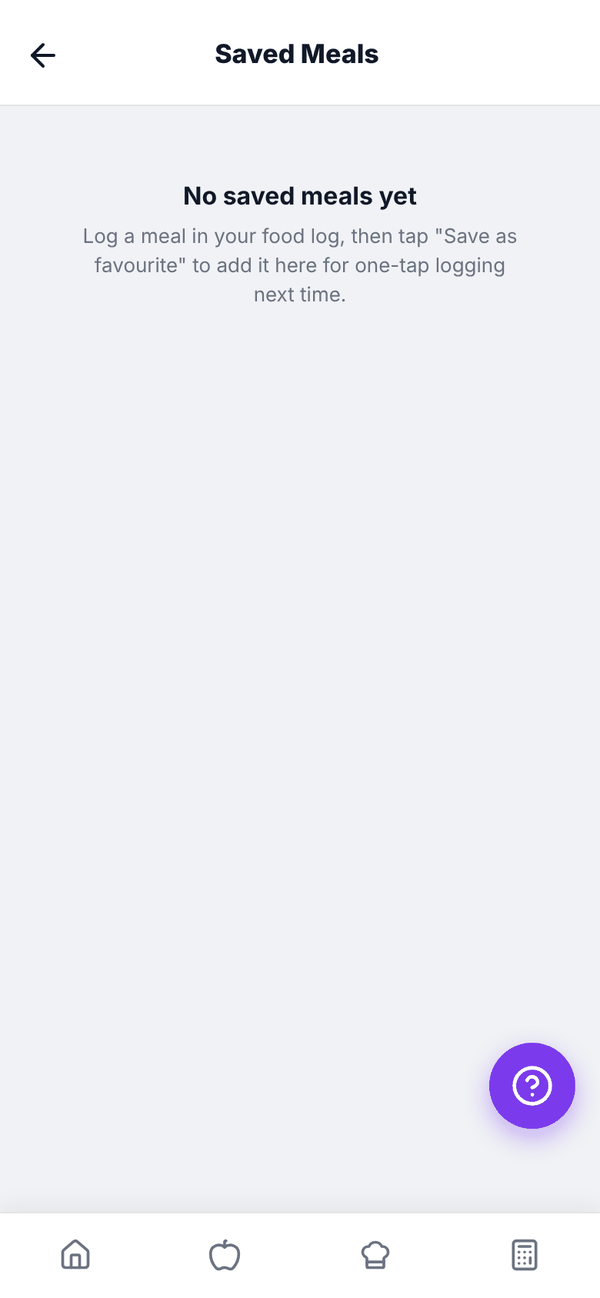
- Open Saved Meals: the star next to the search box in Add food, or the Saved Meals button at the bottom of your food log.
- Each card shows the meal name, how many items, the total calories and the total weight in grams. With a few saved, a Search saved meals box sits at the top.
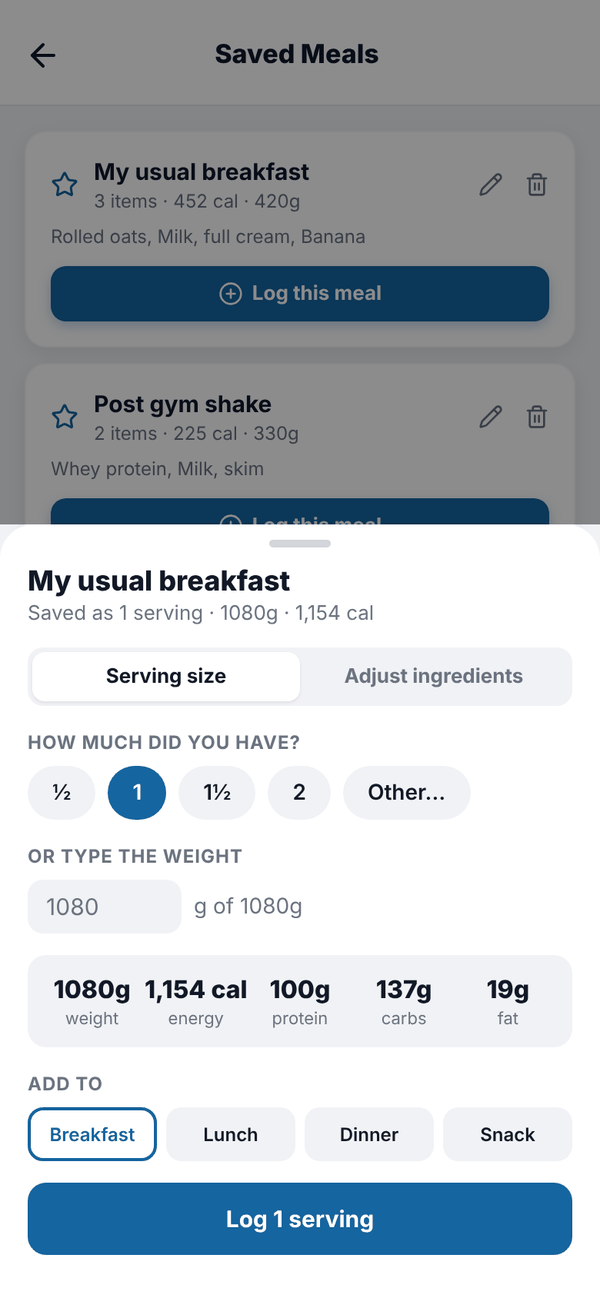
- Tap Log this meal. A sheet slides up.
- Under HOW MUCH DID YOU HAVE?, tap ½, 1, 1½ or 2 servings, or Other… to type your own, like 0.75. Or OR TYPE THE WEIGHT in grams if you weighed what you ate.
- To change one ingredient, switch from Serving size to Adjust ingredients and use minus and plus on each one. The sheet shows "Changed from the saved meal" when you have.
- Under ADD TO, check the meal: Breakfast, Lunch, Dinner or Snack. If you came from a meal's +, it's already picked.
- Tap the button at the bottom, for example Log 1 serving or Log 320g.
Changed the amounts and want to keep them that way? Turn on Save these amounts as a new meal, give it a Name for the new meal, and it's saved as well as logged. Logging never changes the original saved meal.
Edit or delete a saved meal#
- Tap the pencil on a saved meal's card.
- In Edit saved meal, change the NAME, change any ingredient's amount, or tap Remove on one (tap again to put it back). A saved meal needs at least one ingredient.
- Tap Save changes.
To delete a saved meal, tap the bin on its card and confirm.
Saved meals on Free#
Free keeps up to 10 saved meals. When you have 10 and try to save another, you'll see "Saved meals are full". Delete one you don't use, or move to Nutrition for unlimited saved meals. Your existing saved meals always keep working.
Questions#
Can I edit a saved meal?
Yes. Tap the pencil on its card, change the name or the ingredient amounts, and tap Save changes.
I only ate half. Do I need to change the saved meal?
No. When you log it, tap ½ under HOW MUCH DID YOU HAVE?, or type the grams you ate.
My saved meals show in Totality too.
Yes. Saved meals are on your account, so they're shared with the Totality app if you use it with a trainer.
What happens to my saved meals if I go from a paid plan to Free?
They all stay and still log. You just can't save a new one while you have 10 or more.
Are saved meals the same as favourites?
No. A favourite is a single food starred in Add food. A saved meal is a whole group of foods.