
Totality for clients
Exercise library
Look up any exercise to see how to do it, which muscles it works and what equipment you need.
The Exercise Library has every exercise in Totality, plus any your gym has added. It's read only: you can look but not change anything.
On Home, scroll to MORE and tap Exercise Library.
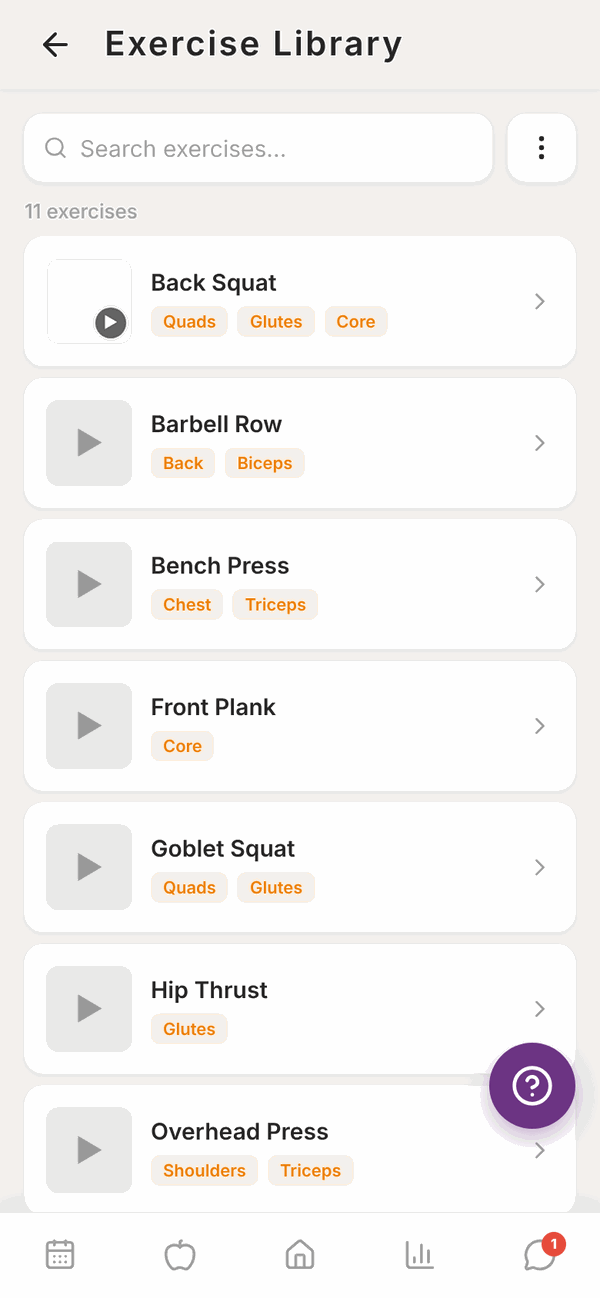
Find an exercise#
- Type in Search exercises... at the top.
- Or tap the three dots button next to the search box to open Filter. Pick a Goal (Strength, Hypertrophy, Endurance, Mobility, Power or Rehabilitation), a Muscle Group or Equipment, then tap Apply. Tap Clear all to remove the filters.
Exercises your gym added have a small Gym badge.
See how to do it#
Tap an exercise to open its details.
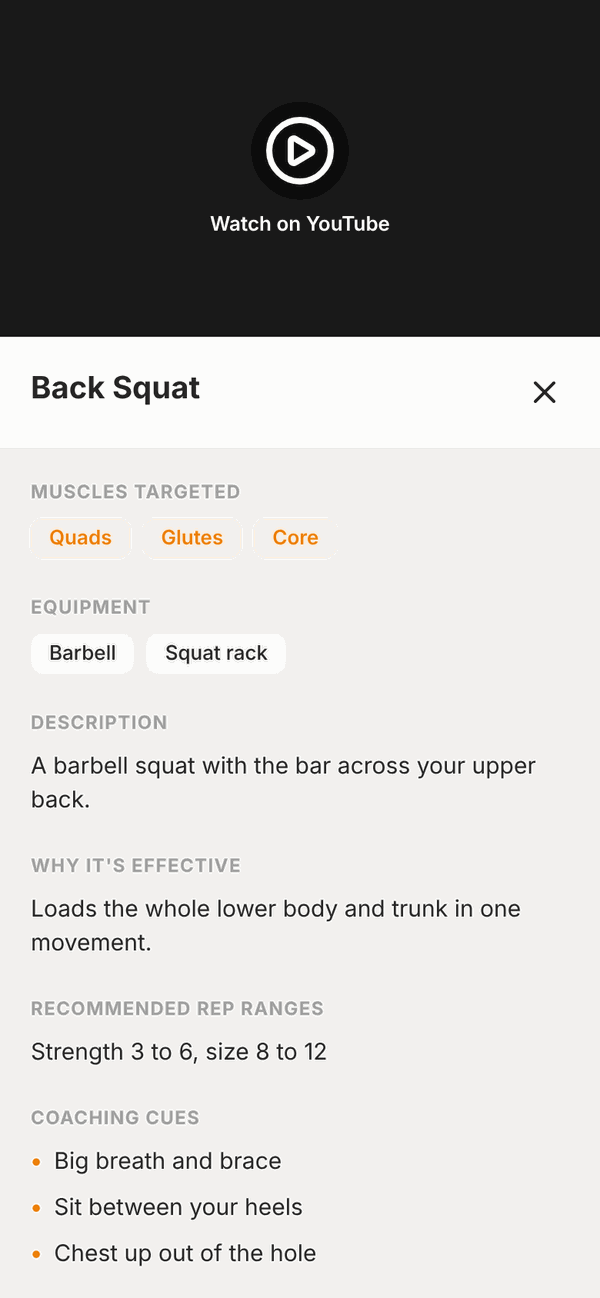
You'll see whichever of these your exercise has:
- A demo video at the top. Tap it to play. YouTube videos open with Watch on YouTube.
- Muscles Targeted and Equipment.
- Description, Why It's Effective and Best Used For.
- Recommended Rep Ranges.
- Coaching Cues: short reminders to think about while you lift.
Tap the x to close it.
Questions#
Can I add my own exercise?
No. Clients can't add or edit exercises. Ask your trainer if you need one added. To log a workout you did on your own, use Log a workout in Workout history.
Why does an exercise have no video?
Not every exercise has one yet. Ask your trainer for a demo, or check the coaching cues.
What does the Gym badge mean?
That exercise was added by your gym, so it's only in your gym's library.
The search finds nothing.
Check the spelling and clear any filters with Clear all. Try a shorter word, like "squat" instead of "barbell back squat".