
Totality for clients
Shop
Buy products from your gym, your trainer and Totality, like memberships, class passes, programmes and merch.
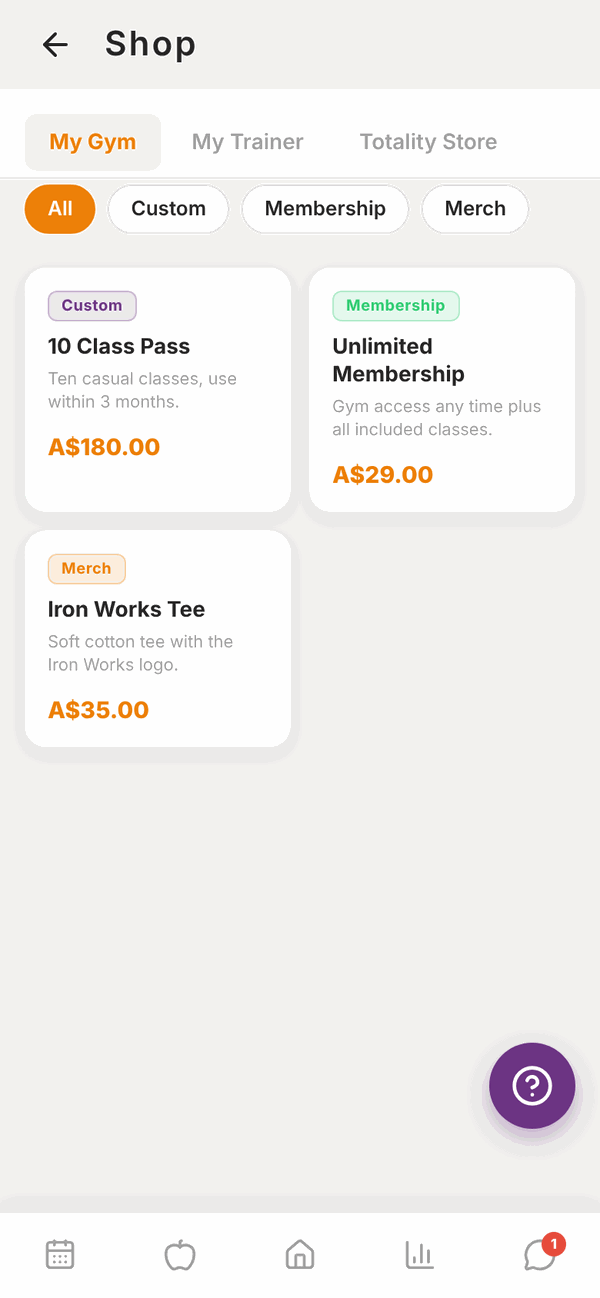
The Shop has things you can buy from your gym, your trainer, and the Totality Store. On Home, scroll to MORE and tap Shop.
Find a product#
The tabs at the top split the shop by who's selling:
- My Gym: products from your gym, like memberships, class passes and gym merch. If you belong to more than one gym, each has its own tab.
- My Trainer: products from your trainer, like programmes and PT packages.
- Totality Store: products from Totality.
Under the tabs, tap a type to narrow the list, for example Membership, Merch or Programme. Tap All to see everything.
Buy something#
- Tap the product to see its details and About this product.
- Tap Buy Now (the price is on the button).
- Pay on the secure Stripe checkout page.
- You come back to the Shop when you're done.
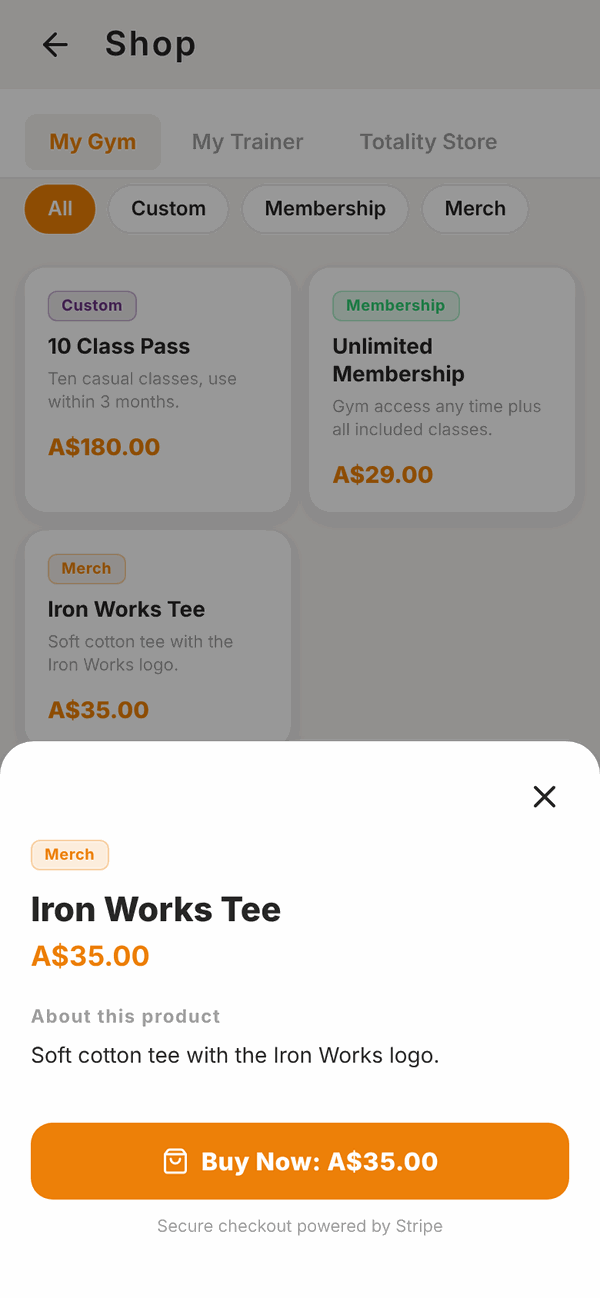
Things you already own show ✓ Owned, and the button says Buy Again.
Your purchases are listed in Payments > Purchases. See Payments.
Questions#
The shop is empty.
It says No products available until your gym or trainer adds products. Check back later.
Where's the thing I bought?
Check Payments > Purchases. For a membership, it shows under Memberships. For a programme from your trainer, ask your trainer if it hasn't appeared in Programmes.
Can I get a refund?
Contact the gym or trainer you bought from. Refunds for their products are up to them.
Is checkout safe?
Yes. Payments go through Stripe. It says Secure checkout powered by Stripe under the button.