
Totality for clients
Sessions, classes and credits
See your PT sessions, book and cancel gym classes, join a waitlist, and keep track of your session credits.
Your Schedule#
Tap the calendar button at the bottom left of the screen to open Schedule.
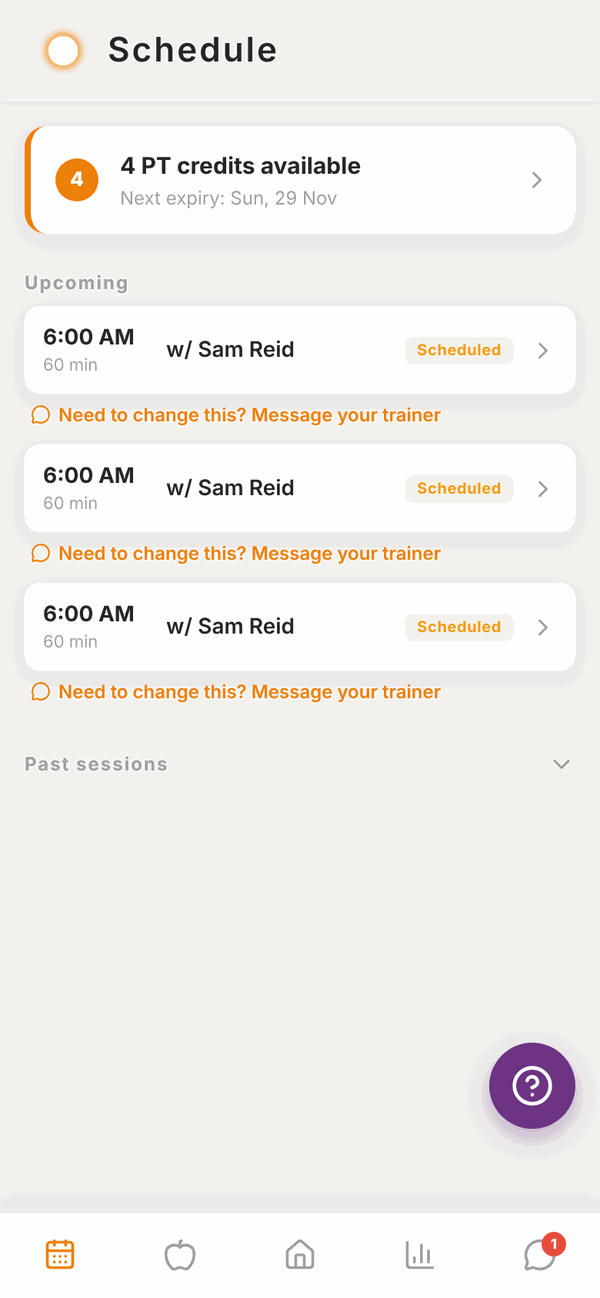
At the top is your credits card, for example 4 PT credits available with the date the next one expires. Tap it to see your full credit history in Payments.
Under Upcoming are your PT sessions and class bookings, in date order. Each shows the time, how long it is and who it's with. Classes have a CLASS label.
Tap Past sessions at the bottom to see sessions you've already had.
PT sessions#
Your trainer books your PT sessions. You can't book or move them yourself. To change one, tap Need to change this? Message your trainer under the session. It opens a chat with them.
PT credits#
If you buy PT sessions in a pack or a weekly package, each paid session is a credit. When you have a PT session, your trainer uses one credit.
- Your Schedule shows how many credits you have and when the next one expires.
- Payments > Credits shows your PT package, when it next bills, and every credit with its status: Available, Used, Expired or Cancelled. See Payments.
If you have no credits, the card says No credits available and Ask your trainer if you need more credits.
Classes#
Classes are run by gyms. If you're a member of a gym that uses Totality, you'll see the Classes tile on Home. Tap it.
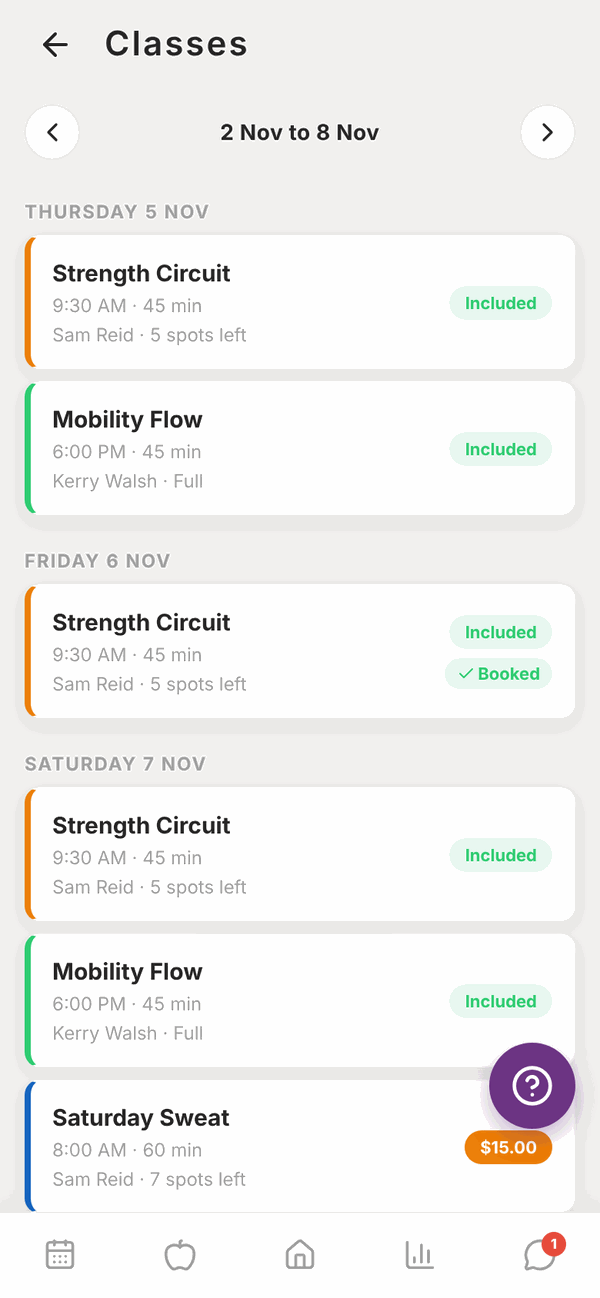
Classes show one week at a time, grouped by day. Use the arrows to change the week. Each class shows its time, length, instructor and how many spots are left, or Full.
The label on the right tells you the price:
- Included: free with your membership.
- A price like $15.00: a casual class, charged to your card.
- Free: no charge.
- Booked: you're already in.
Book a class#
- Tap the class.
- Read the details: the date, time, instructor, how many are booked, and a description.
- Tap the orange button. It says Book (included with membership), Book (free) or Book for $15.00.
- You'll see You're booked! with how it was paid.
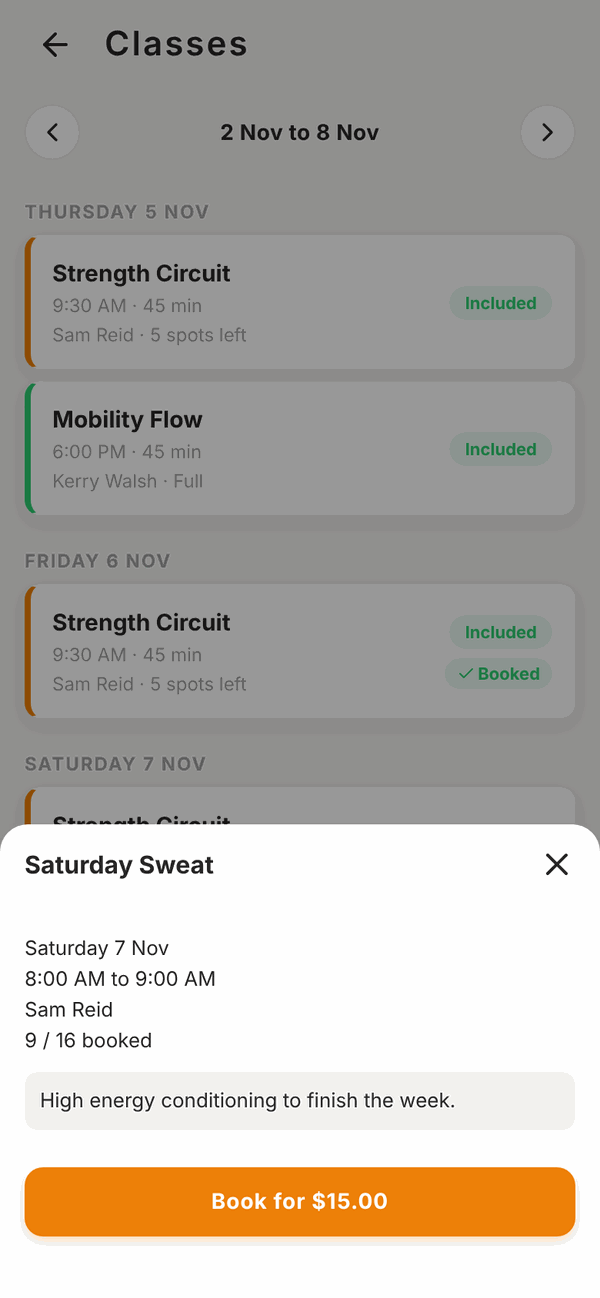
Paid classes charge the card you've saved for that gym. If you haven't saved one, you'll see "No payment method saved". Add one first in Payments.
Join the waitlist#
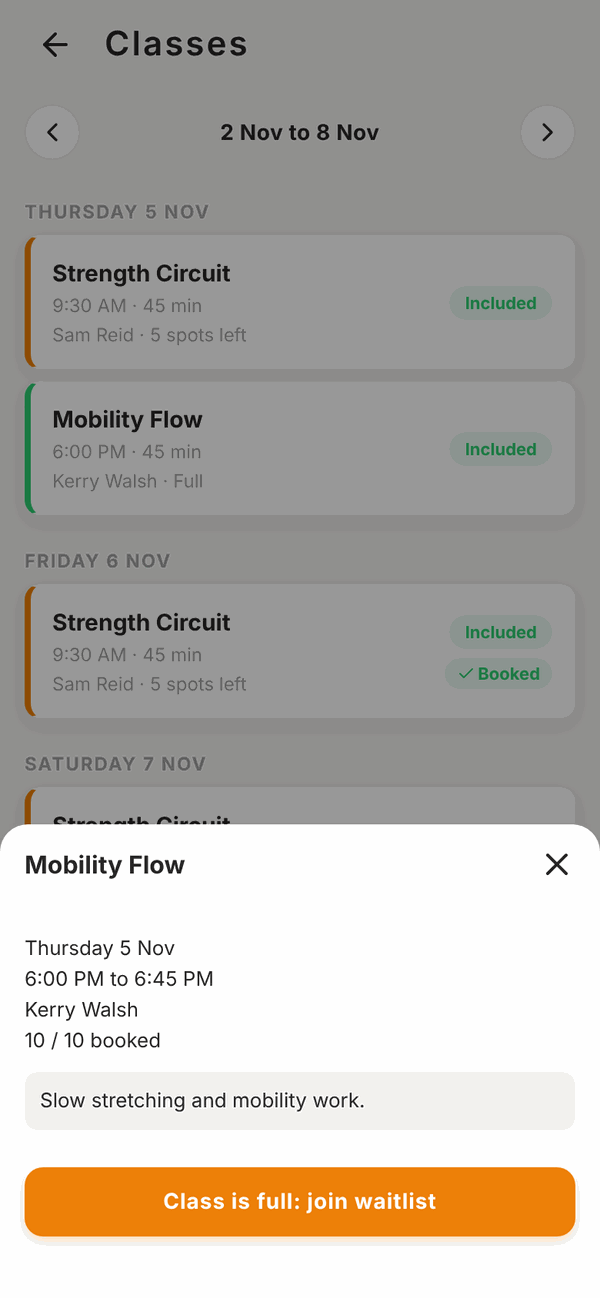
If a class is full, the button says Class is full: join waitlist. Tap it. You'll see what number you are in line.
When a spot opens:
- For an included or free class, you're booked in automatically.
- For a paid class, the spot is held for you for a short time. You'll get a notification. Open the class and book before the time shown.
To leave the waitlist, open the class and tap Leave waitlist.
Cancel a class booking#
- Open Schedule (or the class in Classes).
- Tap Cancel booking.
- Tap Cancel booking again to confirm, or Keep booking.
You can cancel any time before the class starts. Your spot goes to the next person.
Frozen memberships#
If your gym has frozen (paused) your membership, you'll see "Your membership is frozen" and you can't book. Contact your gym to unfreeze it.
Questions#
Why can't I see Classes?
Classes only show if you're a member of a gym in Totality. If you are, ask your gym to check your membership. If you see You're not a member of a gym yet, the gym hasn't added you as a member.
Can I book a PT session myself?
No, your trainer books them. Message them with a time that suits.
Why does a class say "Included" but I was charged?
Included classes are free when you have an active membership at that gym that includes classes. Check your membership in Payments.
I can't cancel a class.
Once a class has started it can't be cancelled. The screen says "This class has started, so it can no longer be cancelled."
Will I get a reminder before my class?
Yes, in the phone app, if Class reminders is on in Settings.
My credits expired. Can I get them back?
Ask your trainer or gym. They manage credits.