
Totality for clients
Your invite and first log in
Open the invite from your trainer or gym, set your password, log in, and reset your password if you forget it.
You do not sign yourself up as a client. Your trainer or gym creates your account and Totality sends you an email. You open that email, choose a password, and you are in.
Step 1: find the invite email#
The email comes from Totality and the subject line is "You've been invited to Totality as a Client". It says who invited you, and which gym if there is one.
If you can't see it, check your junk or spam folder, and search your email for "Totality".
Step 2: set your password#
- Open the email and tap the orange Set up your account button.
- Totality opens on a screen called Reset Your Password. Don't worry about the word "reset", this is where you choose your first password.
- Type a password into New Password. It must be at least 8 characters.
- Type the same password again into Confirm Password. The two lines under Password Requirements turn green when you have it right.
- Tap Reset Password.
- You'll see "Password Updated". Totality takes you to the log in screen.
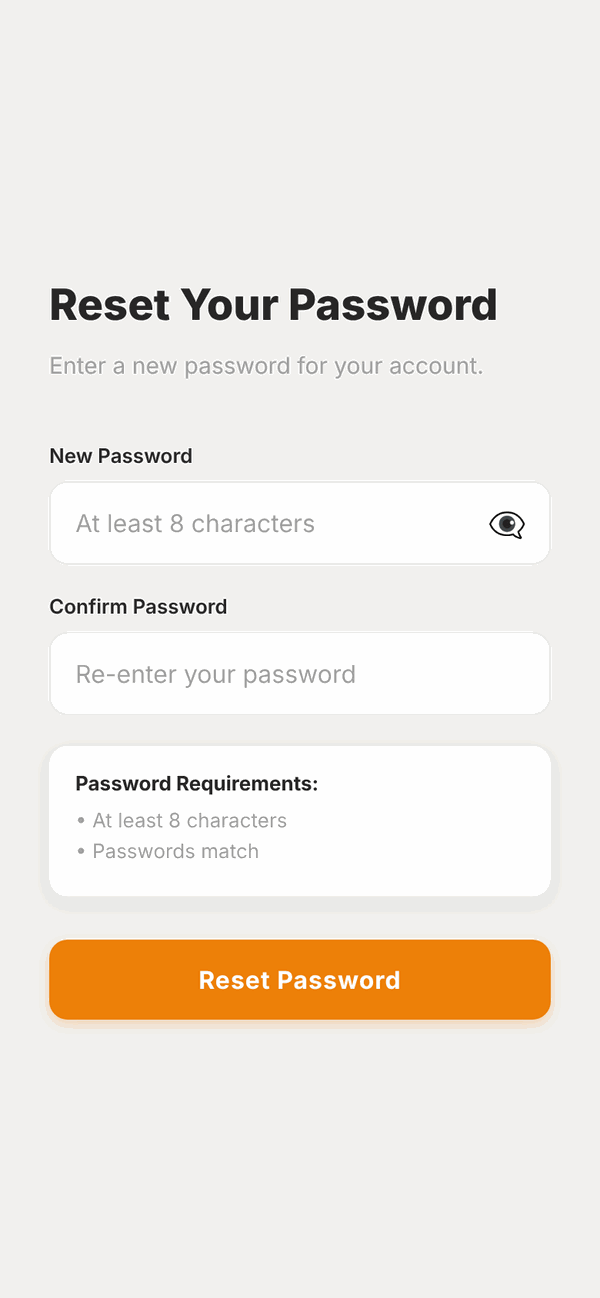
You can tap the eye button in the password box to see what you typed.
Step 3: log in#
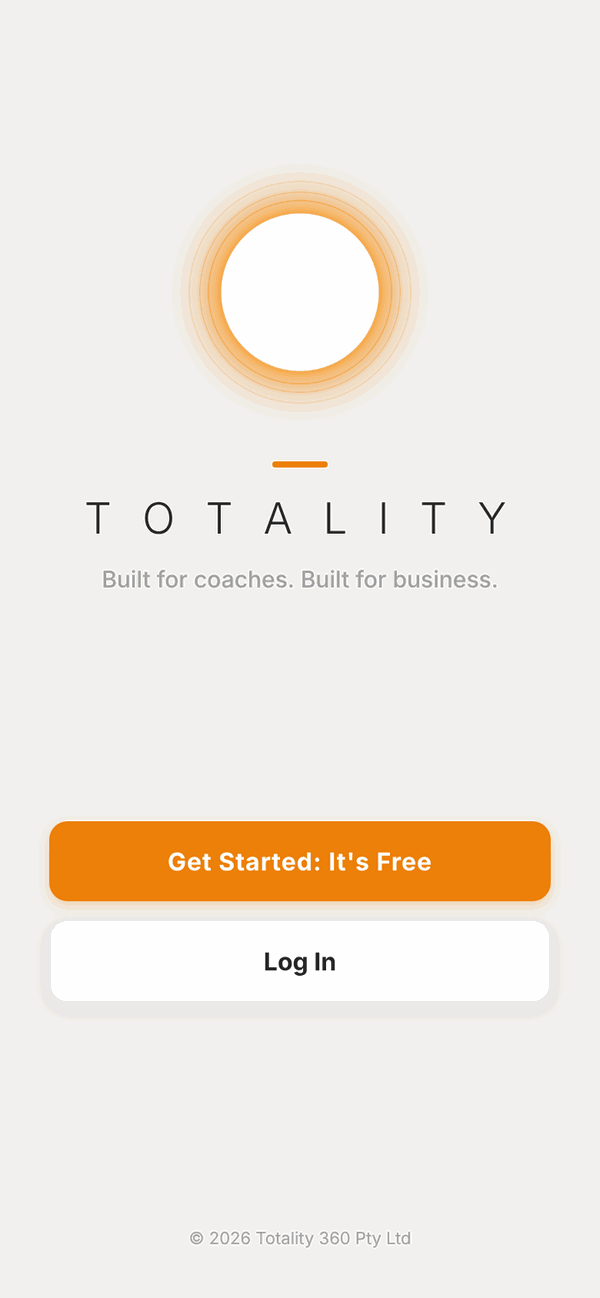
- Open Totality. If you see two buttons, tap Log In. (Get Started: It's Free is for trainers and gyms starting their own business account, not for clients.)
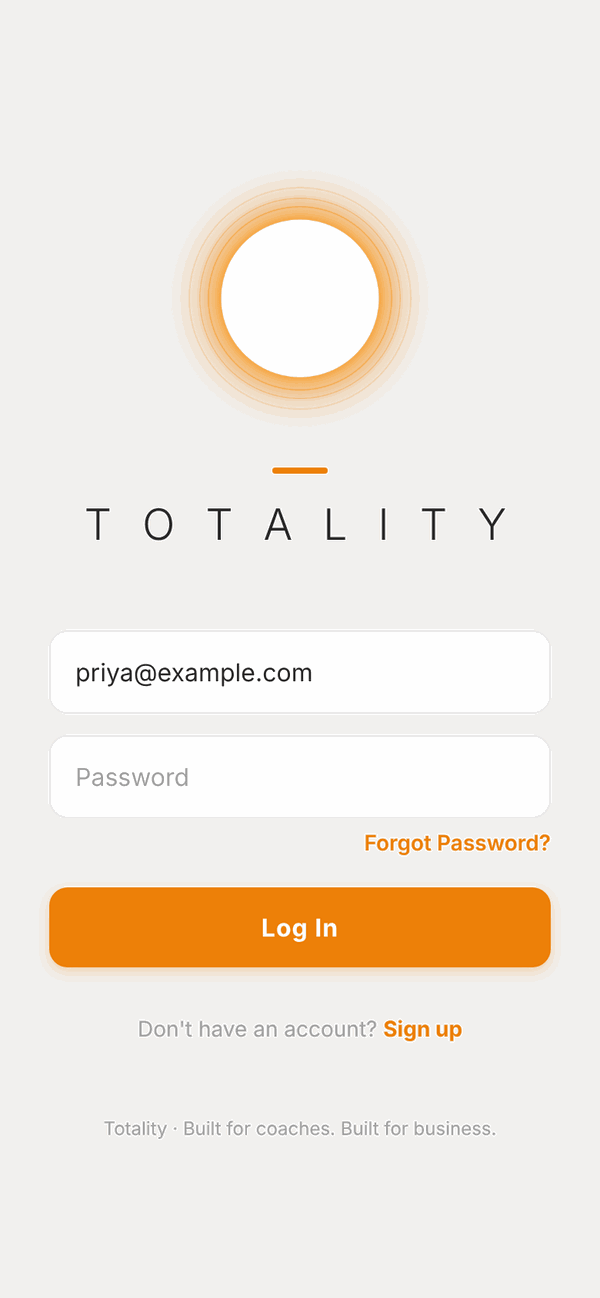
- Type the email address your trainer or gym invited you with.
- Type your password.
- Tap Log In.
The first time you log in, Totality asks you to agree to the terms and answer a few setup questions. See First time setup.
Invite links from your gym#
Some gyms share a link that looks like totalityapp.com.au/join/your-gym. Opening it shows a screen like this one:
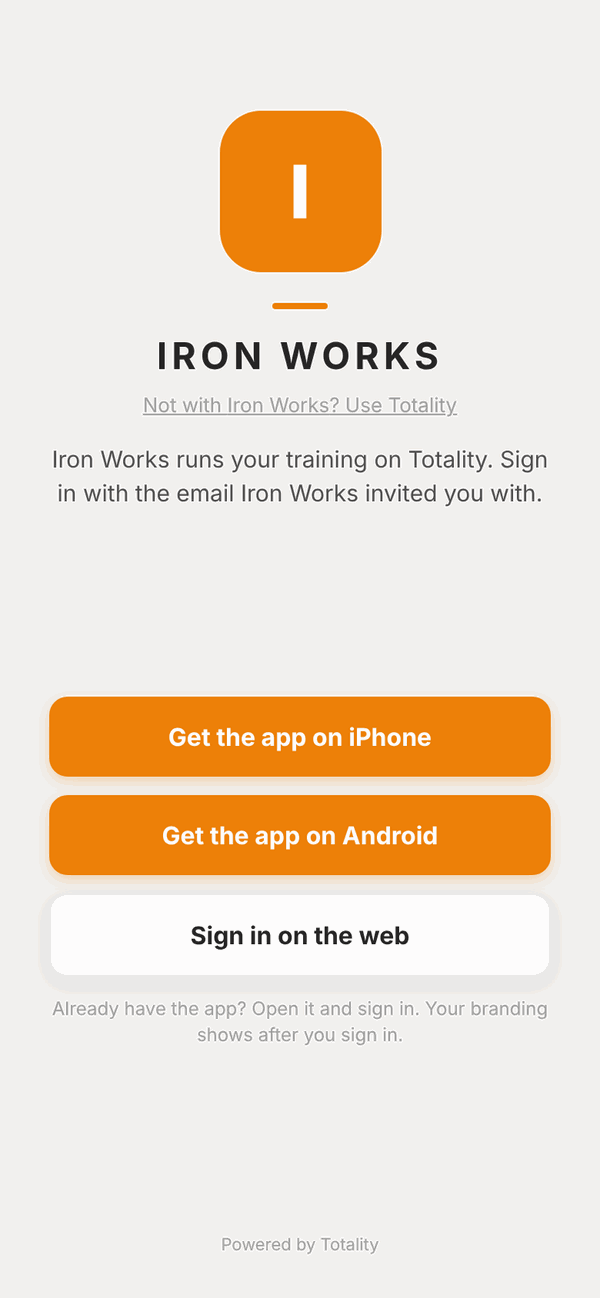
It tells you which gym runs your training, and gives you three buttons: Get the app on iPhone, Get the app on Android, and Sign in on the web. Pick one, then log in with the email your gym invited you with.
If the screen says This invite link isn't active, check the link with your gym. You can still tap Sign in to log in.
Forgot your password?#
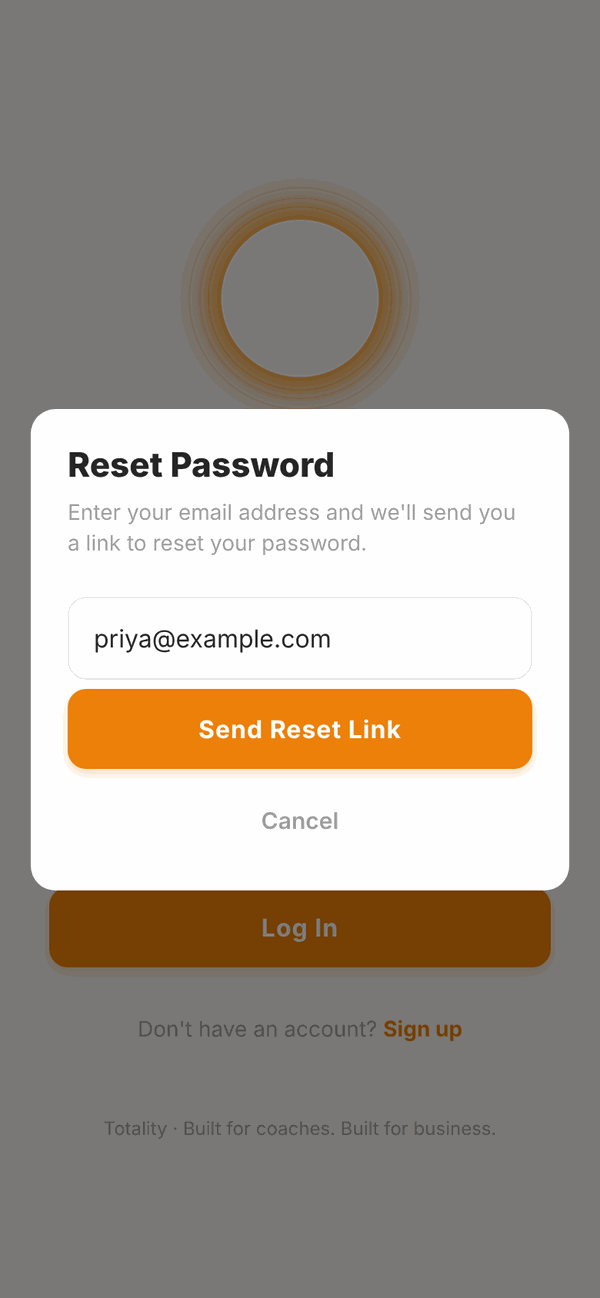
- On the log in screen, tap Forgot Password? (just above the Log In button).
- Type your email address.
- Tap Send Reset Link.
- Open the email from Totality and tap the link in it.
- Choose a new password on the Reset Your Password screen and tap Reset Password.
- Log in with your new password.
Joining a second gym#
If a gym invites you while you already have a Totality account, you won't get a new account. Instead a card appears at the top of your Home screen saying the gym invited you to join. See Your Home screen.
Questions#
I never got the invite email. What do I do?
Check your junk and spam folders, and search for "Totality". If it is not there, ask your trainer or gym to check your email address is right and send the invite again.
The link says it is invalid or has expired.
Invite and reset links work once and expire after an hour. Go to the log in screen, tap Forgot Password? and send yourself a new link. Then use the new link straight away.
It says "Incorrect email or password".
Check you're using the same email your trainer or gym invited you with, and that caps lock is off. If you still can't get in, use Forgot Password? to set a new password.
It says "Please confirm your email address before logging in".
Open the invite email and tap Set up your account first. That confirms your email.
Should I tap "Get Started: It's Free"?
No. That button is for personal trainers and gyms who want their own business account. Clients always come in through an invite and Log In.
Can I change the email I log in with?
Not yourself. Email cannot be changed in Settings. Ask your trainer or gym, or email admintotality@gmail.com.
I set a password but it keeps asking me to set one again.
Finish the Reset Your Password screen all the way to the "Password Updated" message, then log in. If it still happens, email admintotality@gmail.com.