
Totality for clients
Messages
Message your trainer or your gym, and read announcements from Totality.
Tap the speech bubble button at the bottom right of the screen. A red number on it means you have unread messages.
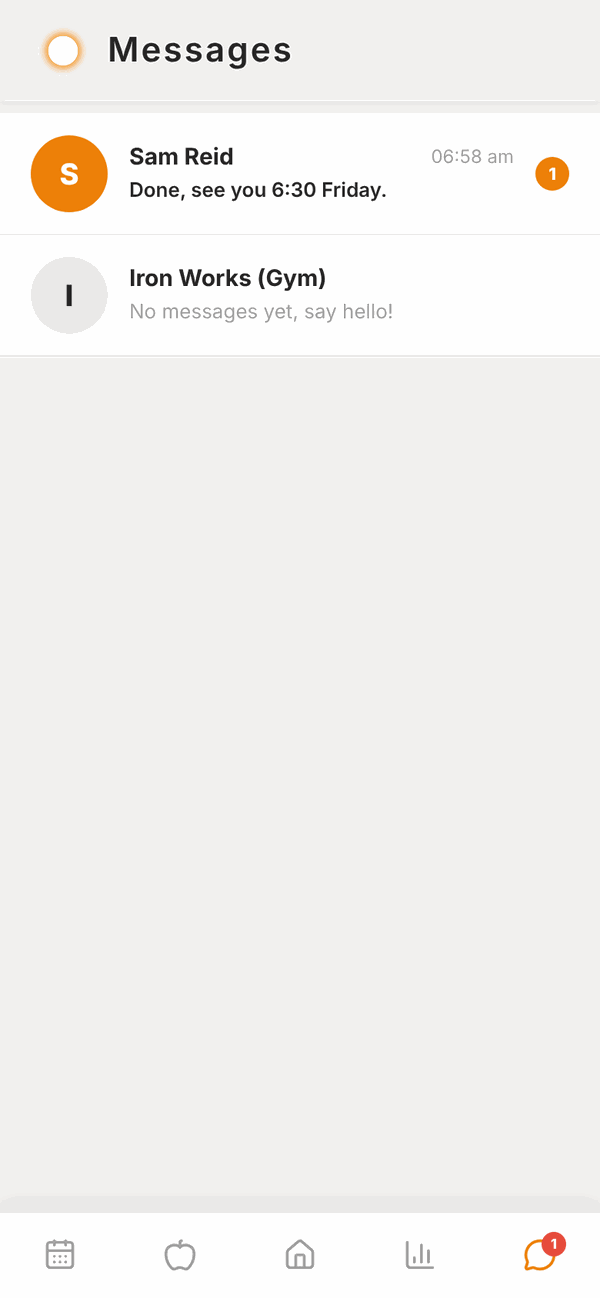
You'll see everyone you can message:
- Your trainer (or trainers, if you have more than one).
- Your gym, shown with "(Gym)" after its name. Messages go to the gym's owner or manager.
- Totality Announcements, if Totality has sent any. These are read only.
Each one shows the last message and the time. A number on the right shows how many you haven't read. If you haven't chatted yet, it says No messages yet, say hello!
Send a message#
- Tap the person you want to message.
- Tap the box at the bottom that says Message ... and type.
- Tap the send button (the arrow) on the right.
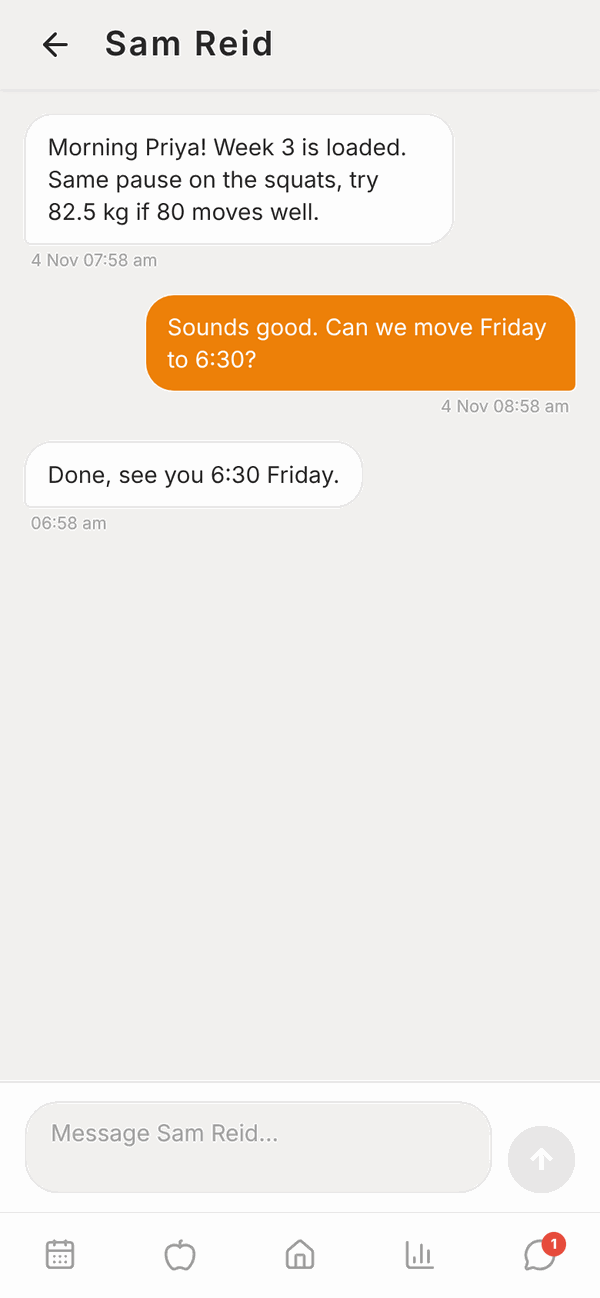
While it sends, your message says Sending.... If it fails, it says Not sent. Tap to retry. Tap it to send again. Your words are kept, so you won't lose what you typed.
New replies appear by themselves while the chat is open.
Notifications#
In the phone app, you'll get a notification when your trainer messages you, as long as Messages from my trainer is on in Settings. The website doesn't send push notifications, so check the red number on the speech bubble.
Questions#
Why is there no one to message?
You'll see No one to message yet until a trainer is linked to you or you join a gym in Totality. Ask your trainer or gym to link you.
Can I send photos?
Messages are text only.
Can I message other members of my gym?
No. You can message your trainers and your gym.
Can I reply to Totality Announcements?
No, announcements are read only. For help, email admintotality@gmail.com or tap the purple help button.
Can I delete a message?
Not from the client app.
My trainer hasn't replied.
Your trainer gets your message straight away, but replies when they're free. For anything urgent about a booking today, call your gym.