
Tali HQ guide
Invoices and Stripe
Make, share and track invoices, let Tali draft them, and send them through your own Stripe.
Invoices lets you make an invoice in a minute, share it as a PDF, and keep track of who's paid. Tali can draft invoices for you, nudge you about overdue ones, and with your own Stripe connected, send them with a pay by card link that marks itself paid. Tali HQ
Open it from Your world, Work, Invoices, or the Invoices button on Your people. Invoices only show if you told Tali you run a business.
Set up your invoice details first#
These go on every invoice. Do this once.
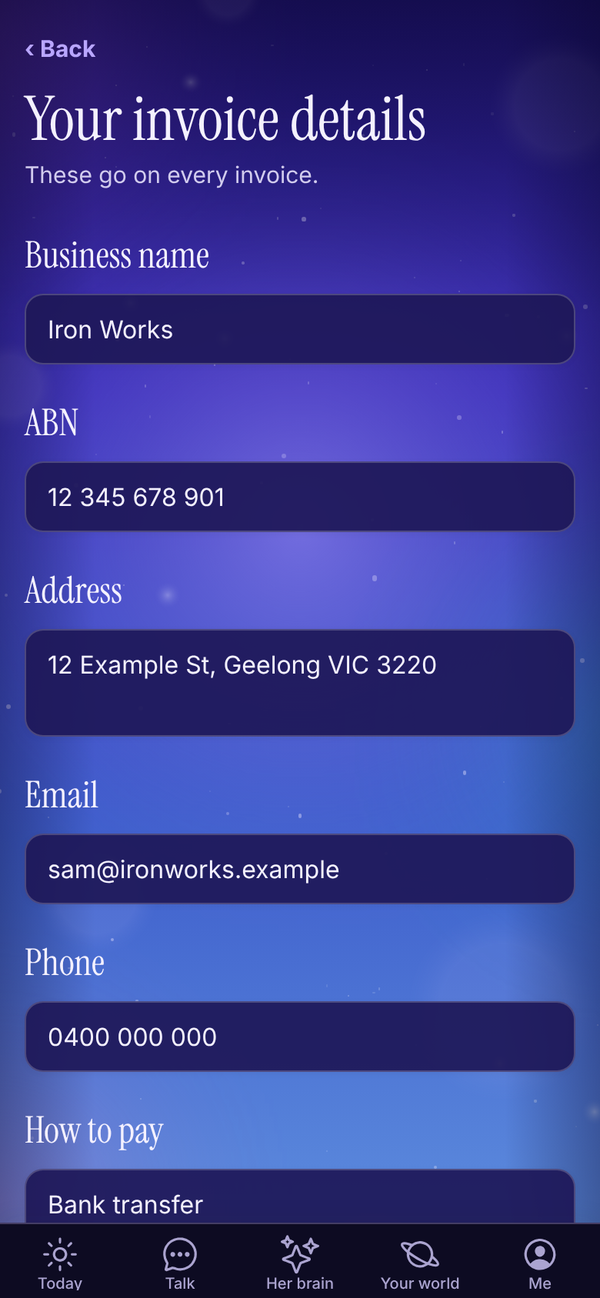
- In Invoices, tap Your invoice details.
- Fill in Business name, ABN, Address, Email and Phone.
- In How to pay, put your bank details or how you like to be paid, for example your BSB, account number and "Reference: invoice number".
- Turn on Registered for GST if you are. It adds 10% GST and calls it a tax invoice.
- Under Usually due, pick On receipt, 7 days, 14 days or 30 days. New invoices use this.
- Add a Footer (optional), like "Thanks for your business!".
- Tap Save.
The invoice list#
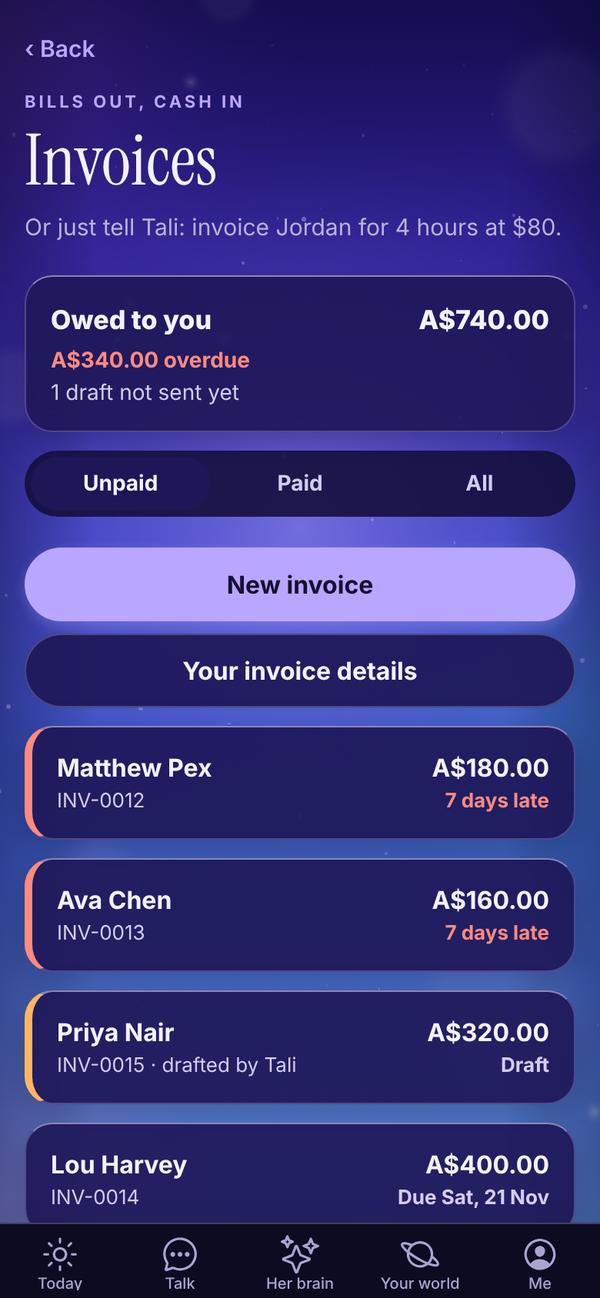
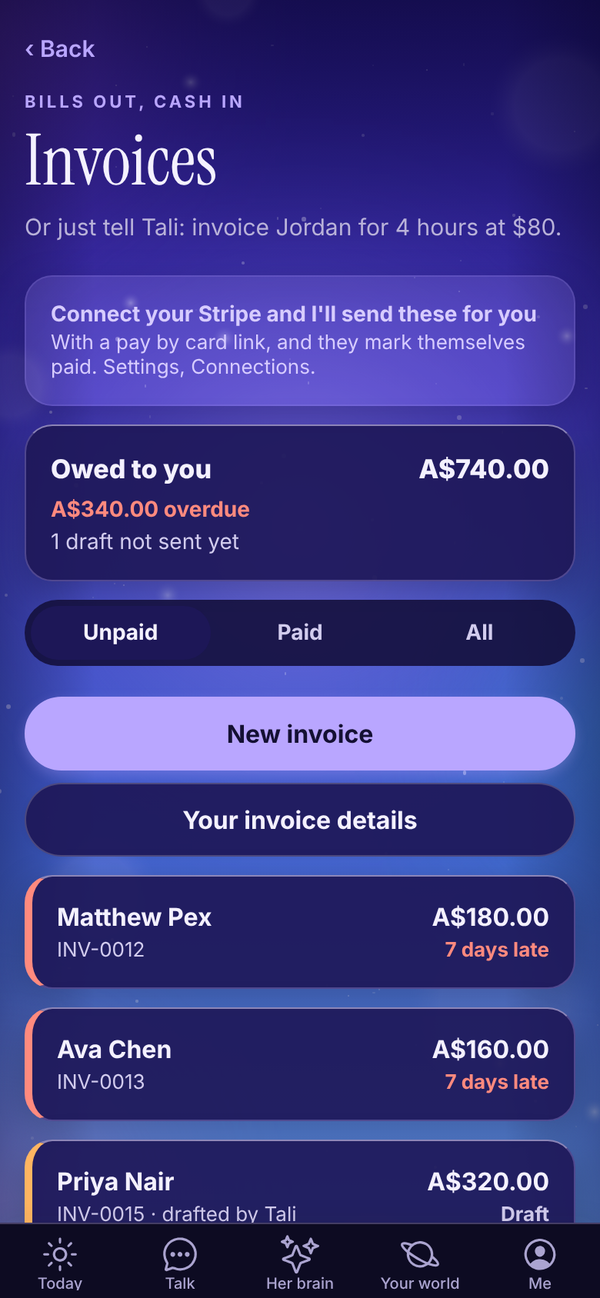
- Owed to you: everything sent and not paid, with how much is overdue and how many drafts aren't sent yet.
- Tabs: Unpaid (drafts and sent, soonest due first), Paid and All.
- Each invoice shows the client, number, total and where it's up to, in plain words: "Due 20 Nov", "3 days late", "Paid by card" or "Paid". Late invoices have a red edge. Drafts have an orange edge, and "drafted by Tali" if Tali made it.
Make an invoice#
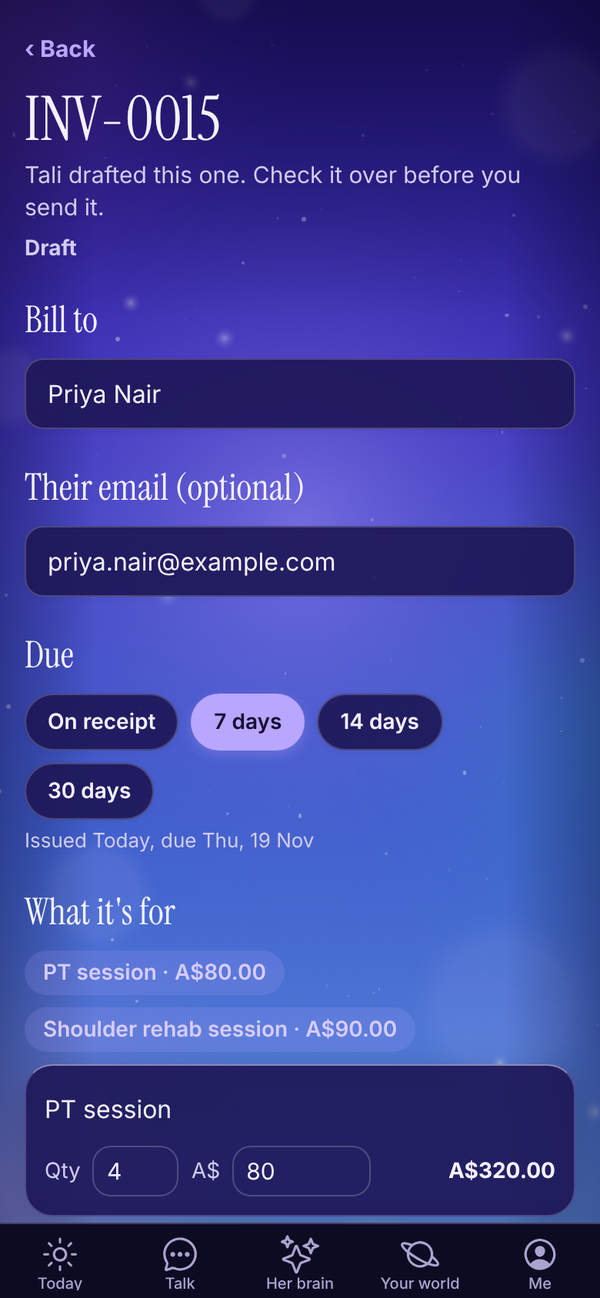
- Tap New invoice.
- In Bill to, type the client's name. Matching people from Your people show underneath; tap one to fill in their name and email. Lines you've billed them before show as chips you can tap to add again.
- Add Their email (optional). You need it to send with a pay by card link.
- Under Due, pick On receipt, 7 days, 14 days or 30 days. The line underneath shows the issue and due dates.
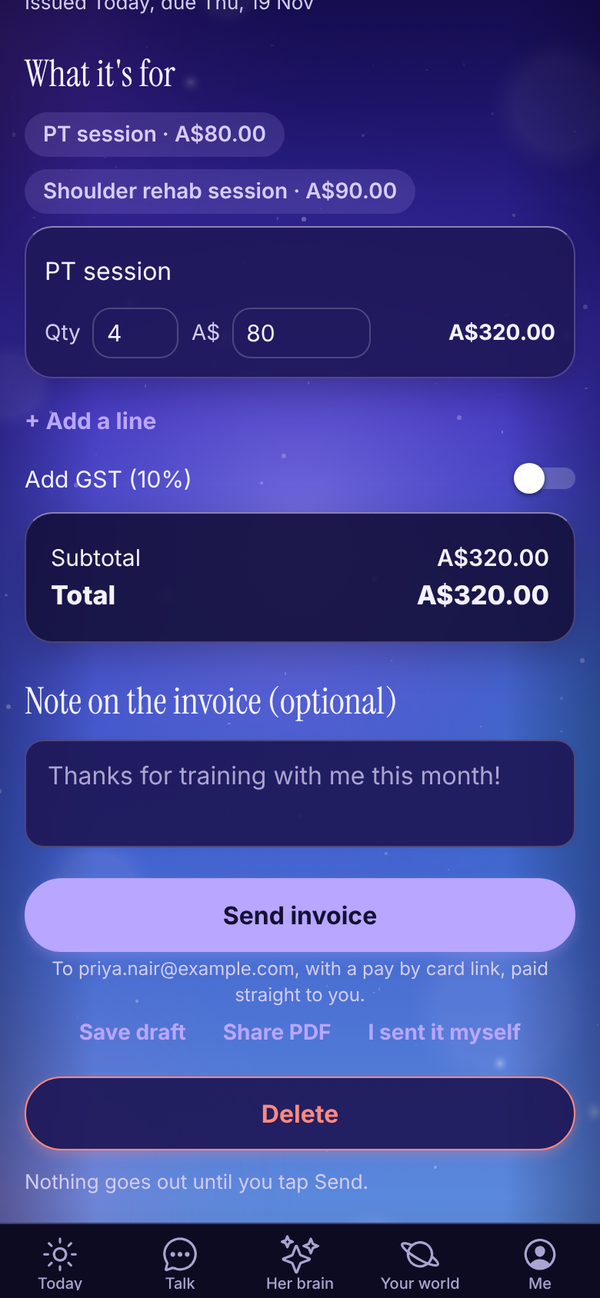
- Under What it's for, say what each line is for, like "1 hour session", then the Qty and the price in A$. Tap + Add a line for more, or Remove to take one off. A line with no description is flagged right there on the box.
- Turn on Add GST (10%) if it applies. The box shows the Subtotal, GST and Total incl. GST.
- Add a Note on the invoice (optional).
Invoice numbers go up by one each time, like INV-0015. Billing someone new saves them to Your people.
Or ask Tali#
In Talk, say "invoice Priya for 4 PT sessions at $80". Tali drafts it on the Invoices screen, marked "Tali drafted this one. Check it over before you send it." With Stripe connected, it also lands on Today under Needs you with Send with Stripe.
Send it#
At the bottom of a draft is one big Send invoice button, with three small links under it: Save draft, Share PDF and I sent it myself.
With Stripe connected, tap Send invoice. Stripe emails it to your client with a pay by card link, paid straight to you. A Sent page shows the Pay link with Copy link to text it, so you can send it by text too. It marks itself paid when they pay, and Tali lets you know.
Without Stripe, tapping Send invoice opens Get paid by card, a three step page inside the invoice:
- Connect your Stripe: use the Stripe account you already have, or make one free. Tap Connect Stripe. Money goes straight to you.
- Your client gets an email with a pay by card link.
- It marks itself paid, and Tali lets you know when it lands.
Your draft is saved while you connect. Afterwards, open it from Invoices and tap Send invoice. Or tap Not now, I'll share the PDF.
Sharing it yourself. Tap Share PDF, send it by email or message, then tap I sent it myself.
Track payment#
- Mark as paid: when a client pays you outside Stripe.
- Not paid after all: on a paid invoice, moves it back to sent.
- Void this invoice: on a sent invoice. It asks Sure? first. A void invoice can't be edited.
- Delete: on a draft or void invoice, then Tap again to delete.
Paid and void invoices are locked, so you can't change their details.
Bill them again on a sent or paid invoice starts a new draft for the same person with the same lines. Handy for monthly clients.
Connect your Stripe#
If you already take card payments with Stripe, connect it so Tali can send invoices through it.
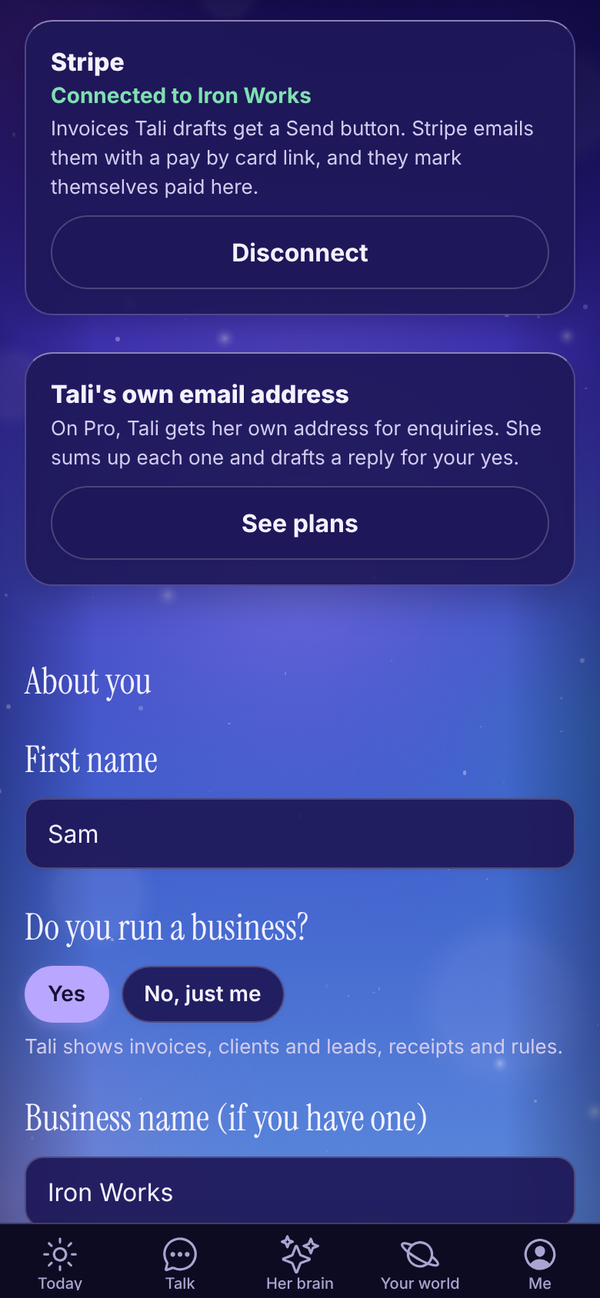
- Open Me, Settings, Connections (or tap the Connect your Stripe card on Invoices, or Connect Stripe inside an invoice).
- On the Stripe card, tap Connect Stripe.
- Sign in to the Stripe account you already have and approve it.
- You come back to Settings and see "Connected".
Payments go straight to your Stripe account. Tali HQ never takes a cut and never runs billing for you. To disconnect, tap Disconnect, then Yes, disconnect Stripe. Your Stripe account and the invoices already in it aren't touched.
Connecting Stripe is done in the web app at talihq.com.au. Once it's connected, sending works from any device.
Overdue invoices#
Overdue invoices show on Today in Money and Health, in your morning brief, and Tali can draft a friendly nudge if you ask. On Pro, the Chase overdue invoices rule drafts the reminder for you. See Night school and Rules.
On the Free plan#
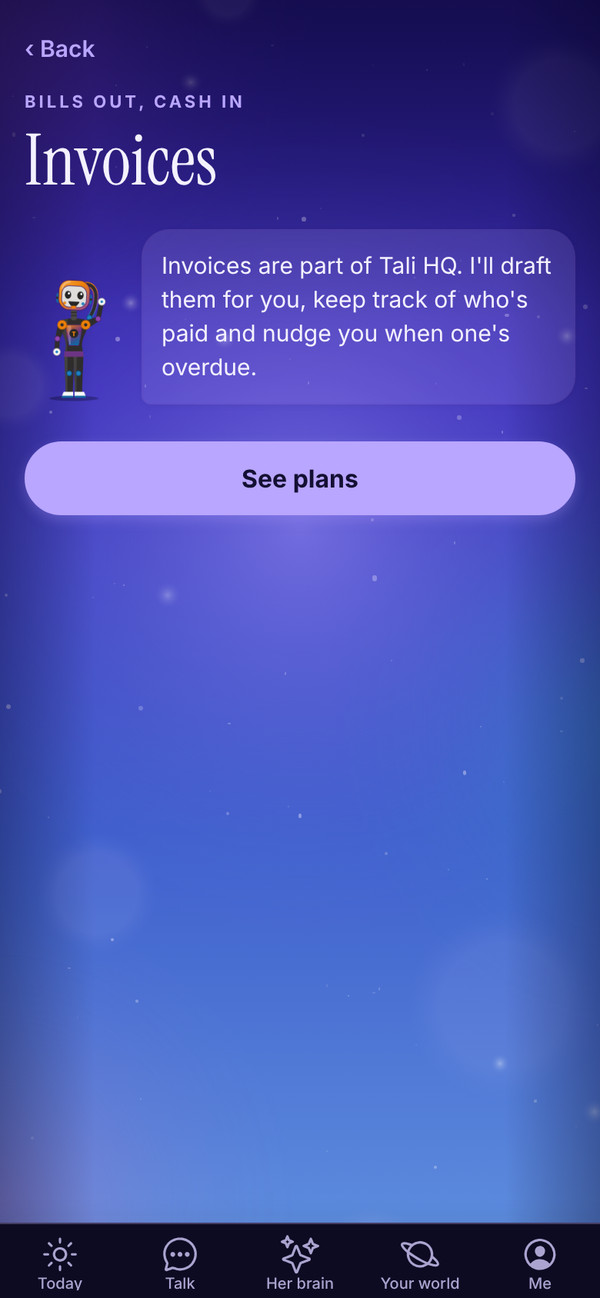
Invoices are part of Tali HQ. On Free, the screen says so, with See plans.
Questions#
Does Tali HQ take a fee on Stripe payments?
No. Payments go straight to your own Stripe account. Stripe's normal fees apply.
Can I send an invoice without Stripe?
Yes. Tap Share PDF, send it however you like, then tap I sent it myself.
Send invoice says to add their email.
Sending with a pay by card link needs the client's email. Add it in Their email (optional), then tap Send invoice.
Can I text my client the pay link?
Yes. After you send, the Sent page has Copy link to text it.
Will Tali send an invoice on her own?
No. Tali drafts invoices. You send them.
Can I change an invoice after it's paid?
No, paid and void invoices are locked. If it was marked paid by mistake, tap Not paid after all.
How do I add GST to every invoice?
Turn on Registered for GST in Your invoice details.