
Tali HQ guide
Journal and notes
Write a journal that Tali learns from, look back a week, a month or a year, keep notes on their own screen, and read Tali's weekly journal.
Your journal is your time and your place. Write what happened and what's on your mind, and Tali learns from it quietly, unless you keep an entry private. Notes are for things you want to find again, and live on their own screen. Tali's own weekly journal sits beside yours. Free
Open Your world, Your words, Journal (or Notes). You can also tap Write in your journal on Today after you've shut the day down.
Your journal#
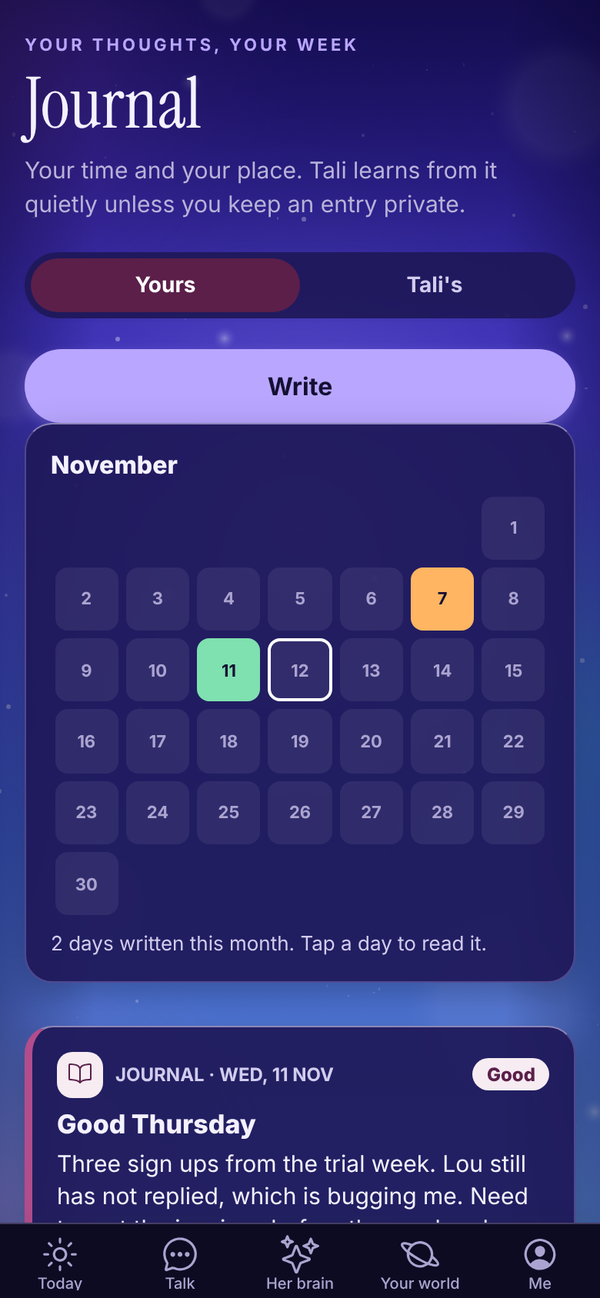
The Yours tab has:
- A look back: when you wrote on this date a week, a month, three months, six months or a year ago, that entry shows at the top, for example "A month ago today". Tap it to read it.
- Write: starts a new entry.
- The month as a calendar: each day you wrote is coloured by the mood you picked. Tap a day to read it. Under it, "12 days written this month".
- Your entries, newest first, with the date, the mood and the first few lines. A lock means it's kept from Tali.
Write an entry#
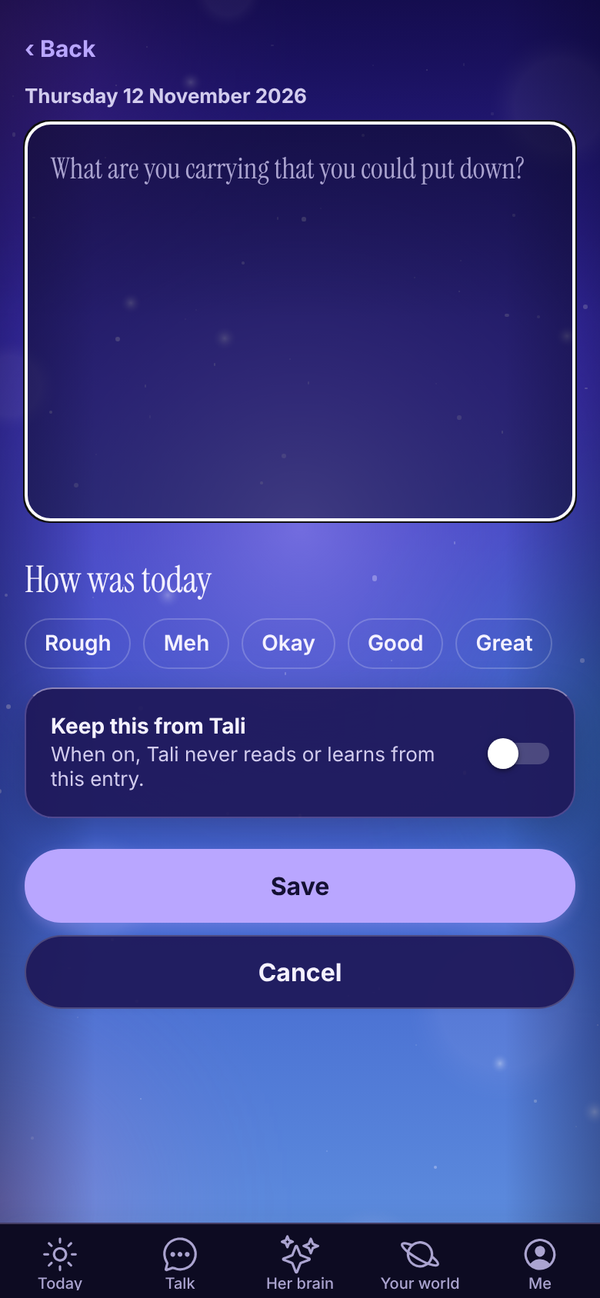
- Tap Write.
- The page comes first. A question shows faintly to get you going, like "What went well today?" or "What would make tomorrow easier?". It disappears as soon as you type. Write as much as you like, up to 20,000 characters.
- Under How was today, tap Rough, Meh, Okay, Good or Great if you like. Tap it again to clear it. Your mood also shows on Headspace.
- To hide this entry from Tali, turn on Keep this from Tali.
- Tap Save.
There's no title to fill in. A few lines a day is plenty.
Edit, discard or delete#
- Tap an entry to open it, change it and tap Save.
- Cancel closes it. If you've changed something, the button says Discard changes? and then Sure?, so you don't lose words by accident.
- Delete, then Tap again to delete for good.
Notes#
Your world, Your words, Notes is for ideas, lists, plans and anything you want to find again.
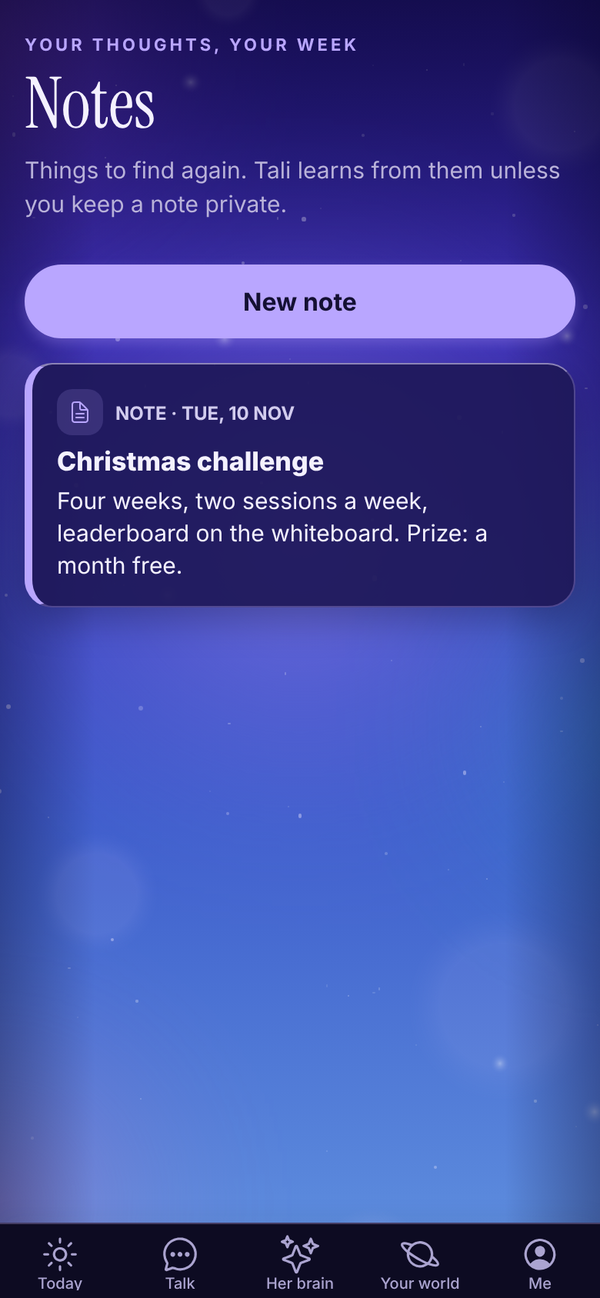
- Tap New note, add a Title (optional) and the Note, and tap Save.
- With more than four notes, Search your notes appears.
- Keep this from Tali works on notes too.
What Tali does with your journal#
- In Talk, Tali reads your latest entries that aren't private, so she knows what's going on.
- When she writes your brief or Friday check-in, she picks up anything worth remembering from new entries and saves it to her memory of you. You can see, fix and forget those memories in Her brain. See Her brain.
- She never reads entries with Keep this from Tali turned on.
Your shutdown also saves a journal entry called Shutdown with what went well and anything on your mind. See Shut the day down.
Tali's journal Tali HQ#
Every Sunday evening, Tali writes up her week working with you: what you worked on together, what she noticed and what she's keeping an eye on. Open your Journal and tap Tali's at the top. A dot means there's a new one.
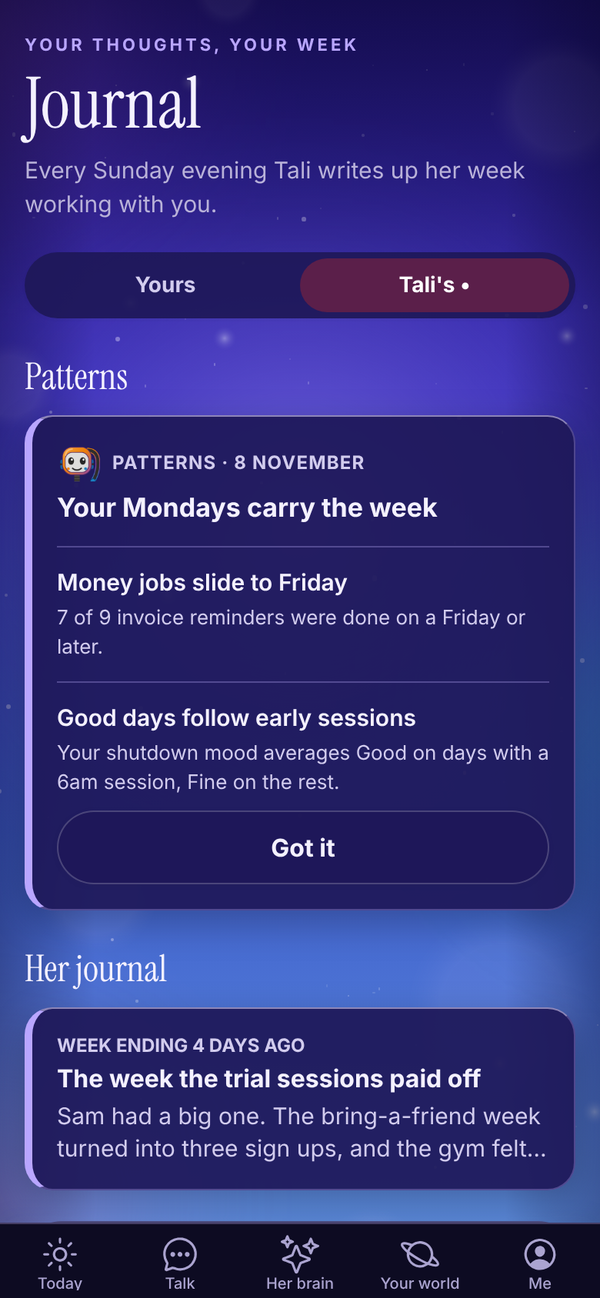
Tap an entry to read it in full. Each one is "Week ending" a date and signed by Tali. Her journal uses 1 credit a week.
On Pro, this tab also shows Patterns (what Tali noticed in your last 60 days, see Her brain) and a Night school: pick what Tali studies button. Pro
On Free, Tali's tab explains her weekly journal with See plans.
Questions#
Is the journal on the Free plan?
Yes. Your journal and notes are on every plan. Tali's own weekly journal is part of Tali HQ.
What's the difference between a journal entry and a note?
A journal entry is about your day and can have a mood. A note is for anything else: ideas, lists, plans. They live on separate screens, and Tali can learn from both.
Where did my old notes go?
Notes now have their own screen: Your world, Your words, Notes. Nothing was lost.
Does Tali write in my journal?
No. Tali never writes in your journal. The only thing that lands there is your own shutdown answers, saved as an entry called Shutdown. Her own writing is on the Tali's tab.
If I turn on Keep this from Tali later, does she forget it?
She stops reading that entry. Anything she already saved to her memory from it stays until you forget it in Her brain.
Can anyone else read my journal?
No. Your journal is private to your account.
When does Tali's first journal arrive?
On the first Sunday evening of your trial or paid plan. The more you tell her that week, the better it'll be.