
Tali HQ guide
Your website and your own domain
A simple site Tali HQ hosts for you, for your business or just for you. Tali can write it, the contact form lands as a lead, and you can put it on your own domain.
Tali HQ can host a simple website for you at talihq.com.au/site/your-name.
- Just me: a personal site, on any paid plan.
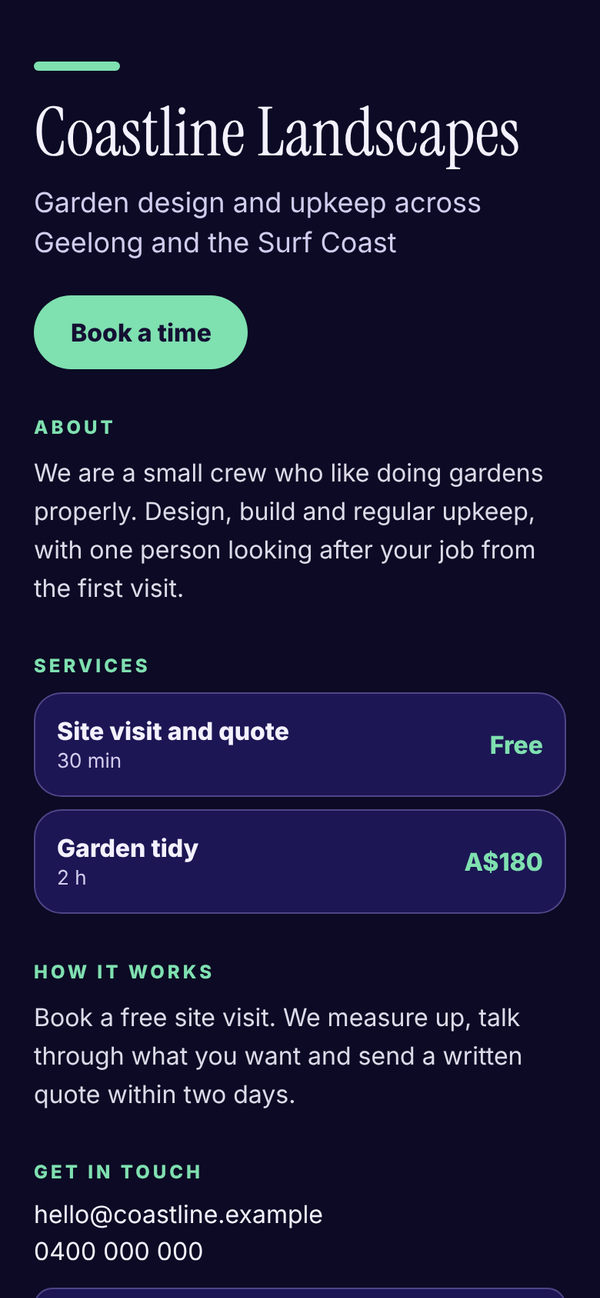
- My business: a business site with your services, a Book a time button and "Ask Tali to write it", on Tali HQ Business.
In Business mode, open Website from the tools grid on Today. In Life mode, open it from the Yours card on Today or My website in Your world.
Set it up#
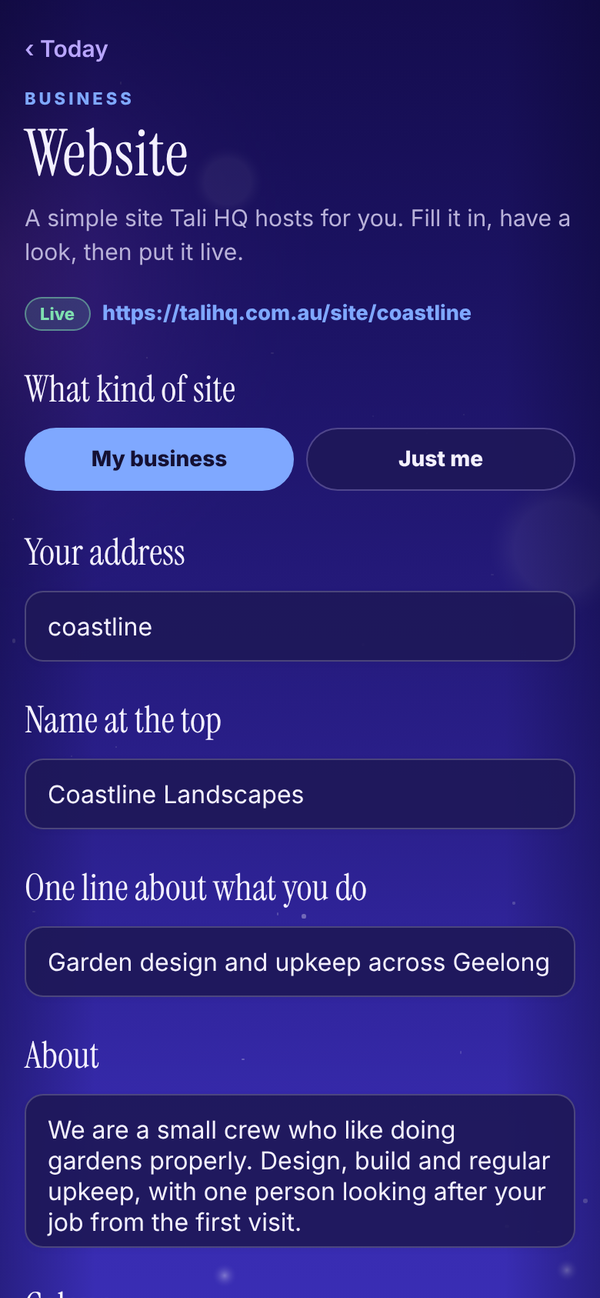
- Choose My business or Just me.
- Pick your address, the name at the top and one line about what you do.
- Write an About and add up to 8 extra sections, each with a heading and some words.
- Pick a colour.
- Under What shows, switch on your services and prices, a Book a time button and a contact form.
- Have a look, then save and put it live.
Ask Tali to write it#
On a business site, type anything she should mention and tap the button. Tali drafts the name, the one line, the About and up to 3 sections from what she knows about you. It fills the boxes only. Nothing is saved or live until you save. You get 5 drafts a day and it uses no credits. She is told not to make up prices, awards, years or places.
Messages from your site#
The contact form sends each message to the Website screen. On a business site, a message also becomes a new lead with a nudge on your To do.
Your own domain#
Putting your site on a domain you own is A$79 once, on any paid plan.
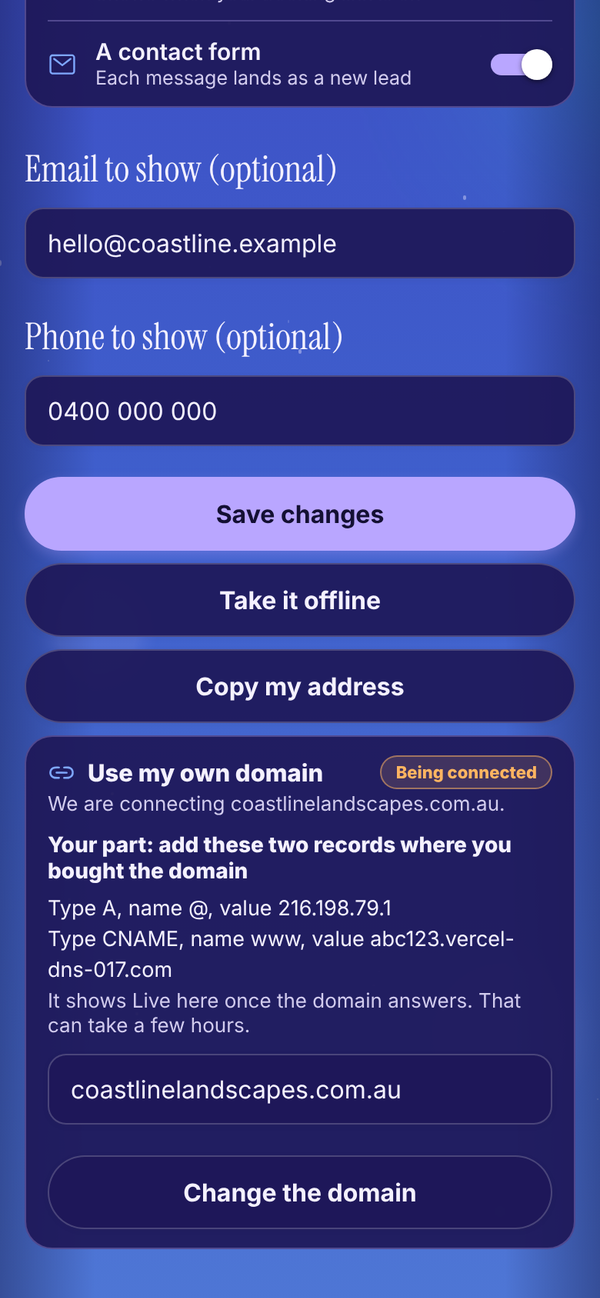
- On the Website screen, unlock Use my own domain.
- Type your domain and send the request.
- We connect it by hand. The card then shows two records to add where you bought the domain.
- Add them. The card shows Live once the domain answers, which can take a few hours.
Do I need a domain to have a site?
No. Your site works at talihq.com.au/site/your-name without one.