
Notes in one system, exercise programmes in another
Treatment notes, intake answers, referrals and the client's home programme sit on the same client page.
Totality runs an allied health practice, solo or with a team. Set up your own services, book by service, write your own intake forms, keep treatment notes on each client, send itemised invoices, and record funding and referrals for Medicare, DVA, Workcover, NDIS, Aged Care and private health. Exercise programmes, classes, client chat and billing are in the same app.
Last updated
Free for up to 3 clients. Solo plans from a month.
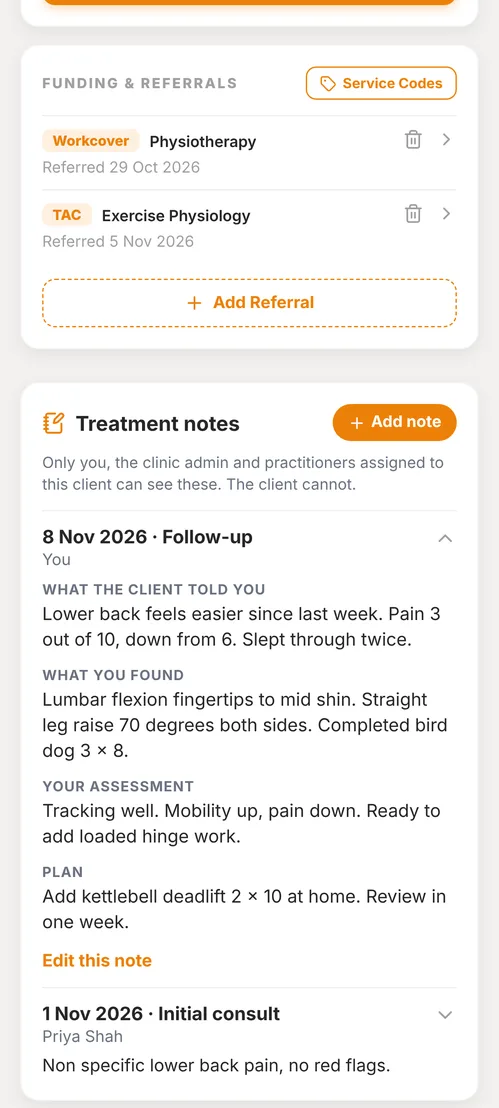
Treatment notes, intake answers, referrals and the client's home programme sit on the same client page.
Each funded client carries their referral, funder, case manager, plan dates, your billing codes and the referral document itself.
Built in Australia, priced in Australian dollars, month to month. Start solo and move to a team plan when you hire.
Real screens from Totality, shown with example data.
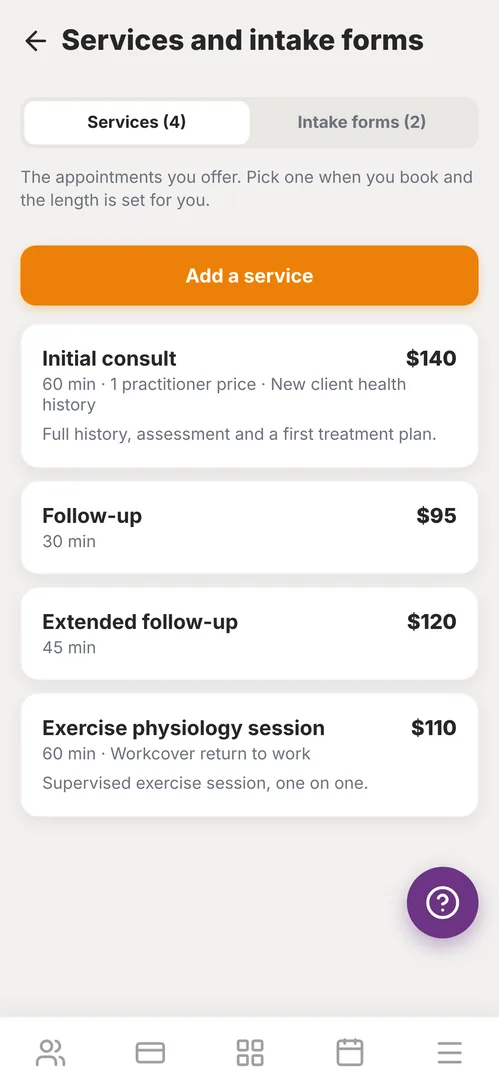
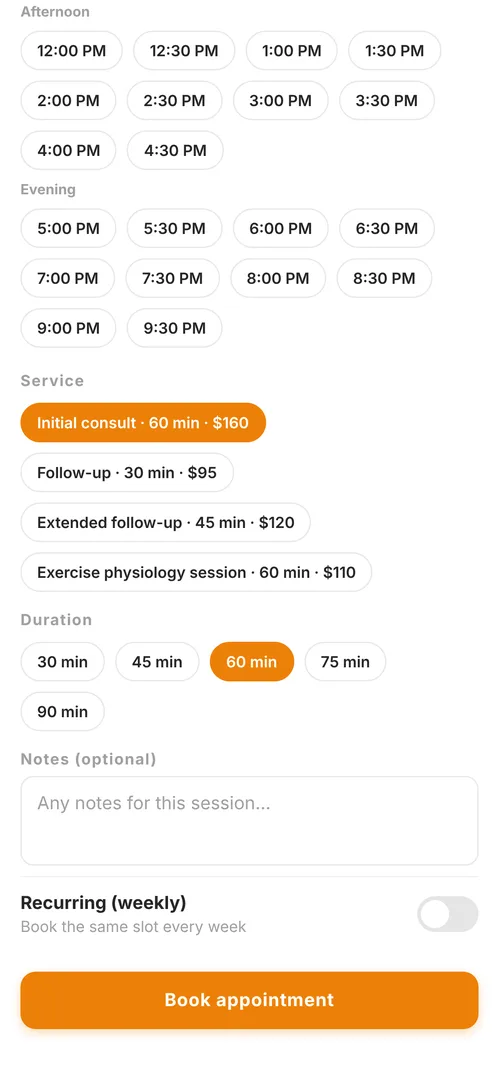
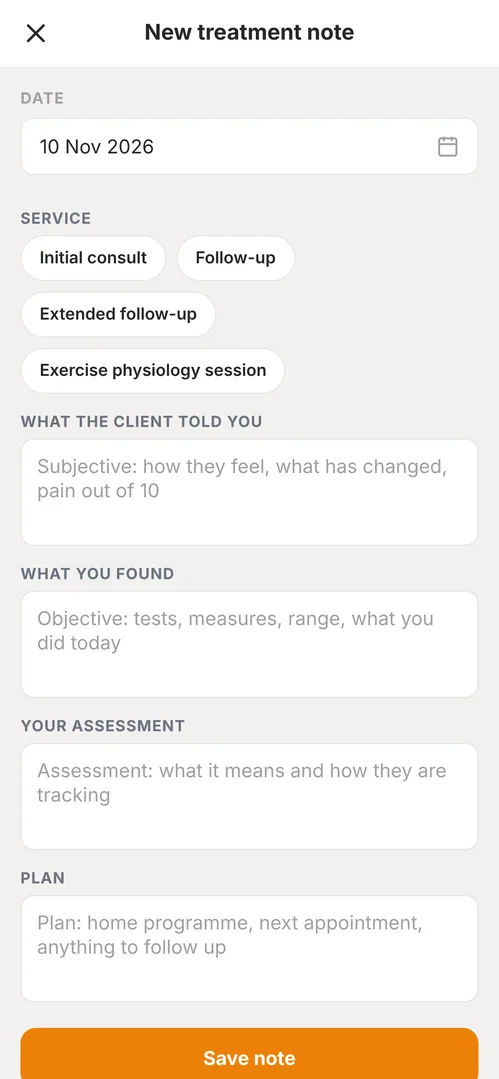
The clinic tools come with every plan, solo or team. Switch on the ones you use.
Initial consult, follow-up, extended session: each with a length, a price and, on team plans, a different price per practitioner.
Pick the service when you book and the length is set for you. Recurring bookings for regulars, and a schedule for the whole team.
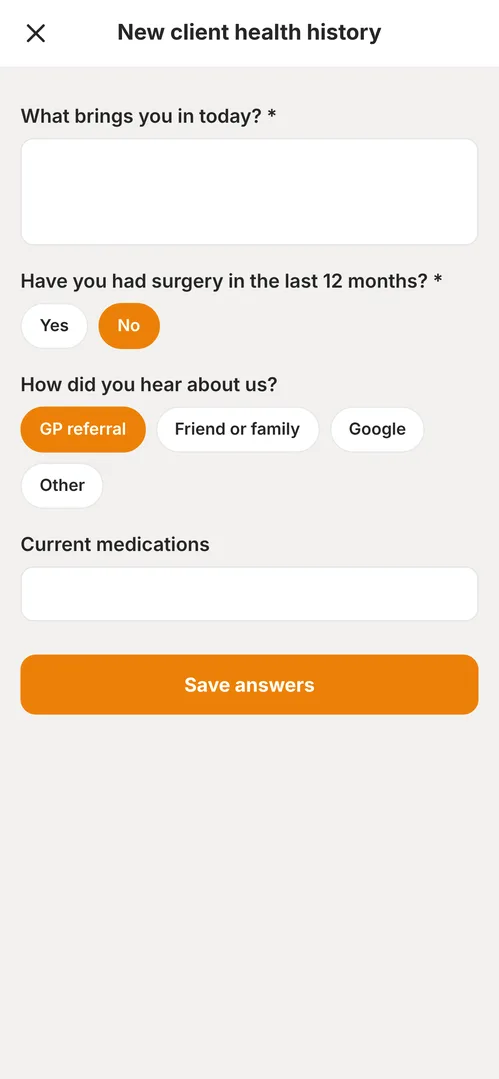
Short answer, long answer, yes or no, or pick one. Attach a form to a service and fill it in with the client. Answers keep the questions as they were asked.
What the client told you, what you found, your assessment and the plan. Kept on the client, private to the treating team, never shown to the client.
Medicare, DVA, Workcover, NDIS, Aged Care, private health, or a funding type you name yourself such as TAC. Referrer, case manager, plan dates and the referral document.
Keep provider numbers by fund, and your own library of billing codes with a description and a rate, ready to attach to a referral.
Itemised invoices for the client, a health fund or a funder, with the service, date, practitioner, provider number and billing code on each line. Email it from the app and mark it paid.
Through your own Stripe account: a payment link by text or email, a charge to a saved card, or packs and weekly subscriptions. Book a service and Totality offers to take payment with the price filled in.
Welcome a new client, check in when someone has gone quiet, ask for a review and say happy birthday. Each message is lined up for your yes before anything goes out.
A simple website built from your brand, with an enquiry form that creates a lead. Use your own domain at no extra charge.
The quarter for your accountant: payments by type, invoices paid and owed, refunds and fees taken, as one CSV or emailed from the app. Needs payments switched on.
Build a home programme from the exercise library with video, and run group classes with waitlists. Clients follow along in their free app.
Invite practitioners, see their client loads, run rosters and a payroll summary with Xero export, and track registration and insurance documents with expiry alerts.
So you know before you start.
Totality does not lodge claims with Medicare, DVA, NDIS or HICAPS. It keeps the details together for when you do.
There is no tap to pay terminal. In person, the client pays a link on their phone or you charge their saved card.
Intake forms are filled in by staff with the client for now. Sending a form for the client to complete at home is on the way.
Treatment notes are health records. Totality limits who can see them, but your own privacy and record keeping obligations still apply. See Security and Privacy.
On your own, pick a Solo plan by how many clients you see, from a month. With a team, the studio plans below include unlimited practitioners, payroll and the front desk tools.
| Plan | Clients | Team | Tali credits | Price |
|---|
No. Totality is for anyone who sees clients by session, class or appointment. At sign up you choose solo or studio owner, then fitness or allied health. Choosing allied health switches on services, intake forms, treatment notes and funding, and the app uses clinic words like practitioner and appointment.
Exercise physiologists, physiotherapists, remedial massage therapists, dietitians, podiatrists, occupational therapists, psychologists and similar practices that book by appointment and deal with referrals or funded clients. It suits practices that also run exercise programmes or classes especially well, because those are built in.
Only the practitioner who wrote them, the clinic's admin, and practitioners assigned to that client. Clients cannot see treatment notes. A note can only be edited by the person who wrote it.
Through your own Stripe account. You can send a payment link by text or email, charge a card the client has saved, or sell packs and weekly subscriptions that are used up as appointments are booked. After you book a service, Totality offers those options with the price already filled in, or you can write an itemised invoice and mark it paid when the money arrives. Totality takes no commission; a 3.5% platform fee applies to payments taken in the app, taken from your payout.
No. Totality records the referral, the funder, provider numbers and your billing codes against the client so the details are in one place. It does not lodge claims with Medicare, DVA, NDIS or HICAPS, and it does not replace your claiming terminal or portal.
Yes. Services, intake forms and treatment notes each have their own switch in Settings. Switching one off hides it and nothing already saved is deleted.