
Totality for trainers
Branding
Put your logo, business name and colour in front of your clients with the Branding add-on, and share your invite link.
With the Branding add-on your clients see your logo, business name and colour in the Totality app, in their emails and in push notifications. It's A$4.99 a month on a Solo plan, or part of the POS + Tali + Branding bundle. Paid
Branding is for independent trainers. At a gym, the gym's branding covers you and you see "Branding isn't available here".
Open Settings > Branding > Your logo and colour.
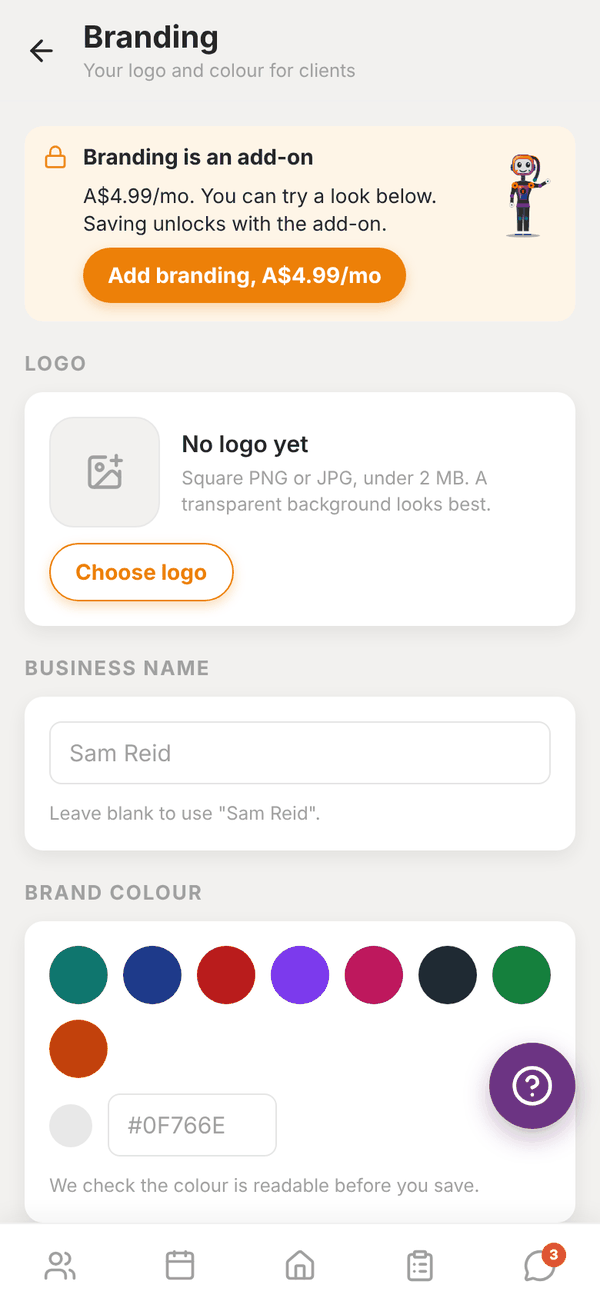
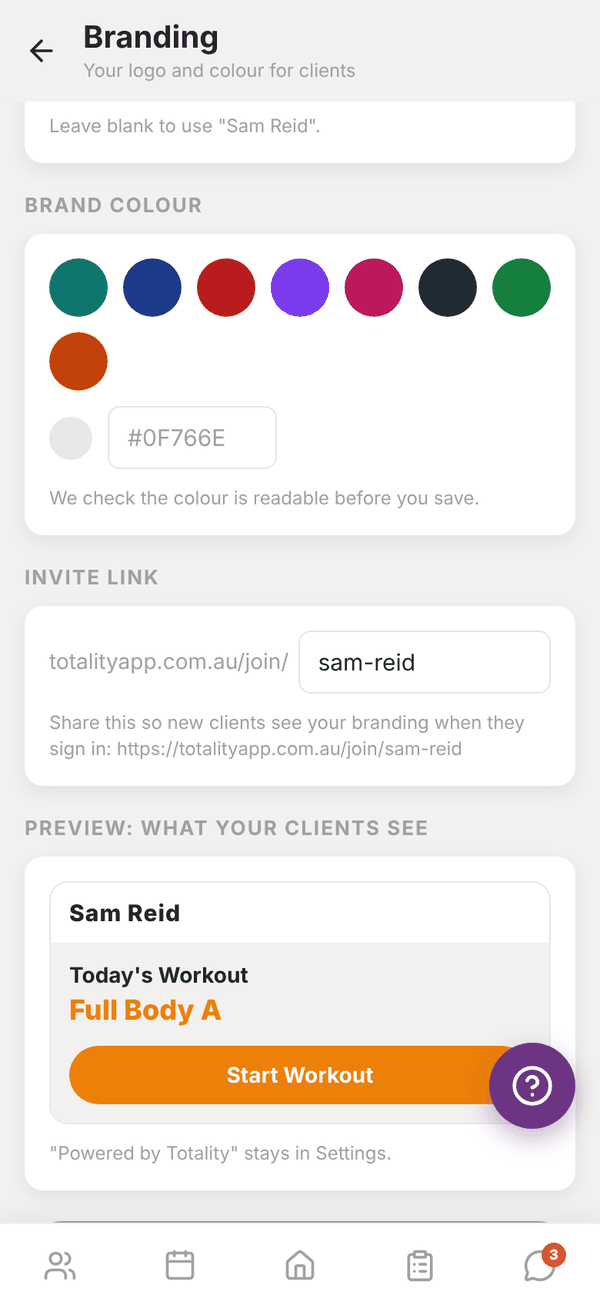
Try a look, then add it#
You can set everything up and see the preview before you pay. Saving needs the add-on.
- Tap Add branding, A$4.99/mo and pay in Stripe. Then come back to this screen.
- Logo: tap Choose logo. Use a square PNG or JPG under 2 MB. A transparent background looks best. Replace or Remove it any time.
- Business name: what clients see. Leave it blank to use your account name.
- Brand colour: tap a swatch or type a hex code like #0F766E. Use Totality orange resets it. Totality checks the colour is dark enough to read white text on, and tells you if it's too light.
- Invite link: pick your link, for example totalityapp.com.au/join/sam-reid (3 to 40 letters, numbers or dashes). Share it so new clients see your branding when they sign in.
- Check Preview: what your clients see, then tap Save branding.
"Branding saved. Your clients will see it next time they open the app."
The app icon and name in the app stores stay Totality, and "Powered by Totality" stays in Settings.
Cancel the add-on#
On the Branding screen, tap Cancel add-on, then Yes, cancel. Branding stays on until the end of the billing period, then the app goes back to Totality. Your logo and colour are kept in case you come back. If it's part of a bundle, change it from Subscription in the Tali AI section instead.
Questions#
Why is Save greyed out?
It reads Needs the branding add-on until you've added it.
My colour was rejected.
It's too light for white text to be readable on buttons. Pick a darker shade.
Someone else has my link.
"Link taken" means that address is used. Try another, like your business name with a dash.