
Totality for trainers
Classes
For trainers at a gym. See the gym's timetable, claim open classes, schedule new ones and run the classes you teach.
Group classes are a gym feature. If you work at a gym on Totality, you can see the gym's whole class timetable, pick up classes and run them. Gym trainer
The class timetable#
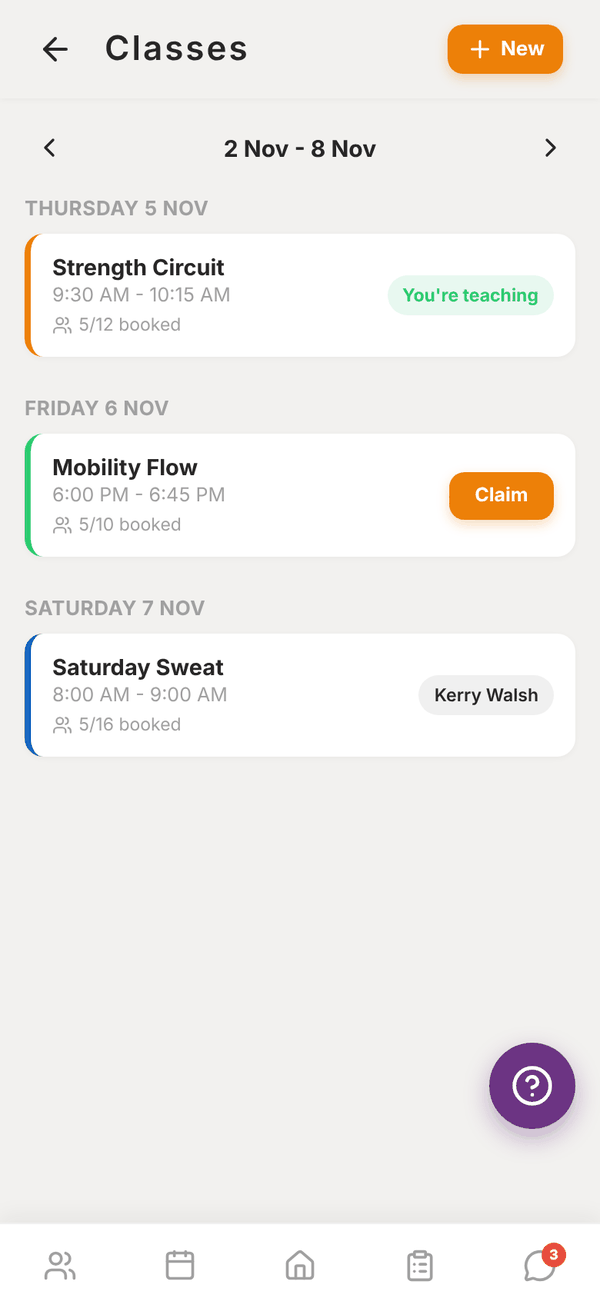
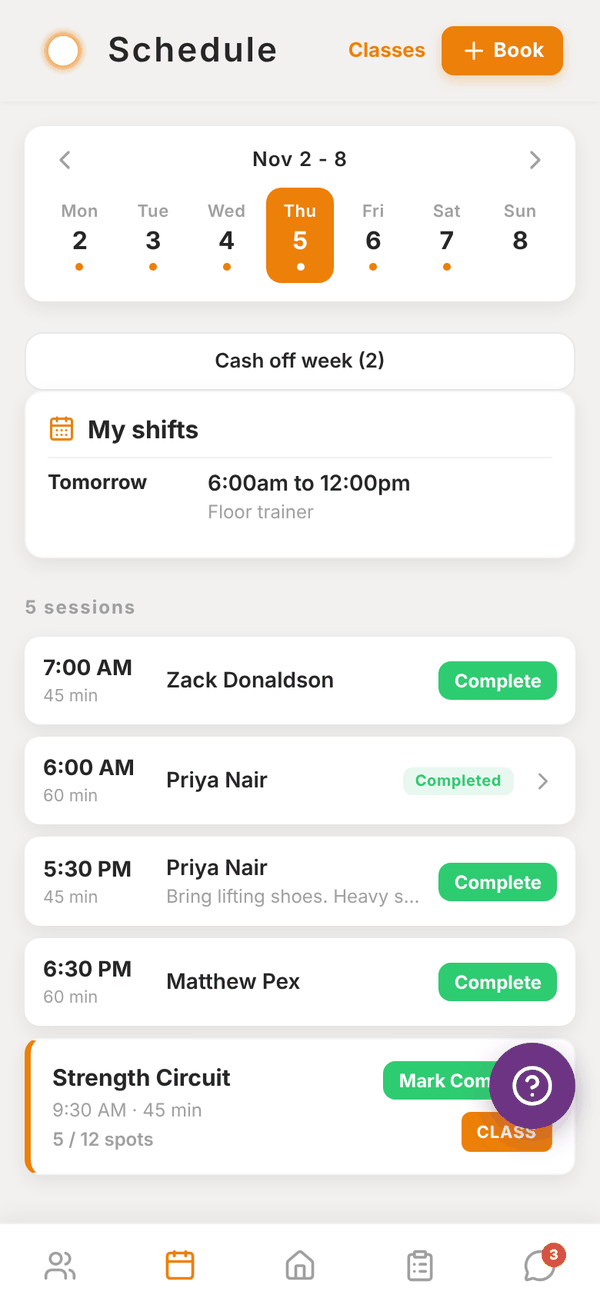
Open Classes from the Home shortcuts, or tap Classes at the top of Schedule.
- Use ‹ and › to move between weeks.
- Each class shows its name, time, how many are booked out of its capacity, and who's teaching.
- You're teaching marks your own classes.
- Claim shows on classes with no trainer. Tap it to take the class. You see "You're now teaching Mobility Flow on ...". The gym admin gets a notification.
Schedule a new class#
- Tap New.
- Pick the Class type (the gym's classes, set up by the gym admin).
- Pick the Date and Start time.
- Tap Schedule session.
The class is added to the timetable with you as the trainer, and the gym admin is notified.
Run your classes#
The classes you teach show in your Schedule next to your PT sessions, and in Today on Home.
- Tap a class to see Confirmed Bookings.
- Add Client, then Book Client, books a client into the class.
- Mark Complete when the class is done. It then shows Completed ✓.
Clients who book a class get a reminder by push and email about an hour before it starts.
Questions#
I'm an independent trainer. Can I run classes?
Classes come with the gym plans. Independent trainers see "Classes are a gym feature".
Someone claimed a class at the same time as me.
You see Already claimed. Pull down to refresh and see who has it.
How do I hand a class back?
Ask your gym admin to reassign it.