
Totality for trainers
Messaging
Chat with each client, message all your clients at once, use templates, and message your gym admin.
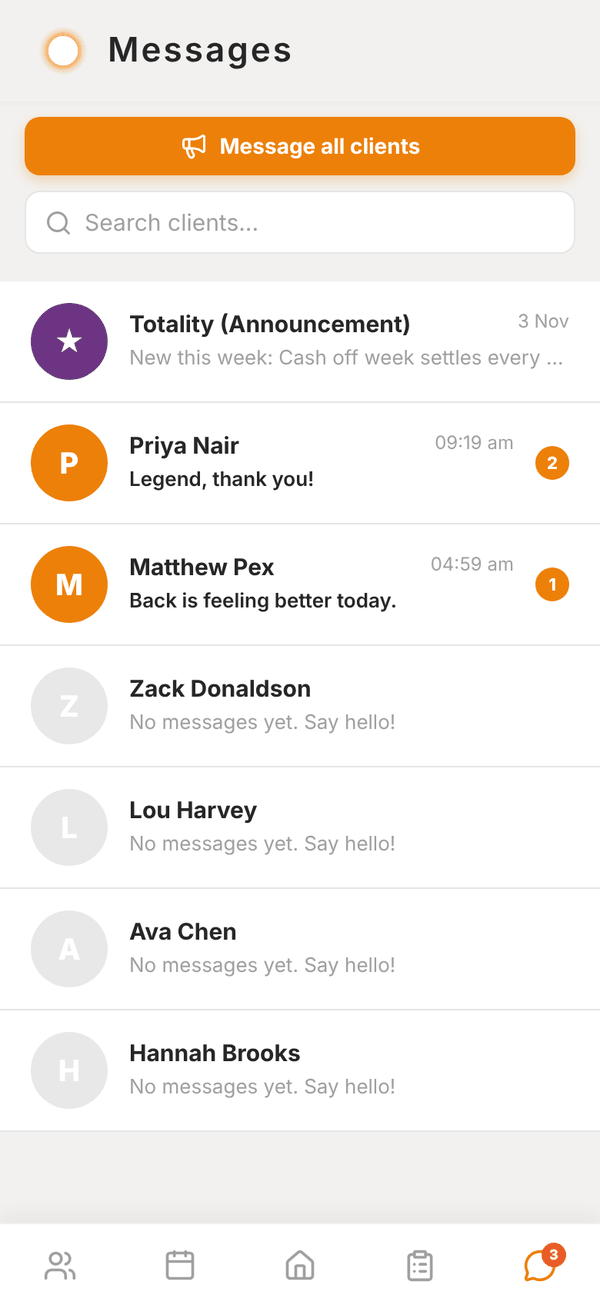
The Messages tab is direct messaging with your clients. A red badge on the tab shows how many unread messages you have.
Your inbox#
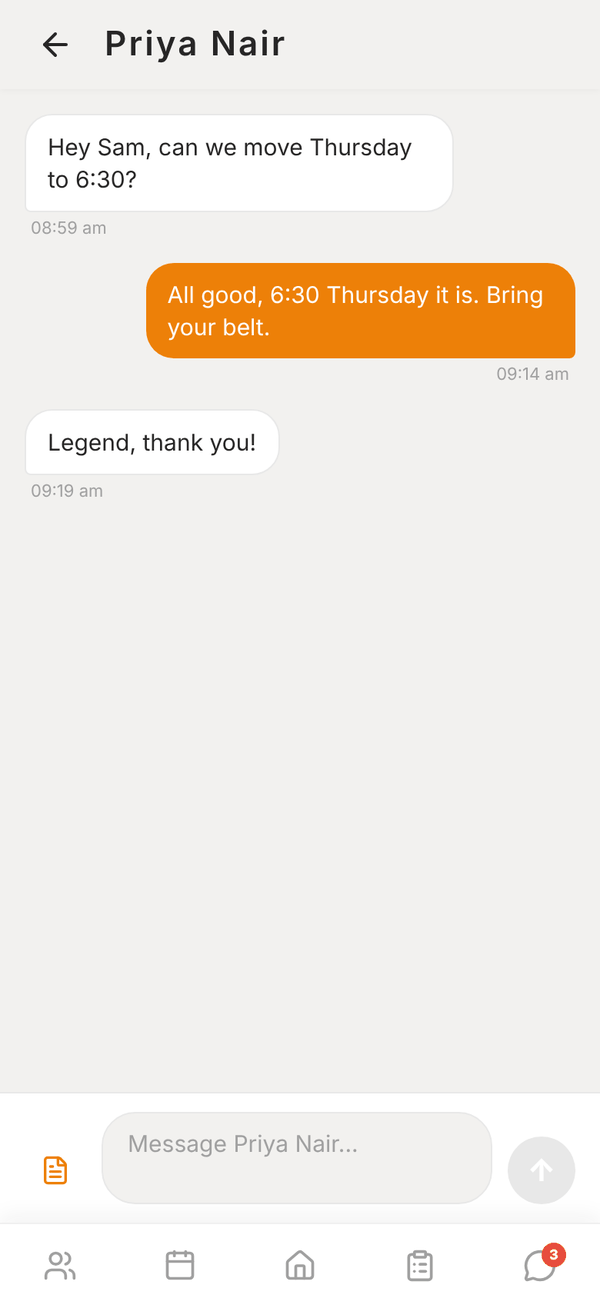
- Totality (Announcement) at the top holds news from Totality. It's read only.
- At a gym, Iron Works (Gym admin) (your gym's name) is always there so you can message your gym admin.
- Then every client, with their last message, the time and an unread count. Clients you haven't messaged show "No messages yet. Say hello!".
- Search clients... finds a client by name.
The list updates live as messages arrive.
Chat with a client#
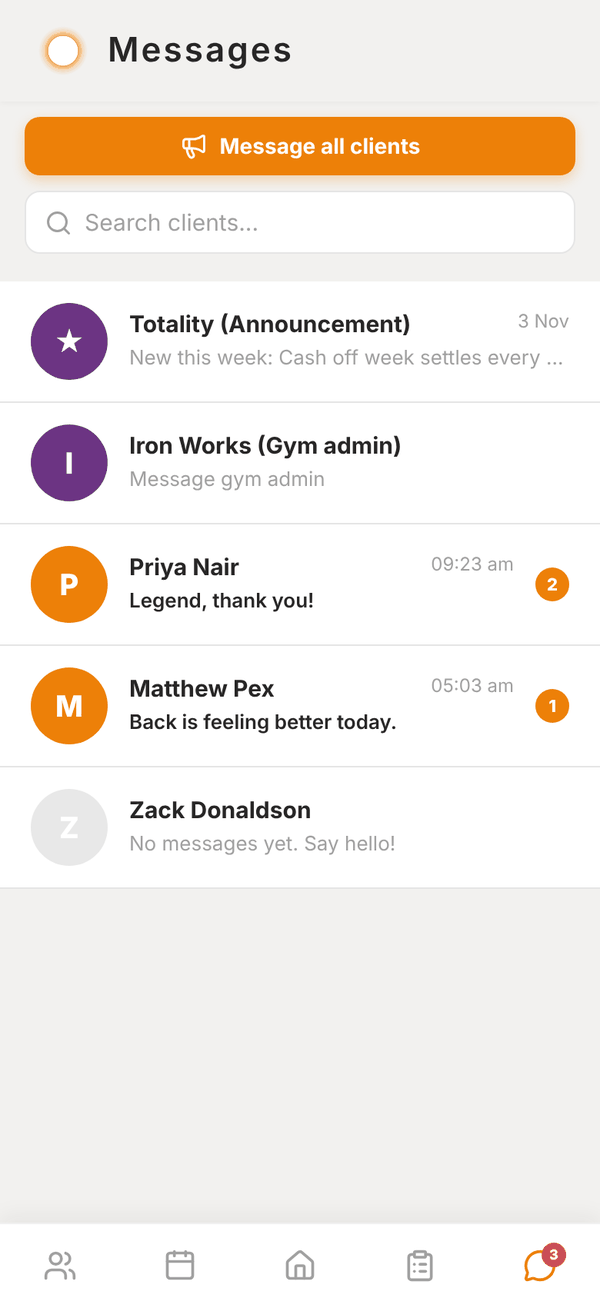
- Tap the client.
- Type in Message (name)....
- Tap the send arrow.
The client gets a notification "New message from Sam" (with your name). If a message fails to send, it shows "Not sent. Tap to retry" and your text goes back in the box, so nothing is lost.
Templates#
Tap the template button next to the message box to insert a saved message. Built-in templates are Check-in reminder, Great week, Missed session, New programme and Schedule change.
- Type a message, then Save current message as a template with a name to add your own.
- Delete your own templates from the same list. Built-in ones are marked Built in.
Message all clients#
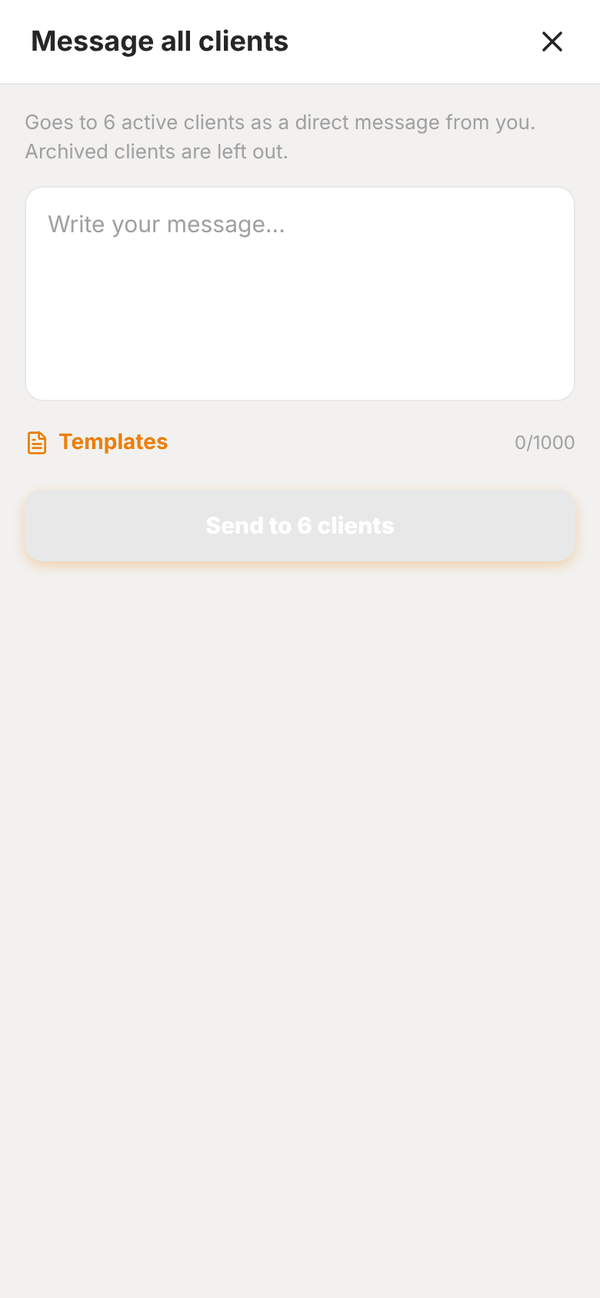
- Tap Message all clients at the top of Messages.
- Write your message (up to 1,000 characters), or tap Templates.
- Tap Send to N clients and confirm.
Each active client gets it as a normal message from you in their own thread, with a notification. Archived clients are left out. You see progress while it sends, then a summary. If any fail, Retry failed sends to those again.
Messages from Tali#
Nudges you send from Waiting on you arrive in the client's thread as normal messages from you.
Questions#
Can clients message each other?
No. Clients message you (and the gym, at a gym). They can't see other clients.
Can I send photos or files?
Messages are text only.
I'm not getting notified of new messages.
Check Settings > Notifications > Messages is on, and that notifications for Totality are allowed in your phone's settings. Push notifications only work in the phone app, not the web.