
Totality for trainers
Gym members
For trainers at a gym. See the gym's member list, look up a member's details and open your own clients.
At a gym, the Gym Members tile on Home shows everyone who's a member of your gym. It's read only: you can look people up, but membership and billing are handled by the gym admin. Gym trainer
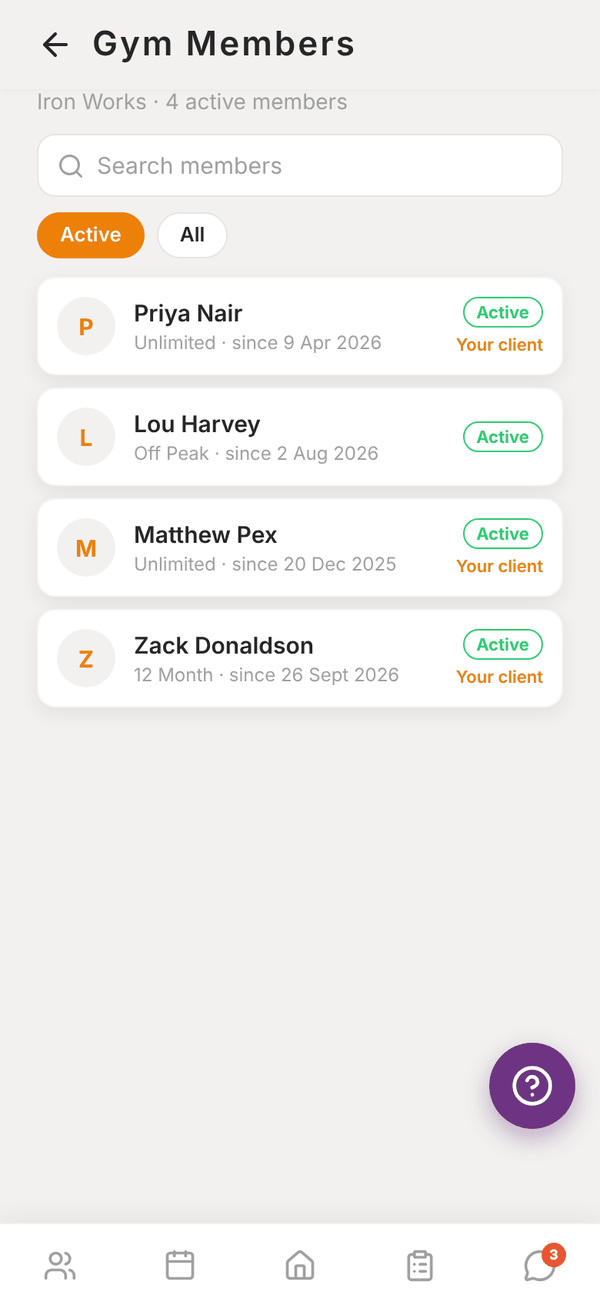
The member list#
- The header shows the gym's name and how many active members it has.
- Search members finds people by name.
- Active shows current members. All includes past and inactive members.
- Each row shows the member's name, plan and start date, their status, and Your client if they're one of yours.
Other trainers and staff at the gym are not listed. Only members are.
Member details#
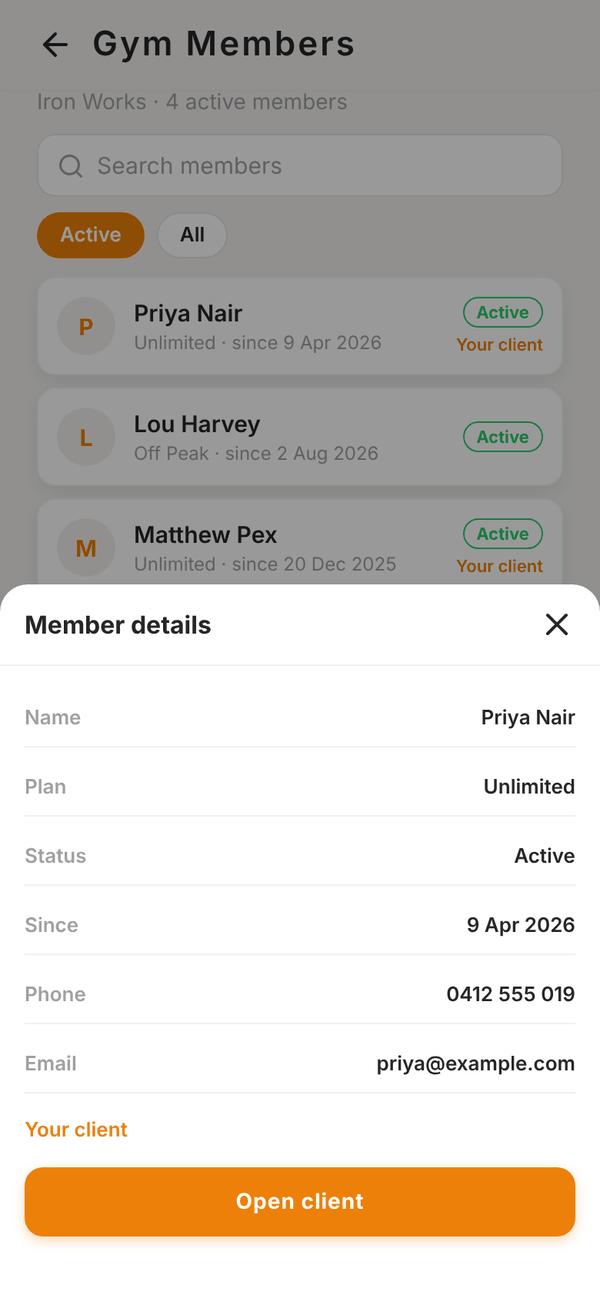
Tap a member to open Member details: name, plan, status, since (start date), end date if they've finished, phone and email.
If the member is your client, Open client takes you to their full client profile.
Questions#
Can I add a gym member as my client?
Not from this screen. Ask your gym admin to assign them to you, or invite them as a client from Invite Client if they aren't on Totality yet.
I can't see the Gym Members tile.
It only shows for trainers who work at a gym on Totality. Independent trainers don't have a gym member list.
Why are some members shown as "Member" with no name?
That happens on an older version of the gym's database. Only your own clients' names show until it's updated. Email admintotality@gmail.com if you see this.