
Totality for trainers
Payment links and cards on file
Use POS to charge any amount with a Stripe payment link, and request or add a client's card.
POS makes a secure Stripe payment link for any amount. Send it to the client and they pay by card on their phone. Use it for a casual session, a drop-in, a top-up, anything. POS
Open POS from the Home shortcuts. It shows for independent trainers with the POS add-on, and for gym trainers when the gym has POS.
Make a payment link#
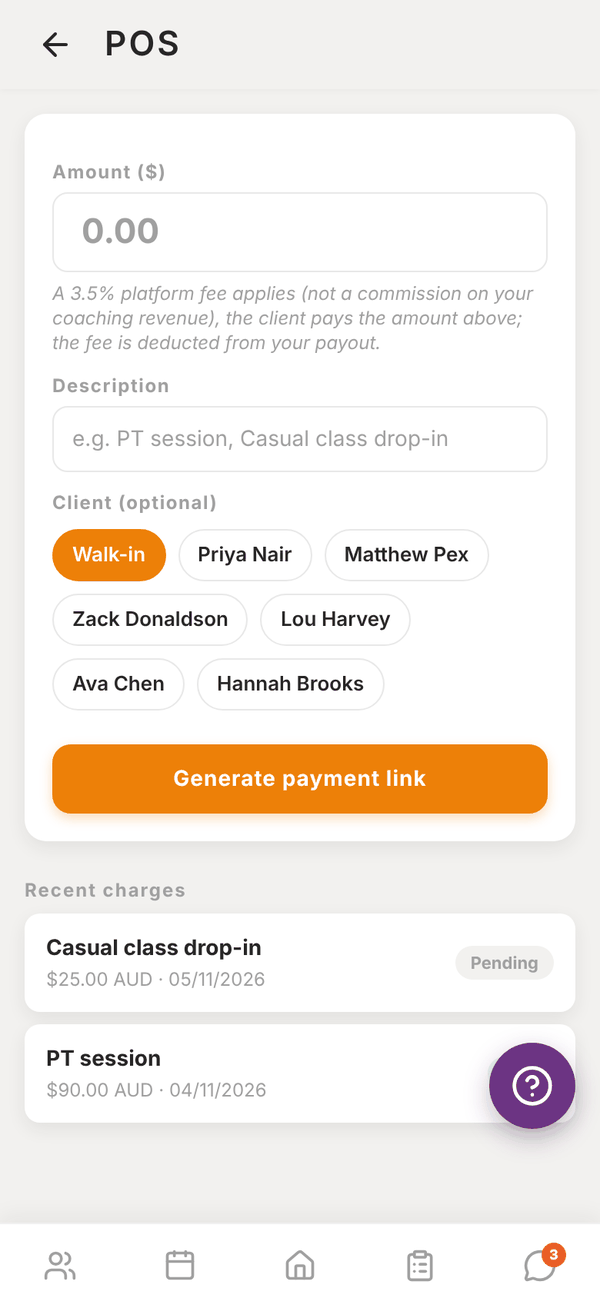
- Enter the Amount ($).
- Enter a Description, like "PT session" or "Casual class drop-in". The client sees it at checkout.
- Under Client (optional), pick the client, or leave it on Walk-in.
- Tap Generate payment link.
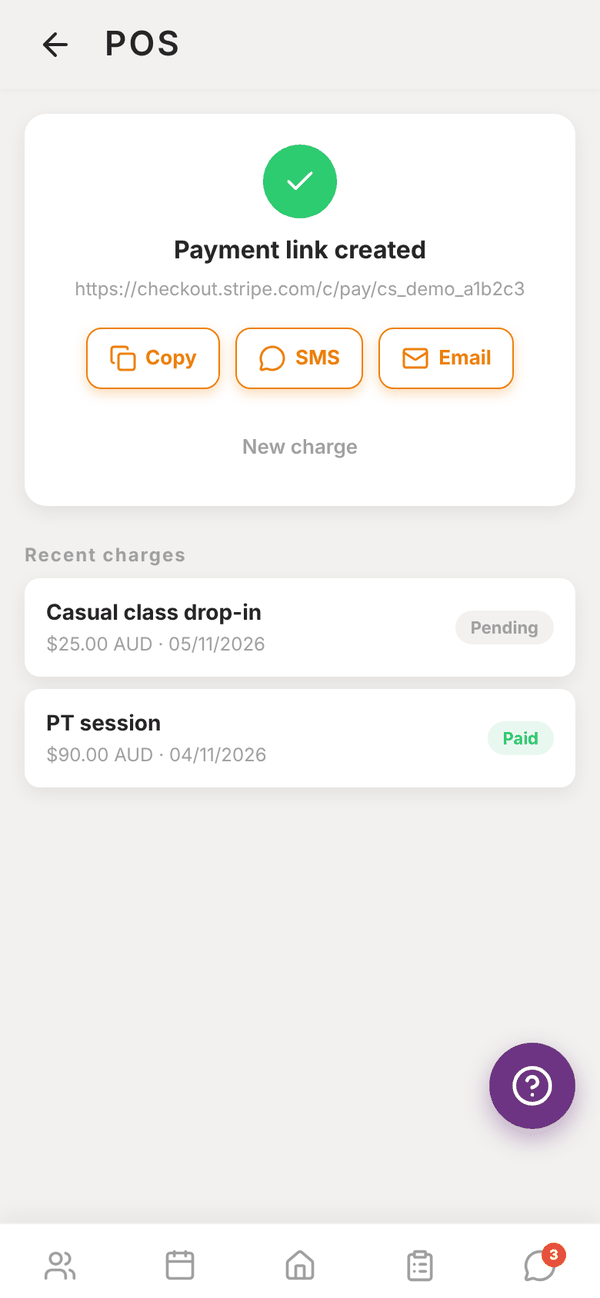
- On Payment link created, tap Copy, SMS or Email to send it.
Tap New charge to start another.
Recent charges#
Your last 10 charges show under Recent charges with the amount, date and status: Pending until the client pays, then Paid.
Cards on file#
On a client's profile, the Payment section shows their saved card, or "No payment method on file".
- Request Payment Method sends the client a notification: "Sam is requesting you to add a payment method. Open the app and go to Payments." They add the card themselves.
- Add Card Manually opens a secure card form so you can enter it with them in person.
- Send payment link (POS) opens POS with that client already picked.
At a gym#
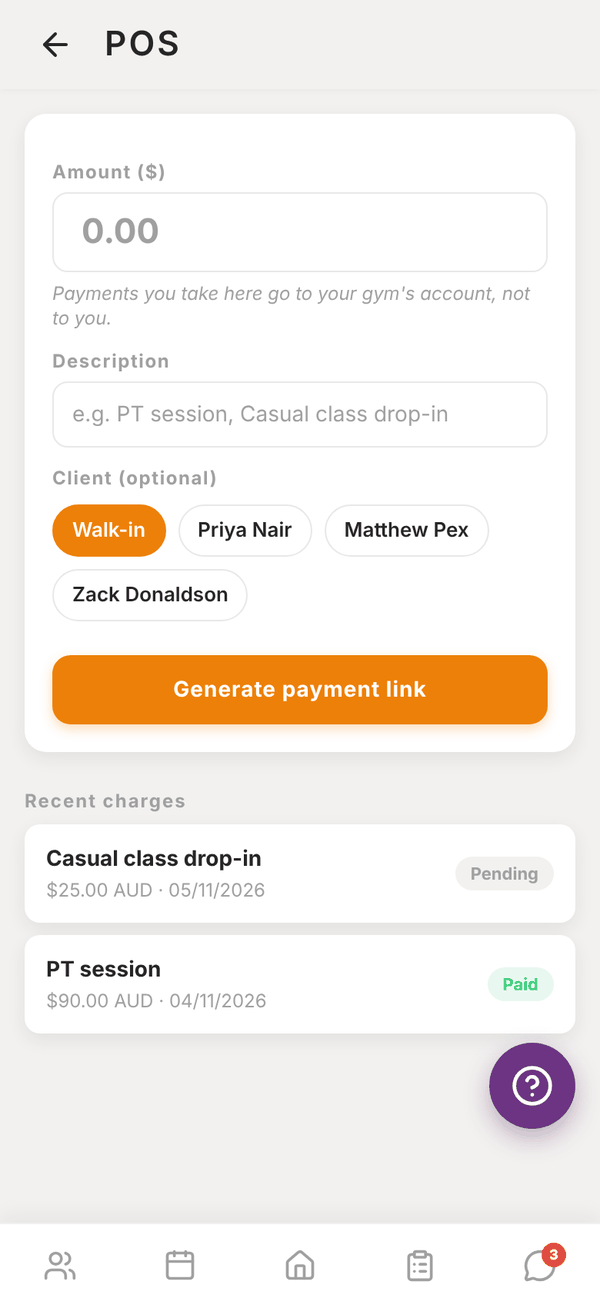
Gym trainers see "Payments you take here go to your gym's account, not to you." under the amount. Everything else works the same.
Questions#
How long does a payment link last?
It's a Stripe Checkout link. Send it when the client is ready to pay, and make a new one if an old link stops working.
Does the client need the Totality app to pay?
No. The link opens a Stripe checkout page in any browser.
Is the 3.5% fee added to the client's price?
No. They pay exactly the amount you enter. The fee comes out of your payout.