
Totality for trainers
Reports
Your revenue, sessions delivered and clients for this month, last month or the last 90 days.
Reports on Home gives you the numbers for a period at a glance: what you earned, how many sessions you delivered and who for.
Pick a period#
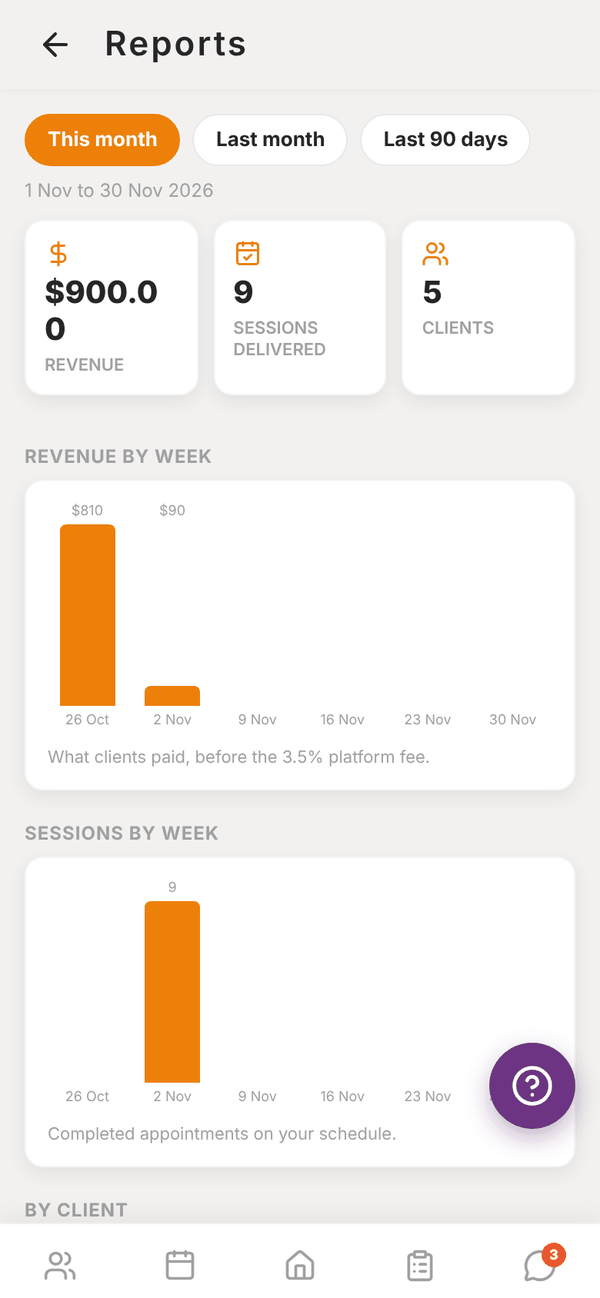
Tap This month, Last month or Last 90 days. The dates show underneath. Pull down to refresh.
What's in the report#
- Revenue: what clients paid through your shop and payment links in the period, before the 3.5% platform fee. Independent trainers only.
- Sessions delivered: completed appointments on your schedule, plus pending settlement sessions.
- Clients: how many clients you earned from or trained.
- Revenue by week and Sessions by week charts.
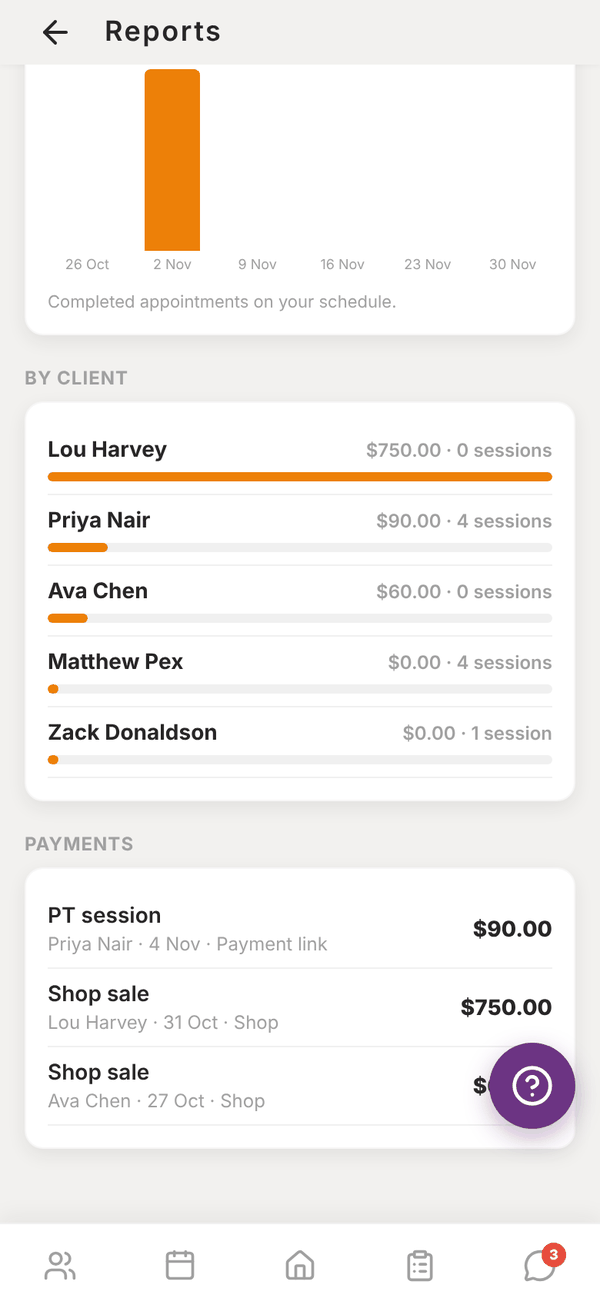
- By client: each client's revenue and sessions, biggest first. Payments with no client show as "Walk-in / no client".
- Payments: every payment with the client, date and where it came from (Payment link or Shop).
At a gym#
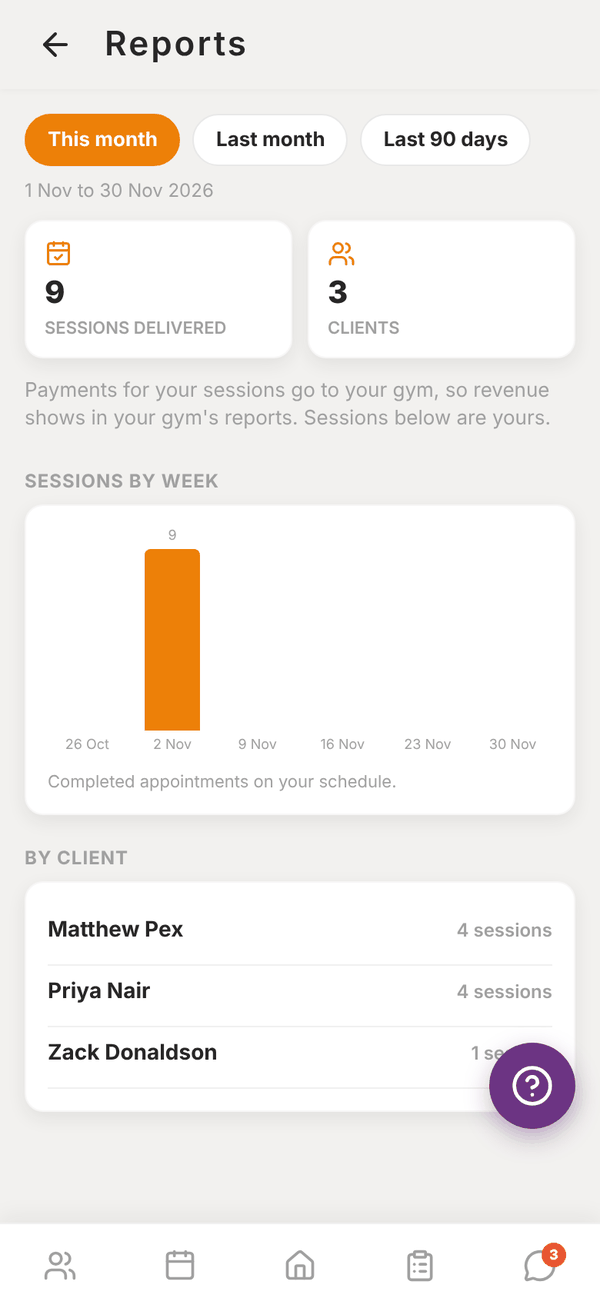
Gym trainers see sessions and clients only, with the note "Payments for your sessions go to your gym, so revenue shows in your gym's reports. Sessions below are yours."
Questions#
Why doesn't Reports match Revenue?
Reports shows what clients paid before the platform fee and counts both shop sales and payment links. Revenue comes straight from Stripe, net of the fee.
Do sessions I didn't book count?
Sessions delivered counts appointments on your schedule. Sessions logged without a booking show in the client's history, not here.
A client shows as "Former client".
They paid you but aren't on your active client list any more.