
Totality for trainers
Your subscription
Subscribe to a Solo plan, change plans, manage billing and add-ons, cancel, and what happens to your account.
Everything about your plan lives on the Subscription screen: Settings > Manage Subscription. What you see depends on where you are.
On the trial or on Free: subscribe#
- Open Settings > Manage Subscription.
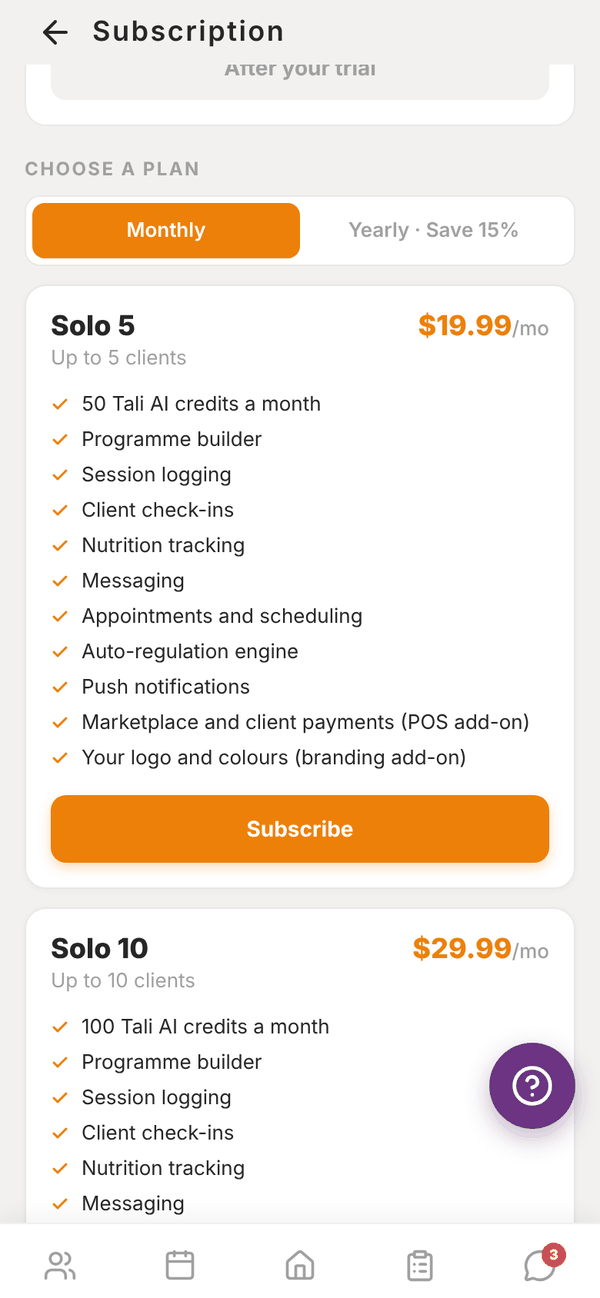
- Under Choose a plan, pick Monthly or Yearly · Save 15%.
- Tap Subscribe on the plan you want. Solo 20 is marked Popular.
- Pay in Stripe. On a monthly plan your first 2 months are 50% off (70% if you were referred), applied automatically.
- Come back to Totality. You see "Subscription Activated! Welcome to Solo 20! Access to all coaching tools is now active."
It can take a few seconds for Stripe to confirm. If the screen still shows your old plan, leave it and come back.
On a Solo plan: change or manage#
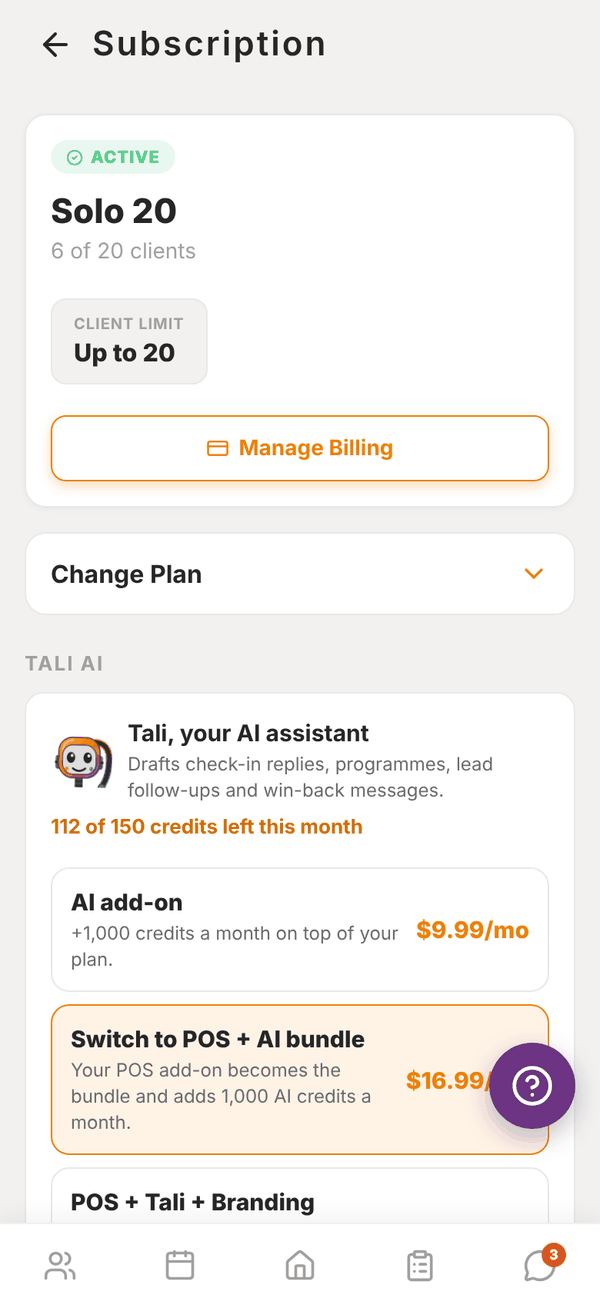
The status card shows Active, your plan, and how many clients you have against your limit.
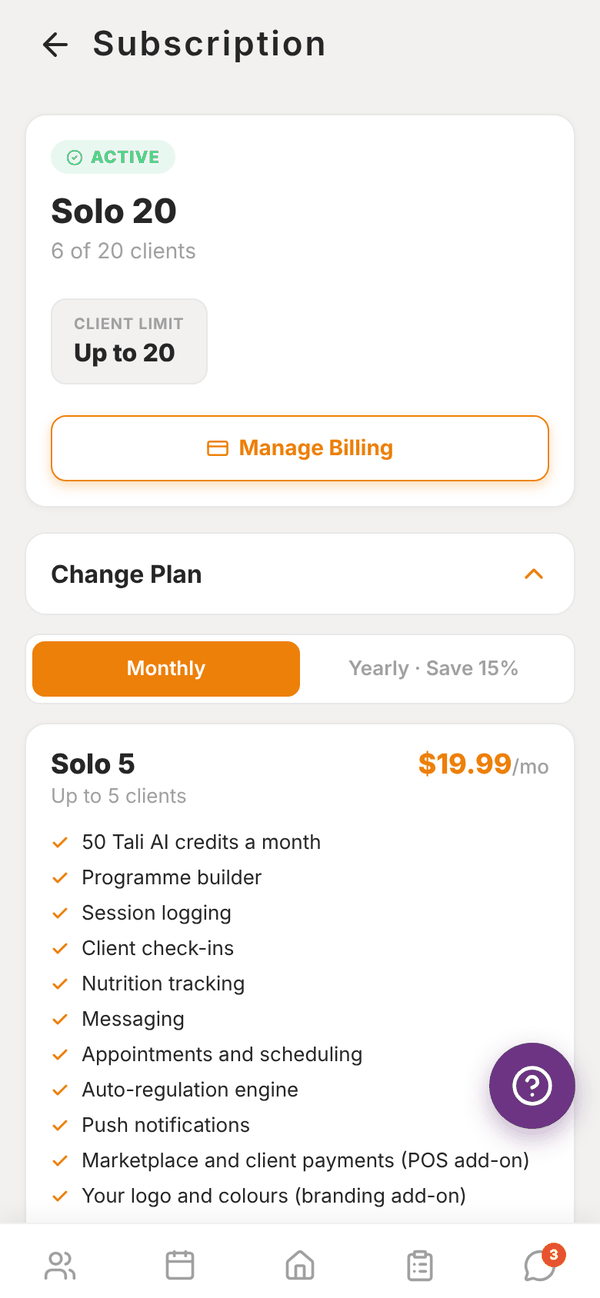
- Change Plan opens every Solo plan. Pick monthly or yearly and tap Switch to this plan. "Your new plan applies now. The price difference for the rest of this billing period is prorated on your next invoice."
- Manage Billing opens Stripe's billing page: update your card, see invoices, or cancel.
Below that are the add-on cards: Tali AI, Branding and POS, then Trainer Payouts. See Plans and prices and Getting paid.
Cancel your plan#
- Open Settings > Manage Subscription.
- Tap Manage Billing.
- Cancel your subscription in Stripe's billing page.
When it ends you're on Free: you keep your account, your clients and all their history, with up to 3 active clients and no Tali. Nothing is deleted. Resubscribe any time from the same screen.
Add-ons are cancelled the same way, from Manage Billing. The Branding add-on can also be cancelled from the Branding screen.
Delete your account#
Settings > Account > Delete Account permanently deletes your account and all your data, and cancels your Totality billing. This can't be undone. If you only want to stop paying, cancel your plan instead and stay on Free.
At a gym#
Your Subscription screen shows Gym Partner and the gym's plan. The gym manages billing. If you still had some of your own billing winding down from before you joined, Manage my own billing lets you check or cancel it.
Questions#
Will I be charged when the trial ends?
No. You move to Free. You're only charged if you subscribe.
I upgraded. When does the new limit apply?
Straight away. The price difference is added to your next invoice.
I moved down a plan and have more clients than the new limit.
No one is removed. You can't add new clients until you're under the limit. Archive clients you no longer coach.
It says "No billing account found".
You haven't subscribed through Stripe yet, or your account was set up by the team. Email admintotality@gmail.com.
What's "Complimentary access" or "Gifted plan"?
Totality gave you access. There's nothing to pay and nothing to manage.