
Totality for trainers
Joining a gym
Accept a gym's invite to work there as a trainer, and what changes for your clients, billing and screens.
When a gym that uses Totality wants you on its team, the gym admin sends you an invite. Nothing is linked until you accept, and the gym can't see your profile or clients before then.
Accept an invite#
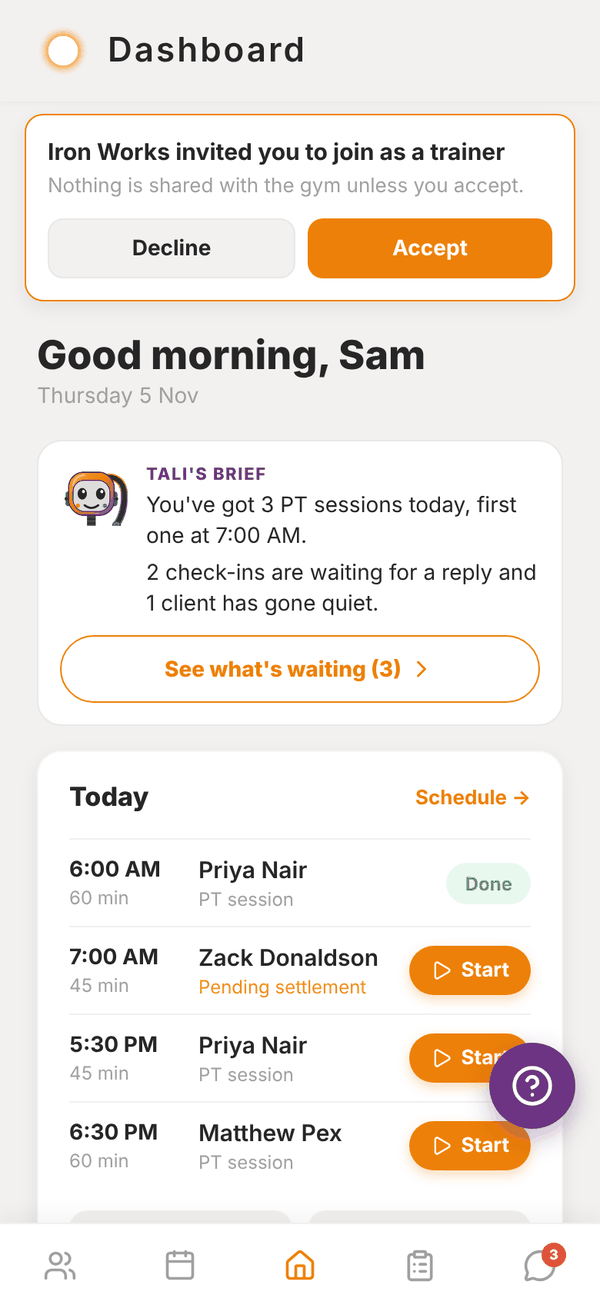
- Open Totality. The invite shows as a banner at the top of Home: "Iron Works invited you to join as a trainer".
- Tap Accept, or Decline if it's not for you.
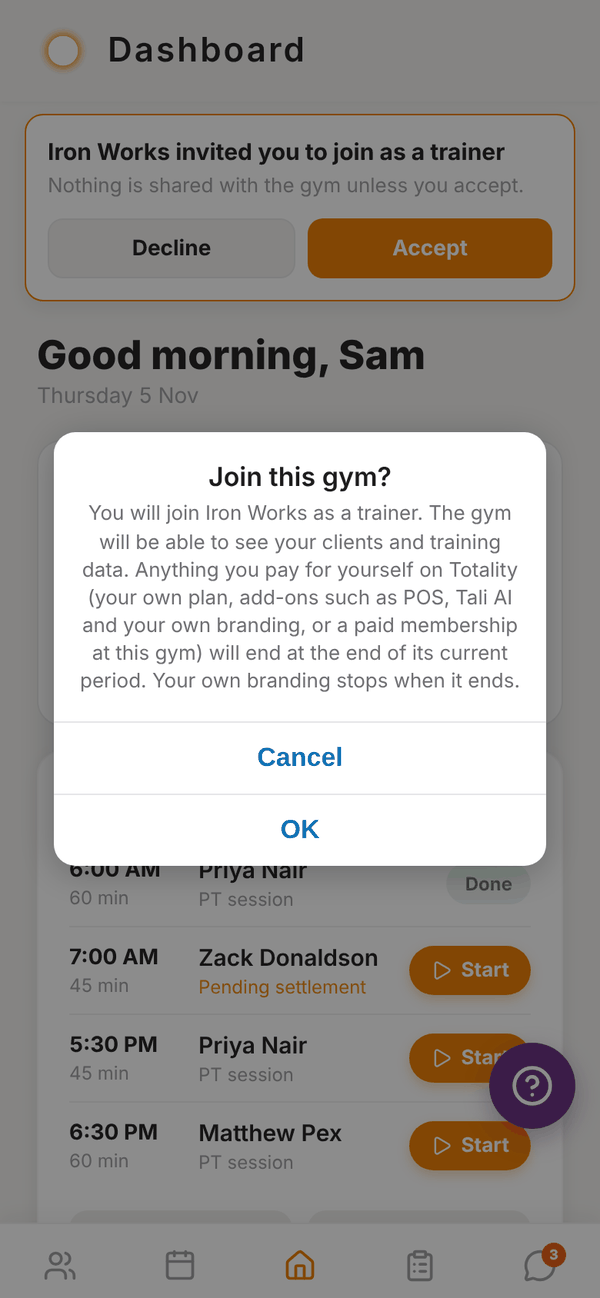
- Read the Join this gym? message, then tap Join (or Not now).
- You see "Welcome. You have joined Iron Works." Home reloads as a gym trainer straight away.
If you don't have a Totality account yet, sign up first as a Solo Trainer with the same email the gym used. See Signing up.
What changes when you join#
- The gym can see your clients and training data.
- Your own billing ends. Anything you pay for yourself on Totality ends at the end of its current period: your Solo plan, add-ons such as POS, Tali AI and Branding, and any paid membership you had at this gym. You won't be charged twice.
- Your own branding stops when it ends. The gym's branding applies instead.
- Your client limit becomes the gym's limit, shared across the gym.
- Tali credits come from the gym's shared pool.
- POS payments go to the gym's Stripe account. Your own Stripe payouts, My Products and the Revenue tile are for independent trainers only.
- New screens appear: Gym Members, Classes, My shifts on Schedule, a Message gym admin thread, and the gym's programme Collection.
- Credits are always on. The gym manages PT credits, so bookings for gym clients always use them. See Credits.
If Totality can't stop your own billing for some reason, you see Joined, but check your billing with an Open Billing button. Use it to cancel what's left in Stripe so you aren't charged twice.
Your Subscription screen at a gym#
Settings > View Plan shows Gym Partner, the gym's name and plan, and how many member spots are used. "Your subscription is managed by the gym. Contact your gym admin to make changes." If some of your old billing is still winding down, a Manage my own billing button lets you check or cancel it.
Questions#
Do my existing clients come with me?
Yes. Your clients stay your clients. The gym can now see them and their training data.
Can I leave a gym?
There's no leave button in the trainer app. Talk to your gym admin, or email admintotality@gmail.com.
I accepted by mistake.
Contact your gym admin, or email admintotality@gmail.com straight away so we can help sort out your access and billing.
I didn't get an invite.
Ask the gym admin to check they used the exact email you log in with. The banner only shows on that account.