
Totality for trainers
Getting paid
How money reaches you with the POS add-on and Stripe Connect, the 3.5% fee, and how it works for gym trainers.
Totality can take payments from your clients: one-off payment links, cards on file, and products in your shop. How it works depends on whether you're independent or at a gym.
Independent trainers: POS add-on and Stripe#
POS Payments go through Stripe into your own bank account. You need two things:
- The POS add-on (A$9.99 a month, or in a bundle). It needs a Solo plan.
- Trainer Payouts set up, which connects your bank through Stripe Connect.
- Go to Settings > Manage Subscription (or Settings > Stripe Payouts).
- On the POS add-on card, tap Add POS, $9.99/mo and pay in Stripe.
- Back in Totality, scroll to Trainer Payouts and tap Set Up Payouts.
- Stripe asks for your business details, ID and bank account. Finish every step.
- While Stripe checks your details the status reads Verification in progress ("This usually takes 1-2 business days"). Then it reads Payouts active.
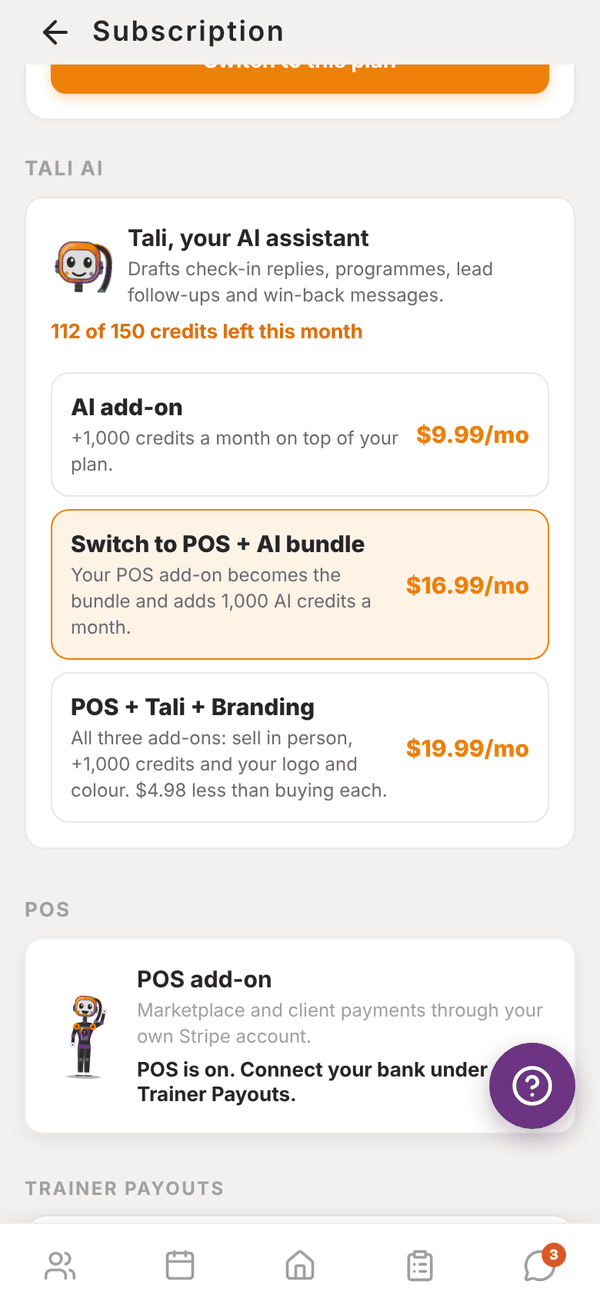
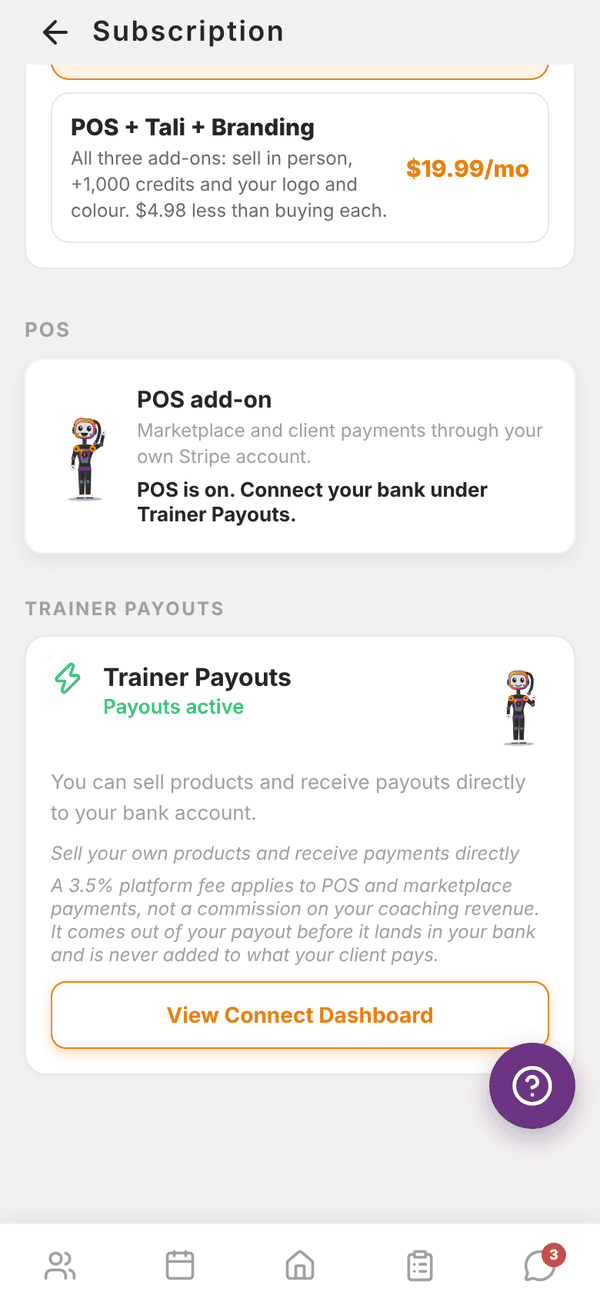
The button under Trainer Payouts changes with your status:
| Status | Button |
|---|---|
| Not set up | Set Up Payouts |
| Verification in progress | Continue Setup |
| Account restricted (Stripe needs something) | Fix Issues |
| Payouts active | View Connect Dashboard |
If you tap Set Up Payouts without the POS add-on, Totality asks POS Add-on Required and offers Purchase POS Add-on.
The 3.5% platform fee#
A 3.5% platform fee applies to payments your clients make in the app: PT packages, one-off charges, payment links and shop sales. It comes out of your payout before it lands in your bank, and it is never added to what your client pays. It is not a commission on your coaching income. On PT packages and one-off charges, Stripe's own card fee also comes out of your payout. If you refund a payment, the matching share of the platform fee goes back to you. Your Totality plan itself isn't affected.
What you can do once it's on#
- Payment links: charge any amount for anything, and send the link by SMS, email or copy.
- Cards on file: request or add a client's card from their profile. See Client profile.
- Your shop: sell programmes, PT packages, memberships and anything else.
- Revenue on Home: this month's earnings, from Stripe. See Marketplace and revenue.
Trainers at a gym#
At a gym, payments go to the gym's Stripe account, not to you. You can still take payments with POS when the gym has POS (Studio, Club and Enterprise include it). The POS screen reminds you: "Payments you take here go to your gym's account, not to you." How you're paid by the gym is between you and the gym.
You don't need the POS add-on or your own Stripe account at a gym.
Questions#
When does Stripe pay me?
Stripe pays out to your bank on its normal schedule for your account. Check it in View Connect Dashboard.
I'm on Free. Can I take payments?
No. The POS add-on needs a Solo plan. You can record cash payments by adding credits by hand. See Credits.
Can I use my existing Stripe account?
Set Up Payouts walks you through Stripe's own sign-up for a connected account. Follow the steps Stripe shows you there.
Who handles refunds?
There's no refund button in the Totality app. Email admintotality@gmail.com with the client, amount and date, and the team will help.
Disputed payments#
A dispute is when a client asks their bank to reverse a card payment. If it happens you get a push notification and an email, and the payment is listed under Disputed payments, linked from the bottom of your POS screen under Recent charges.
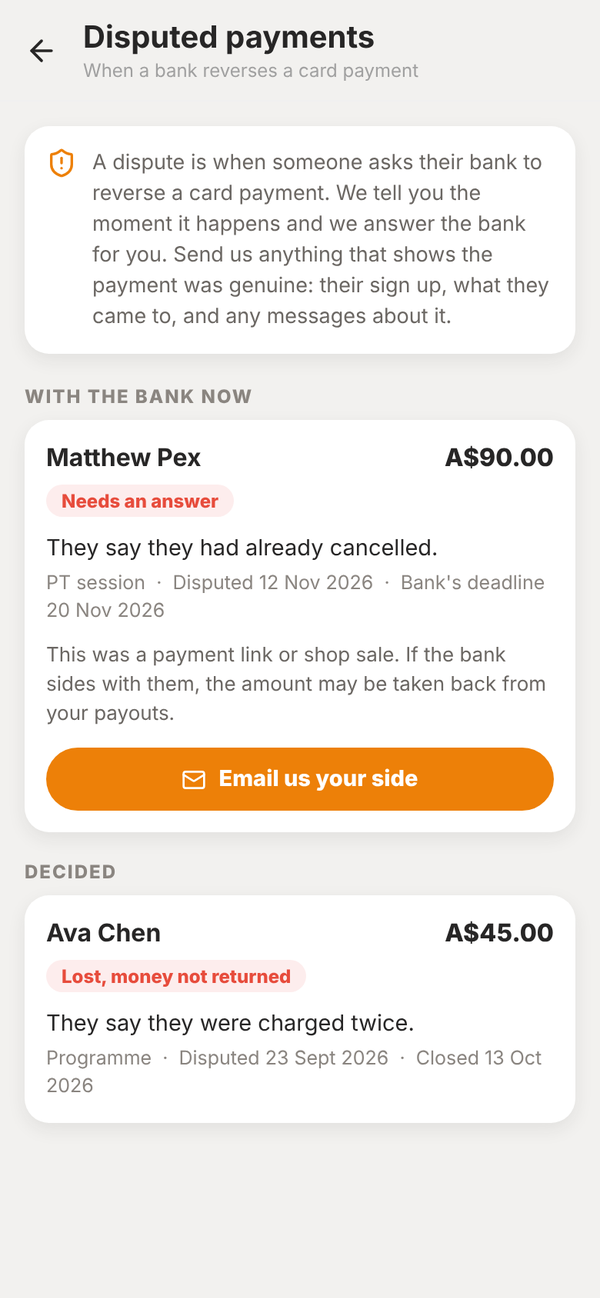
Each one shows who it was, how much, what the bank was told and the bank's deadline. Tap Email us your side and send anything that shows the payment was genuine. We answer the bank for you. While the bank decides, Stripe holds the disputed amount and its dispute fee from your Stripe balance. If the bank sides with you, the amount comes back.