
Totality for trainers
Your shop, products and revenue
Create products to sell (programmes, PT packages, memberships, custom), the Shop, Revenue and your purchases.
Independent trainers with the POS add-on can sell to clients through their own shop: programmes, PT packages, memberships and anything else. Money goes to your Stripe account. POS
Open My Products#
Go to Shop on Home. Under My Store, tap one of your products, then Manage in Settings →. You can also tap Sell PT packages on any client's profile.
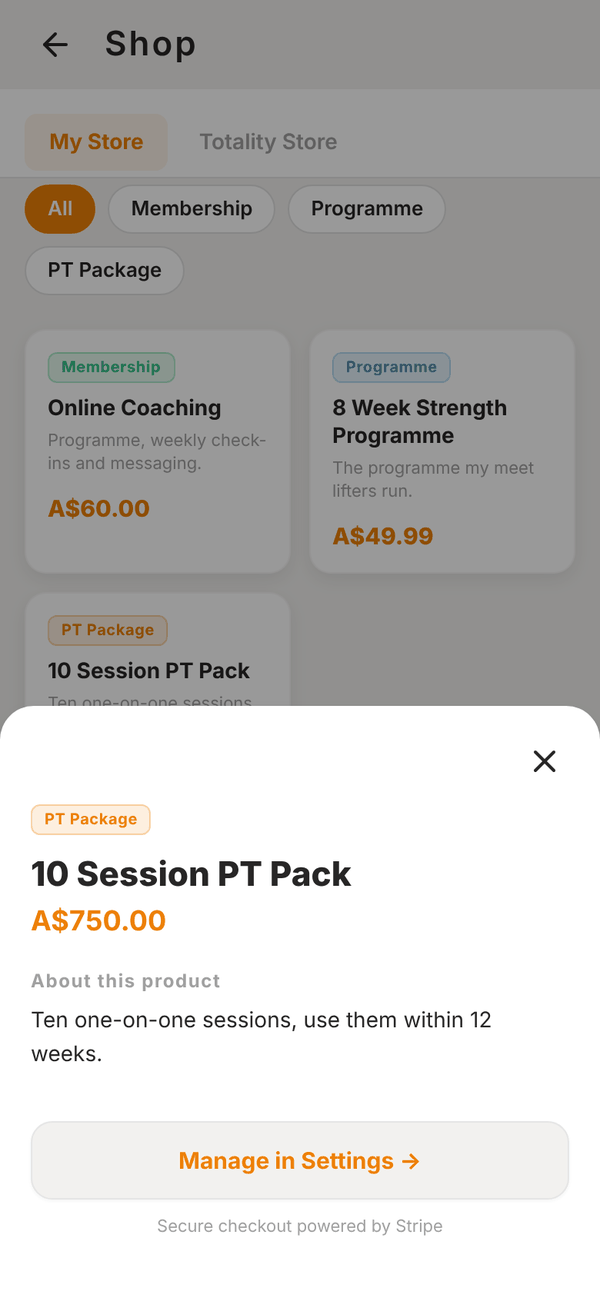
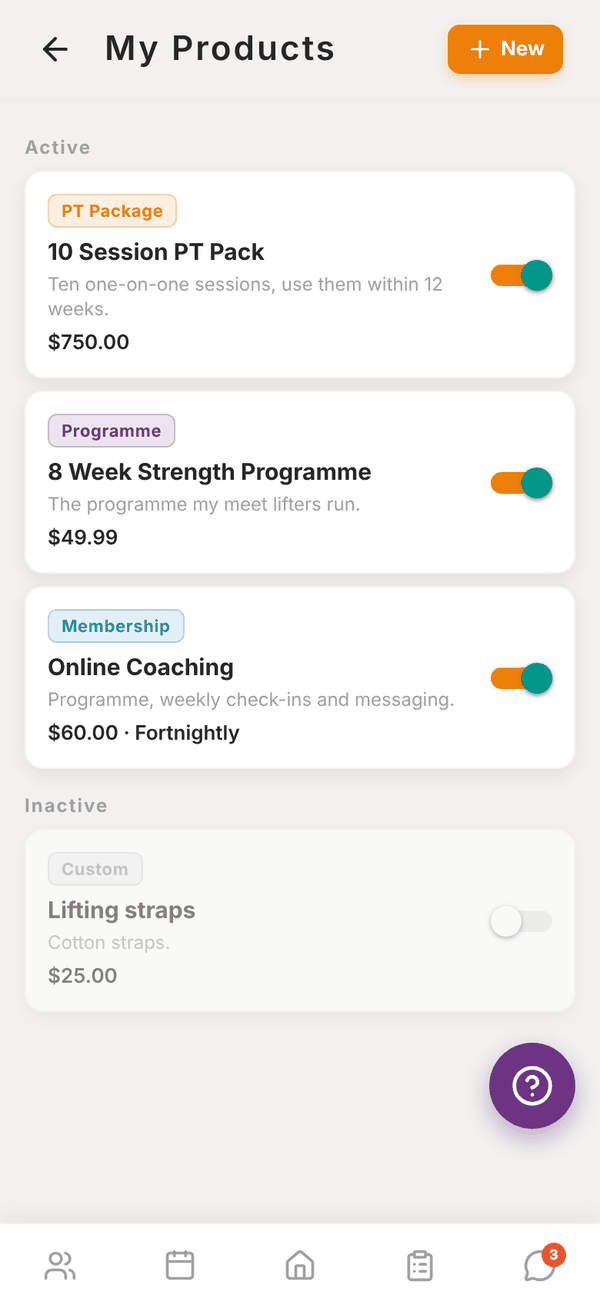
Until your Stripe payouts are active, a Connect Stripe to sell banner shows and your products stay hidden from clients. You can still create and edit them.
Create a product#
- In My Products, tap New.
- Pick a Product type: Programme, PT Package, Membership or Custom.
- Enter a Name, a Description ("What's included?") and a Price ($).
- Fill in the extra field for the type: - Programme: pick which of your programmes the buyer gets. - PT Package: the Number of sessions. When a client pays, they get that many PT credits to book with you. - Membership: the Billing frequency: Weekly, Fortnightly or Monthly. The client is charged on repeat.
- Optional: Track stock, with Stock on hand and a Low-stock alert at number. Stock goes down by 1 with each sale.
- Optional: Add buyer as a client, so anyone who buys joins your client list.
- Leave Active on to show it in your shop.
- Tap Create product.
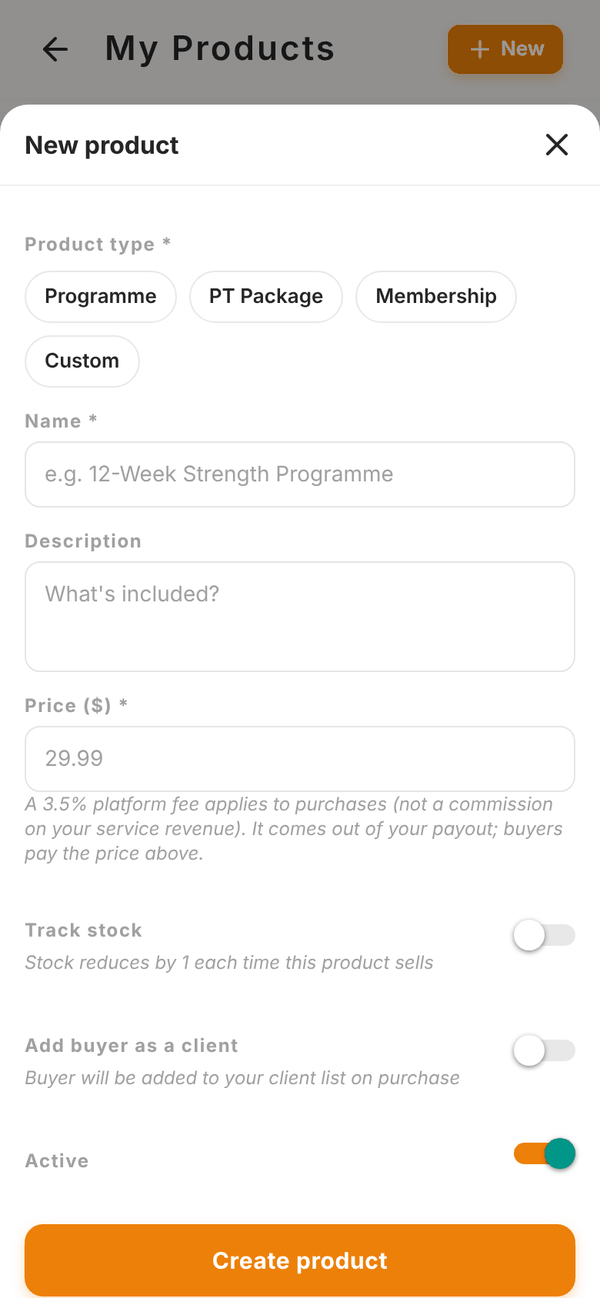
Switch a product off with its toggle to hide it without deleting. Open it and tap Delete product to remove it for good. Products running low show Low stock or Out of stock.
The Shop#
Shop on Home has two tabs:
- My Store (independent trainers): your active products, as clients see them. Filter by type.
- My Gym (gym trainers): your gym's products, which you can buy.
- Totality Store: guides and products from Totality you can buy.
Revenue#
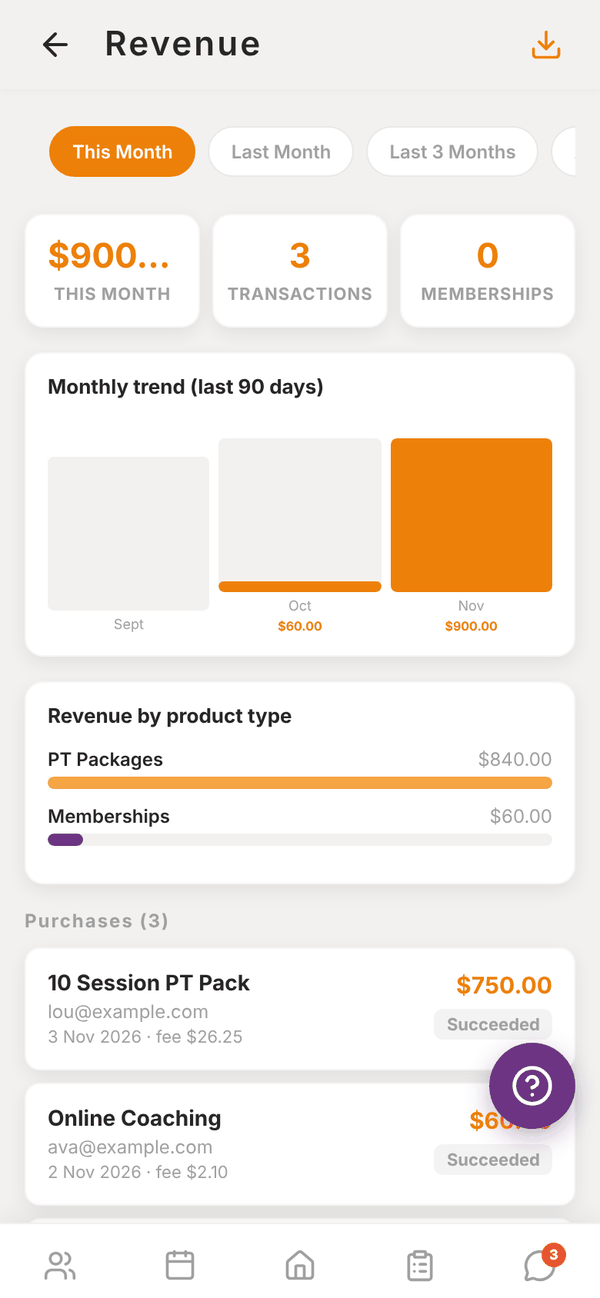
The Revenue tile on Home shows what you've earned this month. Tap it for the full Revenue screen. If Stripe isn't connected yet, the tile reads "Connect Stripe to see revenue" and takes you to payouts.
- Pick This Month, Last Month, Last 3 Months or All Time.
- Totals for the period, number of Transactions and active Memberships.
- A monthly trend chart and Revenue by product type.
- Every purchase with the buyer, date, amount, fee and status.
- Active Memberships with who's on them.
- The download button at the top exports a CSV.
Revenue comes live from your Stripe account and covers the last 90 days. Amounts are shown net of the 3.5% platform fee.
Purchase history#
Settings > Purchase History lists anything you've bought yourself, from trainers, your gym or the Totality Store.
Questions#
How do clients find my shop?
Clients see your active products in their app's marketplace.
A client bought a PT package. Where are their credits?
They appear on the client's profile under PT credits once Stripe confirms the payment.
Can I sell without the POS add-on?
No. Selling needs the POS add-on and active Stripe payouts.
I'm at a gym. Can I have my own products?
No. At a gym, products are run by the gym admin. You see the gym's products under My Gym.