
Totality for gym owners
Account, privacy and deleting
Sign out, keep your data, understand privacy, and delete your account safely.
Sign out#
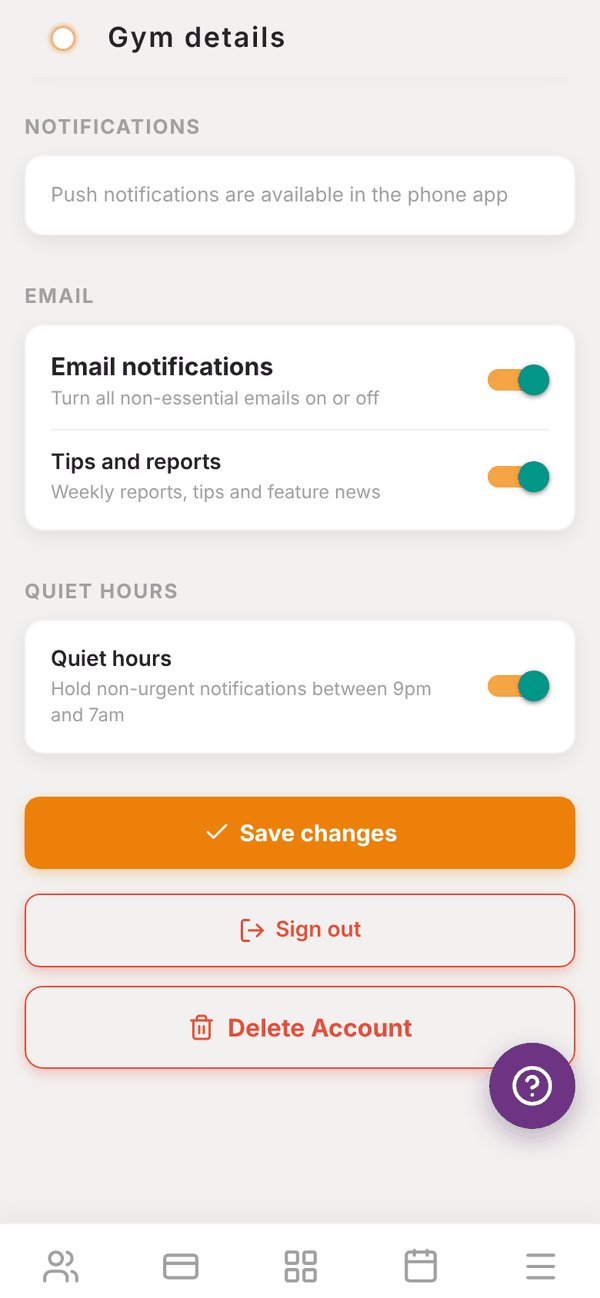
Tap Sign out at the bottom of Settings, or at the bottom of the dashboard. On a shared front desk computer, always sign out at the end of the day.
Your data#
Your gym's data belongs to you. You can download it at any time:
- Transactions and revenue summary: Insights, then Exports and revenue breakdown, then Summary CSV or All transactions CSV. See Revenue and insights.
- Revenue transactions (last 90 days): the download button on Revenue.
- Expenses: Reports, then Expenses, then CSV.
- Pay periods: Payroll, then a trainer's period, then Export CSV.
If you need anything else, such as a full export of your members, email admintotality@gmail.com.
Privacy#
Totality 360 Pty Ltd handles personal information under the Australian Privacy Principles. Read the full Privacy Policy and Terms & Conditions, also linked at the bottom of your dashboard.
- Members' health information from intake (PAR-Q, injuries, conditions) is only visible to your gym.
- Card details are held by Stripe, never by Totality.
- Admin notes and compliance documents are never shown to members.
- Someone who already has a Totality account only joins your gym, and you only see their details, after they accept your invite.
Delete your account#
- Open More, then Settings, and scroll to the bottom.
- Tap Delete Account.
- Read "This will permanently delete your account and all your data. This cannot be undone."
- Tap Delete My Account.
You see Account deleted and are signed out.
If you cannot sign in, email admintotality@gmail.com from your account's email address and ask us to delete it.
Questions#
If I delete my account, are my trainers and members deleted too?
Their own logins are separate and are not deleted. Talk to us at admintotality@gmail.com before deleting if you are closing or selling the gym, so we can help with your trainers' and members' accounts.
Can I get my account back after deleting it?
No. Deleting is permanent.
I'm selling my gym. Can I hand the account over?
Email admintotality@gmail.com before you hand anything over, and we will talk you through the options.