
Totality for gym owners
Branding your gym
Put your gym's logo, name and colour in the app your members and trainers use, and get your own join link.
With branding, Totality shows your gym to your members and trainers: your logo and name at the top of the app, your colour on the tab bar, main buttons and home screens, and your branding on member emails and push notifications. The app in the App Store and its icon stay Totality.
Branding is an add-on on Studio A$9.99/mo and included on Club and Enterprise. You can try a look before you pay.
Open Branding#
Open More, then Settings, then Branding under Tools. You can also reach it from the BRANDING card on your plan screen.
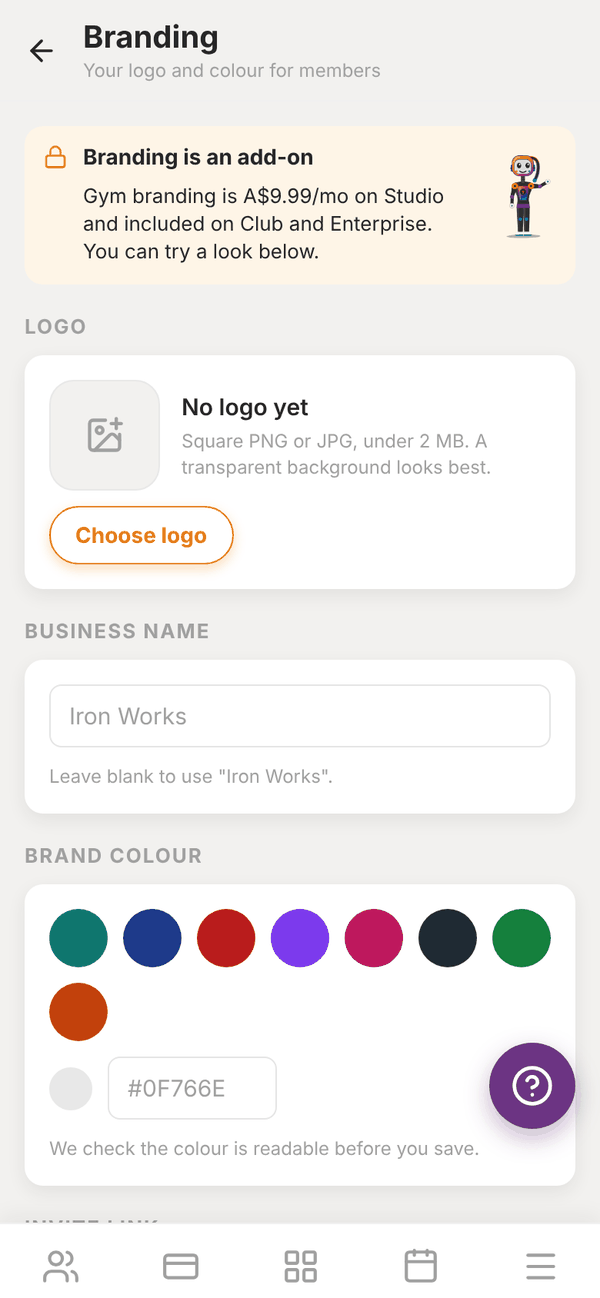
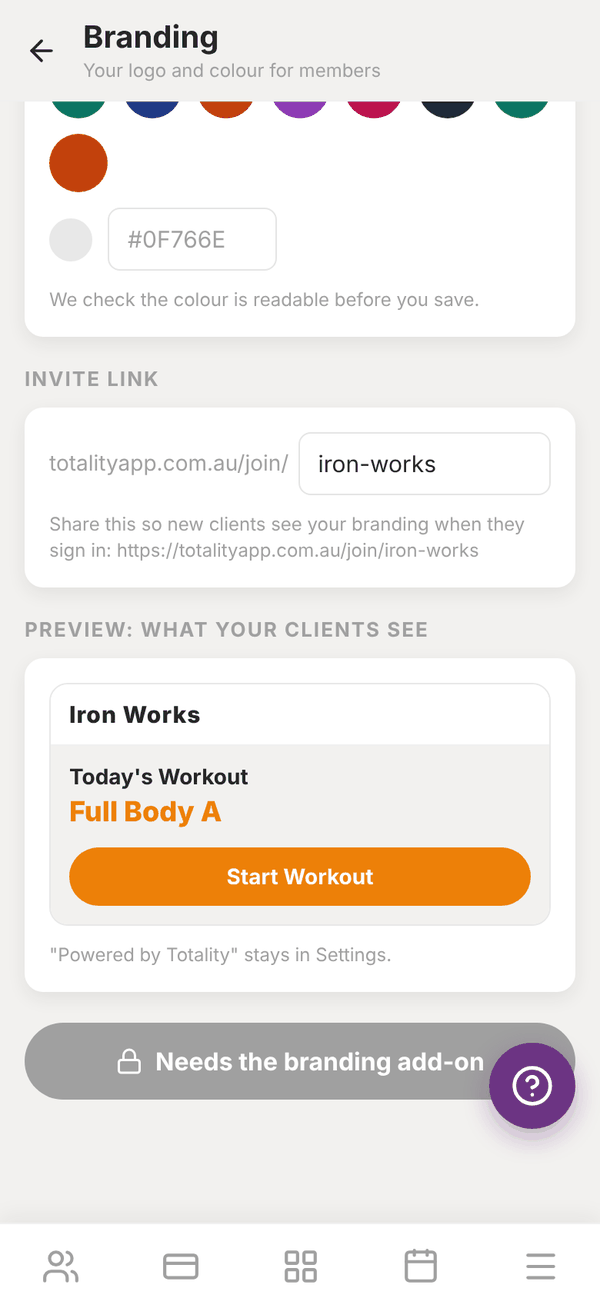
Set your look#
- LOGO: tap Choose logo and pick a square PNG or JPG under 2 MB. A transparent background looks best. Tap Remove to take it off again.
- BUSINESS NAME: the name members see. Leave it blank to use your gym's name from Settings.
- BRAND COLOUR: tap one of the colour dots, type a hex code like #0F766E, or tap Use Totality orange. Totality checks the colour is dark enough for white text to be readable. If it says "Too light to read white text on", pick a darker shade.
- INVITE LINK: choose the end of your join link, for example totalityapp.com.au/join/iron-works. Use 3 to 40 letters, numbers or dashes, not starting or ending with a dash.
- Check PREVIEW: WHAT YOUR CLIENTS SEE.
- Tap Save branding.
Without the add-on, the button says Needs the branding add-on and you cannot save yet.
Buy the add-on (Studio)#
At the top of the Branding screen, the Branding is an add-on card has an Add branding, $9.99/mo button. It opens a Stripe checkout. Once paid, come back and tap Save branding. One add-on covers your whole gym, every trainer and member.
If you also want more Tali AI credits, the Tali + Branding bundle on your plan screen is A$24.99 a month, A$4.99 less than buying both. See Your Totality plan.
To cancel the add-on, tap Cancel add-on on the Branding screen. It stays on until the end of the period you have paid for. Changed your mind before then? Tap Keep branding.
Your join link#
Share your join link (on your website, Instagram bio or in a welcome email) so new members see your branding on the sign in screen. The page offers Get the app on iPhone, Get the app on Android and Sign in on the web.
The join link does not create accounts. You still add members yourself, and they get their login by email. If someone opens a link that is no longer active, they see "This invite link isn't active" and can still sign in.
Questions#
Where will my members see my branding?
At the top of their app, on the tab bar and main buttons, on their home screen, on the sign in screen (once they have signed in on that device or used your join link), and on emails and push notifications from your gym.
Will the app icon on their phone change?
No. The app in the App Store and Google Play, and its icon, stay Totality.
My colour will not save.
It is probably too light for white text. Pick a darker shade until the warning goes away.
Someone else already has my link name.
Each join link is unique. If yours is taken you will see "Link taken". Try a different ending, for example add your suburb.
I'm on Club. Do I need to pay for branding?
No. Branding is included on Club and Enterprise. Just set it up and tap Save branding.