
Totality for gym owners
Marketplace, shop and products
Sell memberships, PT packs, physical products and anything else through your gym's shop in the app and a public store link.
Your gym has its own shop. Members see it in their app, and anyone can open your public store link in a browser. They pay by card through your Stripe account.
Everything for the shop is in the Sales tab:
- Marketplace products: what you sell.
- Storefront: how your shop looks, and your shareable store link.
- Shop: your shop as it looks today, and the Totality Store.
- Marketplace revenue (under Insights): what has sold.
Add a product#
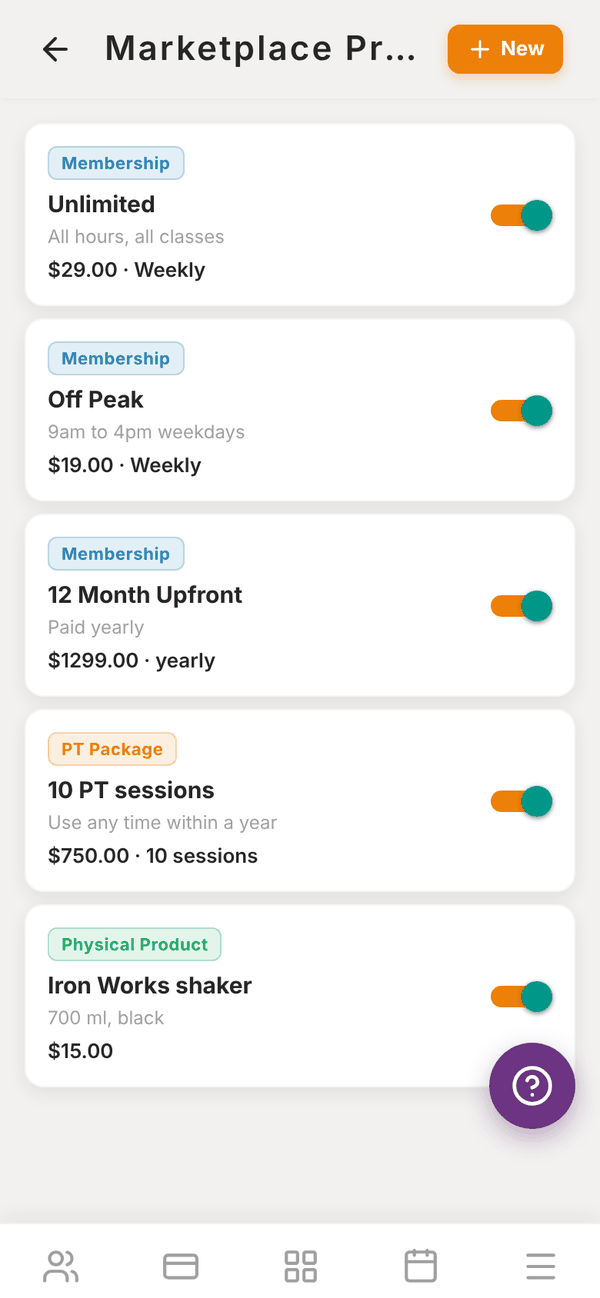
Open Sales, then Marketplace products, and tap + New.
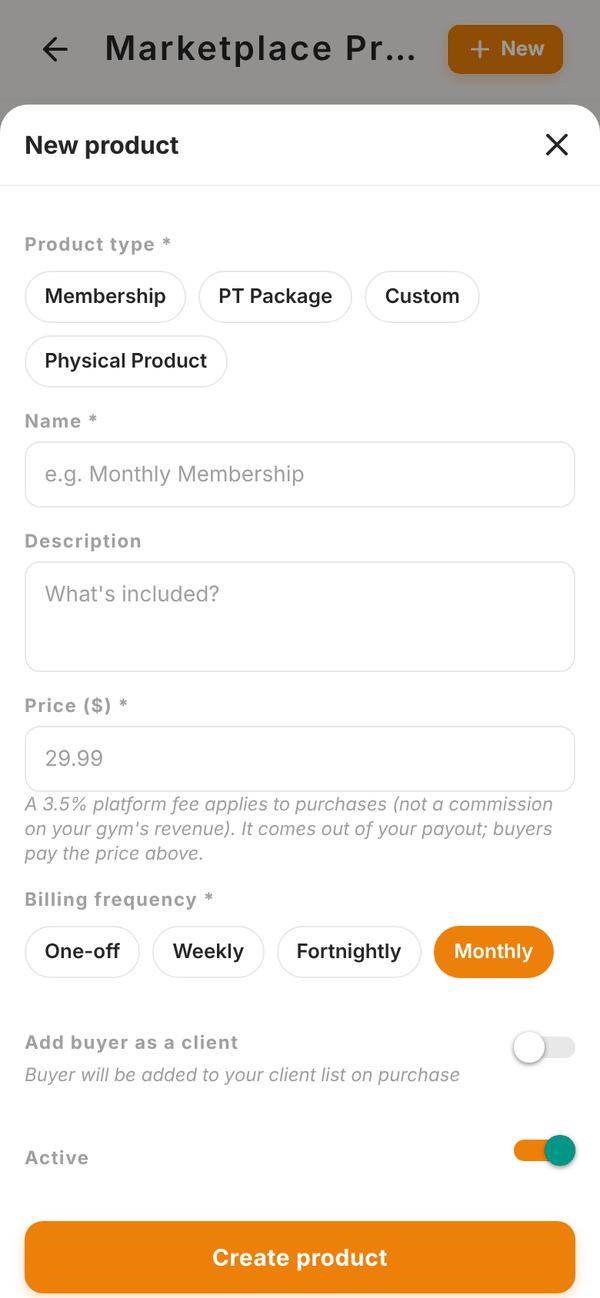
- Pick a Product type: - Membership: ongoing gym access (also listed in Memberships). - PT Package: a pack of sessions. Enter the Number of sessions. - Custom: anything else, like a challenge or a workshop. - Physical Product: something you hand over, like a shaker or a t-shirt. Always one-off.
- Enter a Name, a Description and the Price ($). A 3.5% platform fee comes out of your payout. Buyers pay the price you set.
- Pick the Billing frequency: One-off, Weekly, Fortnightly or Monthly.
- Optional: add a Product photo.
- Turn on Add buyer as a client if the buyer should be added to your client list when they buy (handy for PT packs and challenges).
- For physical products, turn on Track stock and enter Stock on hand and Low-stock alert at. Stock goes down by the quantity bought with each sale.
- Leave Active on, and tap Create product.
Each product shows its type, price and billing, and stock if you track it. When stock gets to your alert level it shows Low stock, and Out of stock at zero. Use the switch to hide a product without deleting it. Tap a product to edit it, or Delete product to remove it.
Storefront and your store link#
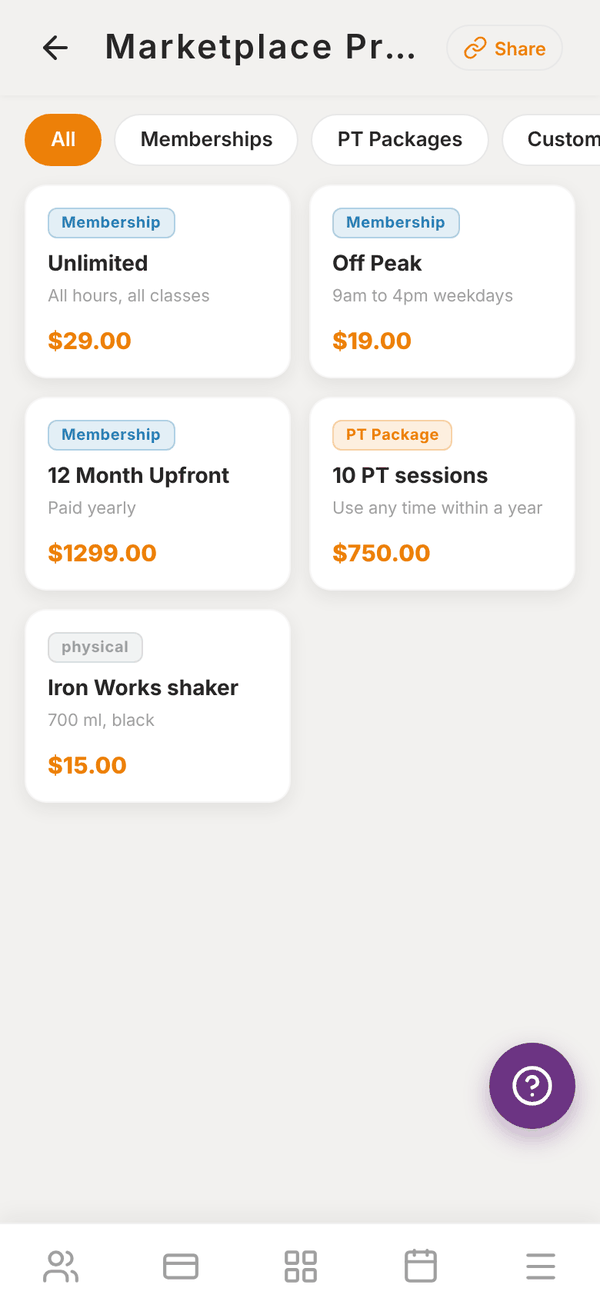
Storefront previews your shop the way buyers see it, with filters for Memberships, PT Packages and Custom. Tap a product to see its page ("About this product", "Secure checkout powered by Stripe").
Tap Share at the top to copy your public store link. Put it on your website, Instagram bio or emails. Anyone can browse it without an account. To buy, they sign in or create a Totality account, and buying a recurring membership there adds them to your gym.
Shop#
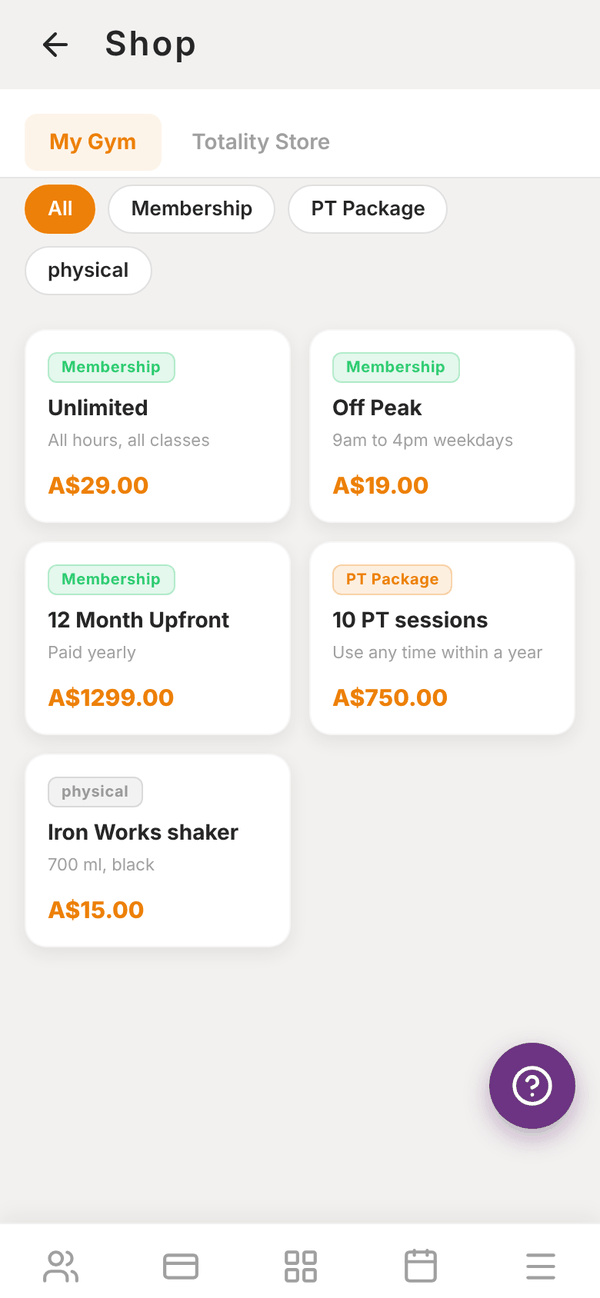
Shop has two tabs:
- My Gym: your gym's shop as it is now, filtered by type.
- Totality Store: guides and products sold by Totality that you can buy for yourself. What you buy shows in My purchases (Sales tab).
Marketplace revenue#
Open More, then Insights, then Marketplace revenue. It shows TOTAL EARNED, THIS MONTH, how many MEMBERSHIPS are active, your Recent Purchases and your Active Memberships.
One product list#
Sales and billing, Products opens the same products screen as your shop. Memberships, PT packs and anything else you sell live in one list, in the app and in your shop. Products from the old gym products screen were copied into it.
Questions#
How do members find my shop?
In their app, and through your public store link from Storefront, then Share.
What is the difference between a Membership product here and in Memberships?
They are the same list. A membership you create in either place shows in both.
Can I sell gift cards?
There is no gift card feature. You can sell a Custom product, for example "Gift voucher, $100", and honour it yourself.
Do I pay a fee on shop sales?
Yes, the 3.5% platform fee, taken from your payout, plus Stripe's card fees.