
Totality for gym owners
Messages and announcements
Chat one to one with members, and send notices to everyone or to a group by push, email or the in-app inbox.
Messages#
Messages is your inbox for chatting with members inside the app. Open the Members tab, then Messages.
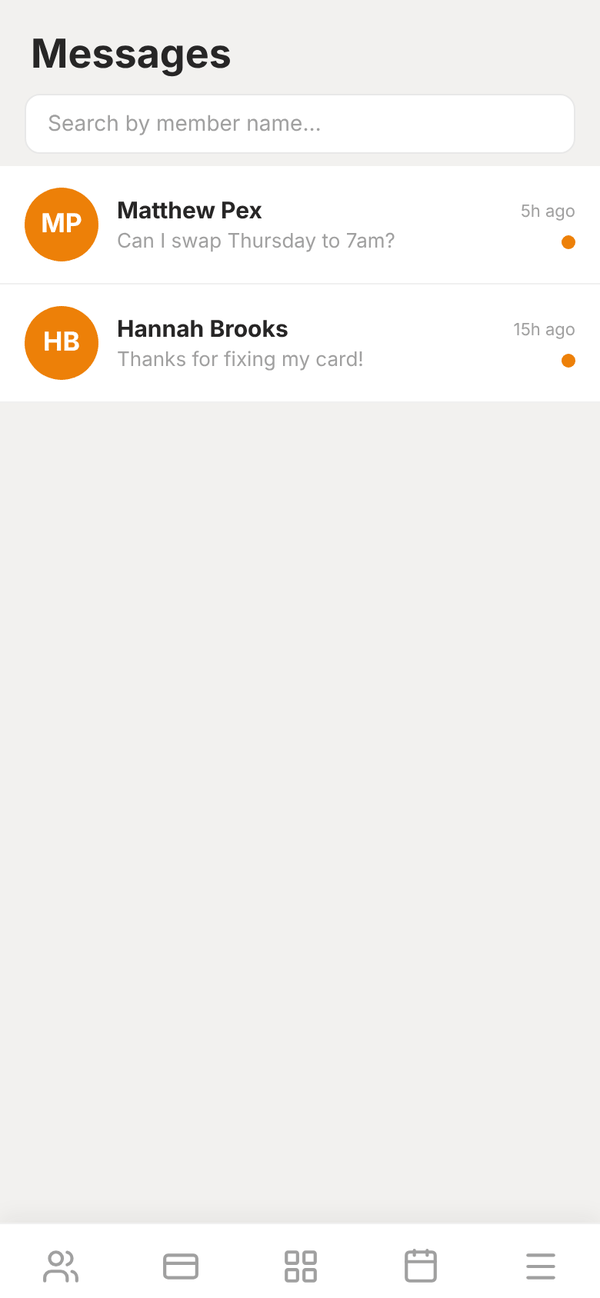
- Each conversation shows the member and when they last wrote. An orange dot means unread.
- Search by member name... finds a conversation.
- Tap a conversation to open it, type in Type a message... and tap Send.
- Totality Broadcasts are notices from the Totality team. "Broadcasts are read-only", so you cannot reply to them.
You can also message a member from their page, or message several at once from Clients with Select, then Message. See Members.
Your dashboard shows "2 unread messages" when members are waiting on you, and you get a push notification for each new message if you have notifications on.
Two ways to send announcements#
| Announcements | Group announcements | |
|---|---|---|
| Where | Members tab, Announcements | Members tab, Group announcements |
| Who it goes to | Every active member | All members, active members, a class's attendees, your staff, or one membership |
| How | In their in-app messages | Push, email and/or in-app inbox, you choose |
| Title | No | Yes |
| Length | Up to 500 characters | Up to 2,000 characters |
Announcements (every active member)#
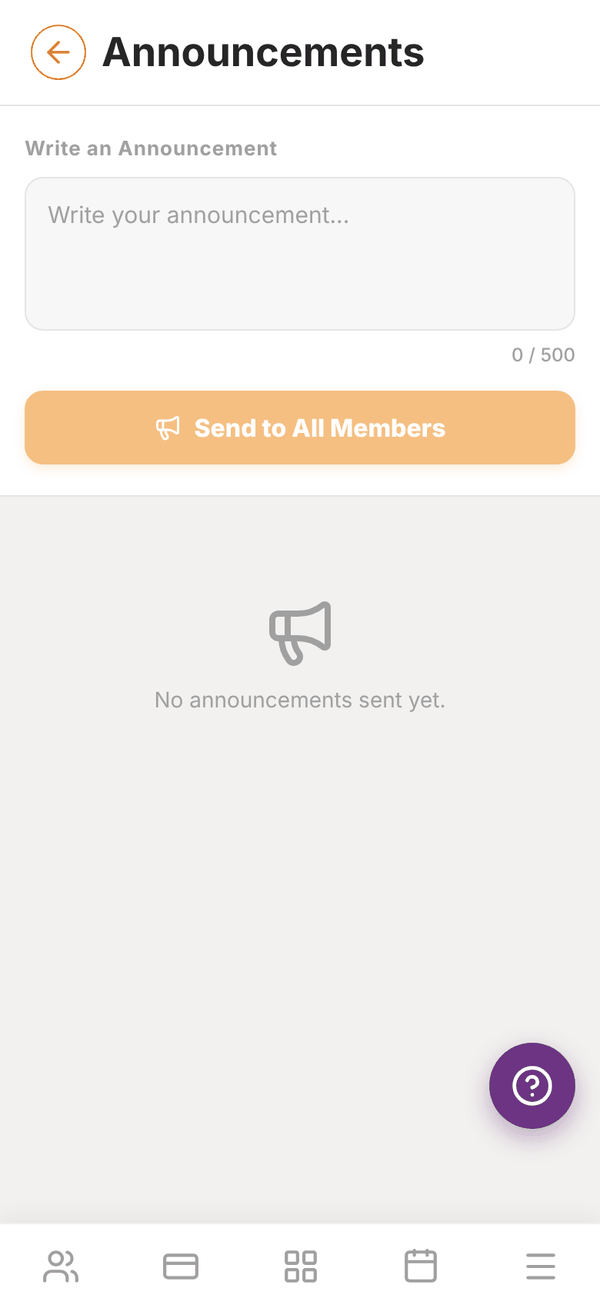
- Open Announcements.
- Write your message in Write an Announcement (up to 500 characters).
- Tap Send to All Members.
It arrives in each active member's Messages. Past Announcements lists what you have sent, with the date and how many members got it.
Group announcements#
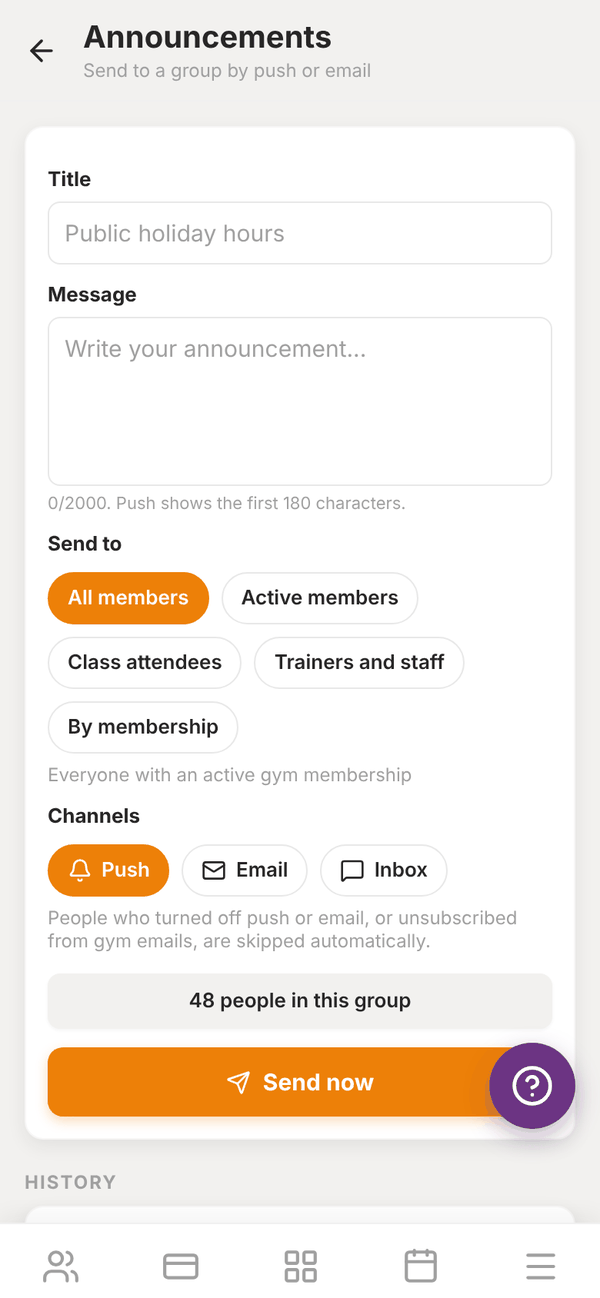
- Open Group announcements ("Send to a group by push or email").
- Enter a Title (for example Public holiday hours) and your Message. Push notifications show the first 180 characters.
- Under Send to, pick who gets it: - All members: everyone with an active gym membership. - Active members: members with a current paid membership or PT package. - Class attendees: pick a class. Members booked into it in the last 90 days or coming up. - Trainers and staff: everyone on your team. - By membership: pick a membership. Members on that membership.
- Under Channels, tap Push, Email and/or Inbox.
- Check the count ("48 people in this group") and tap Send now.
"People who turned off push or email, or unsubscribed from gym emails, are skipped automatically." Quiet hours are respected too. After sending you see how many pushes were delivered and emails sent.
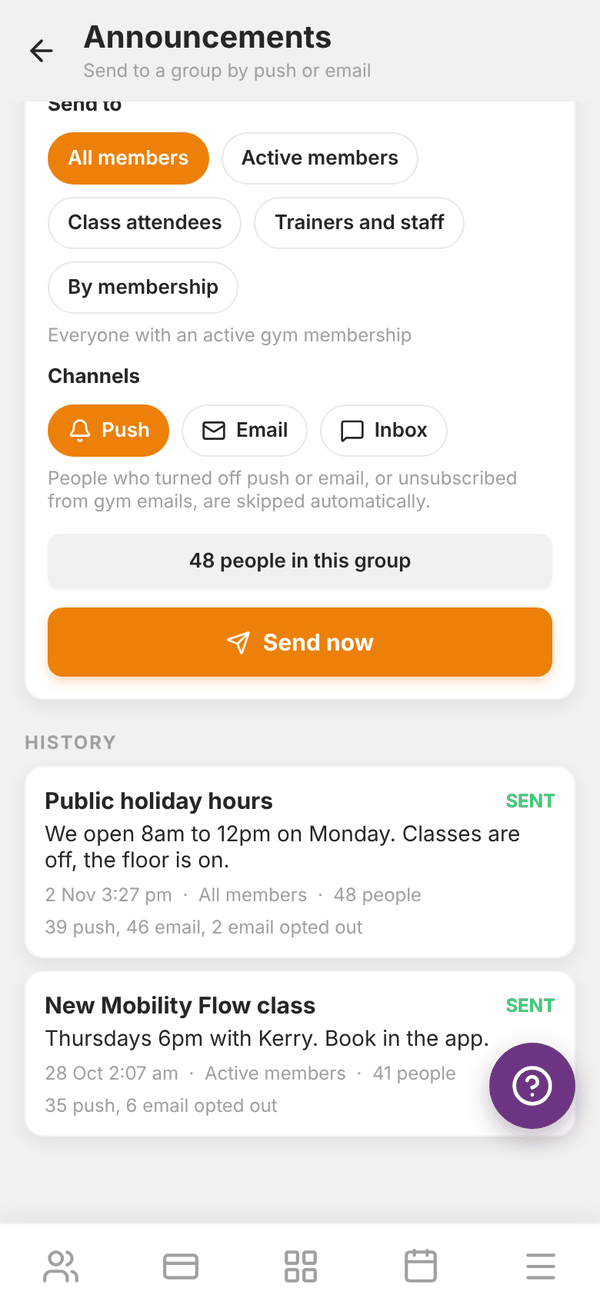
History shows every group announcement with its date, how many people, and how many pushes and emails went out.
Questions#
Can members reply to an announcement?
Announcements are one way. Members can message you directly in Messages.
Why did fewer people get my email than are in the group?
People who turned off email, or unsubscribed from your gym's emails, are skipped.
Can I schedule an announcement for later?
Not at the moment. Announcements send straight away.
Do trainers get messages from members too?
Yes. Members message their own trainer in the app. You see messages sent to you.