
Totality for gym owners
Memberships
Create your membership options, start a member on one, see who is on what, and cancel at the end of a billing period.
Memberships is where you set up what you sell (Unlimited, Off Peak, 12 Month Upfront and so on) and where you see who is paying for which one. Members pay by card through your Stripe account, so connect Stripe first.
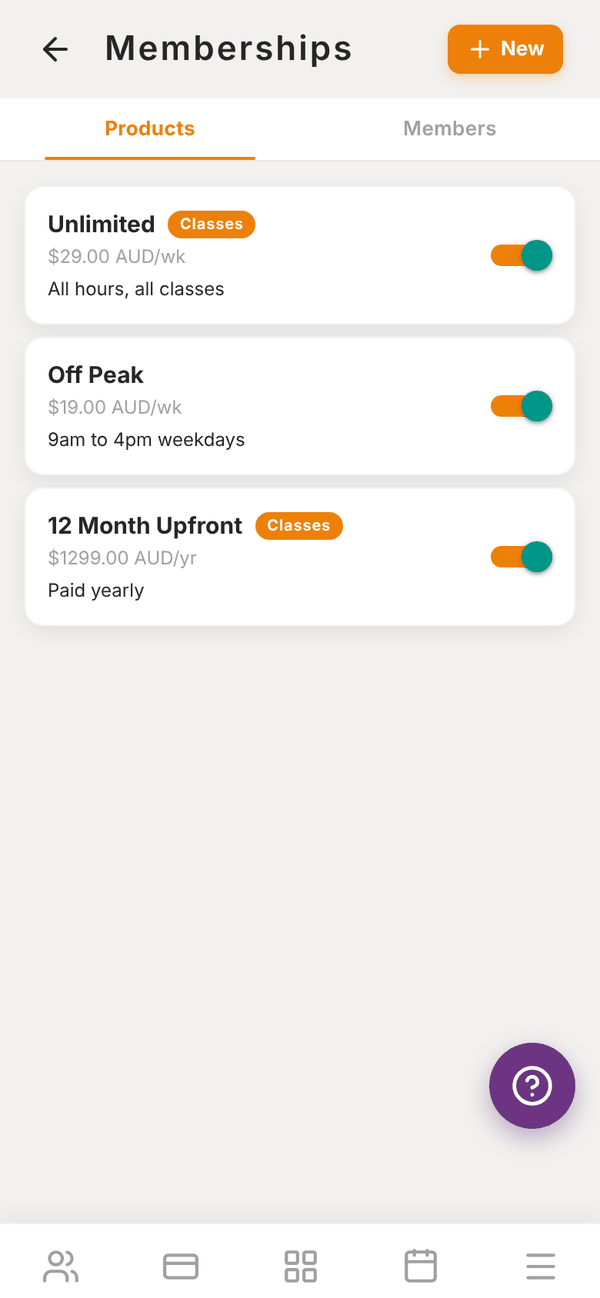
Open the Sales tab, then Memberships. There are two tabs: Products and Members.
Create a membership#
- On the Products tab, tap + New.
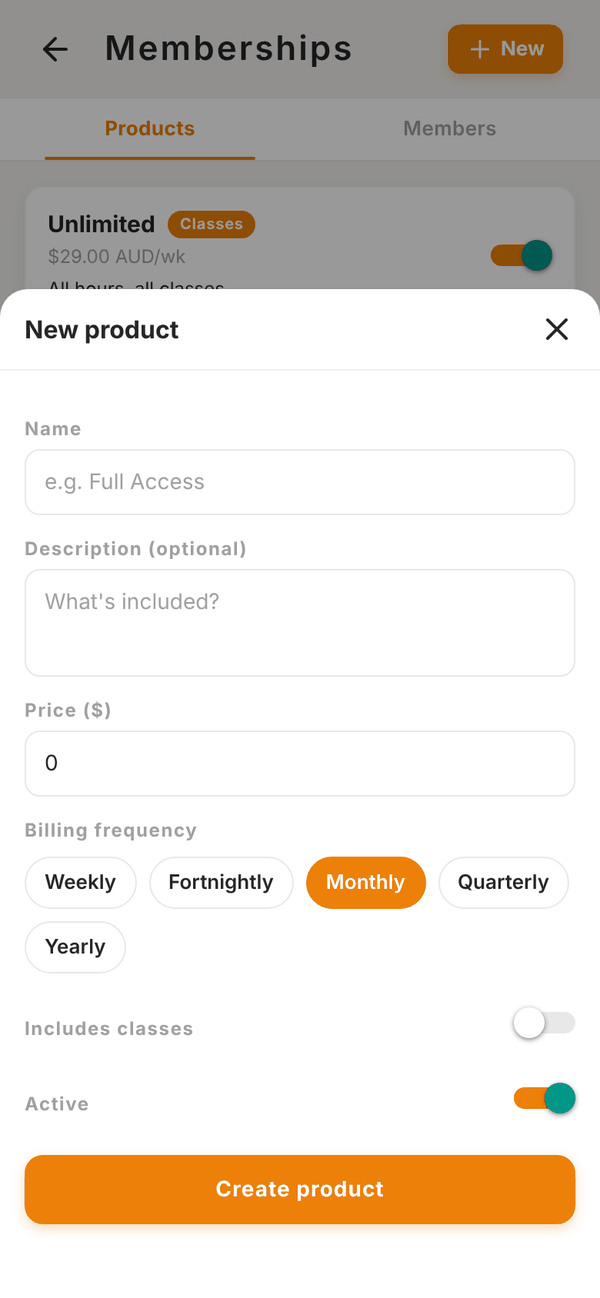
- Fill in Name (for example Full Access) and an optional Description ("What's included?").
- Enter the Price ($).
- Pick the Billing frequency: Weekly, Fortnightly, Monthly, Quarterly or Yearly.
- Turn on Includes classes if members on this membership book classes for free. See Classes.
- Leave Active on so it can be sold.
- Tap Create product.
Each membership shows its price and frequency (for example $29.00 AUD/wk) and a Classes pill if it includes classes. Use the switch to make it active or inactive. Tap one to edit it.
Active memberships also appear in your gym's shop, where members can buy them themselves. See Marketplace and shop.
Start a member on a membership#
The member needs a card saved with your gym first. If they do not have one, ask them to add one (see Ask a member to add a card).
- Open the Members tab and tap + New (or Add membership).
- Pick the Client.
- Pick the Membership plan.
- Optional: turn on Custom amount ("Override the plan price with a custom amount") to charge a different price, then enter the Amount ($) and frequency.
- Tap Create subscription.
Their default saved card is charged straight away, and then again on each billing date. If anything fails you will see "Could not create subscription" with the reason.
The Members tab#
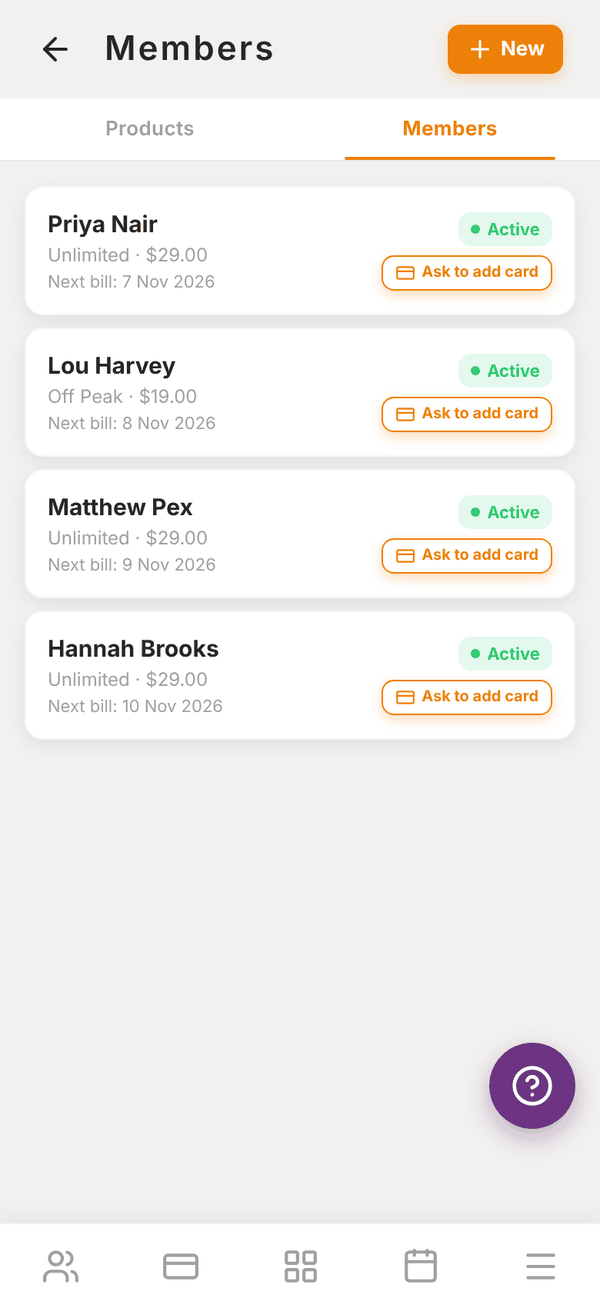
Each row shows the member, their membership and price, their Next bill date and a status:
| Status | Meaning |
|---|---|
| Active | Paying as normal |
| Past due | The last payment failed. See Failed payments |
| Paused | Paused, for example by a freeze. See Check-in and freezes |
| Cancelled | Ended |
Ask a member to add a card#
If a member on the Members tab has no card saved, you can email them a link to add one.
- On the Members tab, find the member's row.
- Tap Ask to add card. It shows "Sending..." while it works.
- You see Request sent: "We emailed (their name) a link to add a card." If it could not send, you see Could not send with the reason.
The email comes from your gym and links to the page where they add their card in Totality. You can also ask from the member's page. See Failed payments and cards.
Cancel a membership#
- On the Members tab, tap the member's row.
- The message says "The client will keep access until the end of the current billing period."
- Tap Cancel at period end, or Keep active to leave it.
No more payments are taken after the current period ends. Members can also cancel their own membership from their app, at the end of the period they have paid for.
Questions#
Can I change the price of a membership people are already on?
To change what an existing member pays, cancel their membership at the end of the period and start them again on the new one, or with a Custom amount.
Can I offer a one-off pass, like a 10 visit pass?
Memberships repeat. For a one-off sale, create a product in Marketplace products with One-off billing, or use Charge a member.
Can I pause a membership for an injury or holiday?
Yes, with a freeze. See Check-in and freezes.
What is the difference between Memberships and PT packages?
Memberships are for using the gym (and classes, if included). PT packages are for 1:1 sessions with a trainer and give weekly session credits.