
Totality for gym owners
Your gym's website
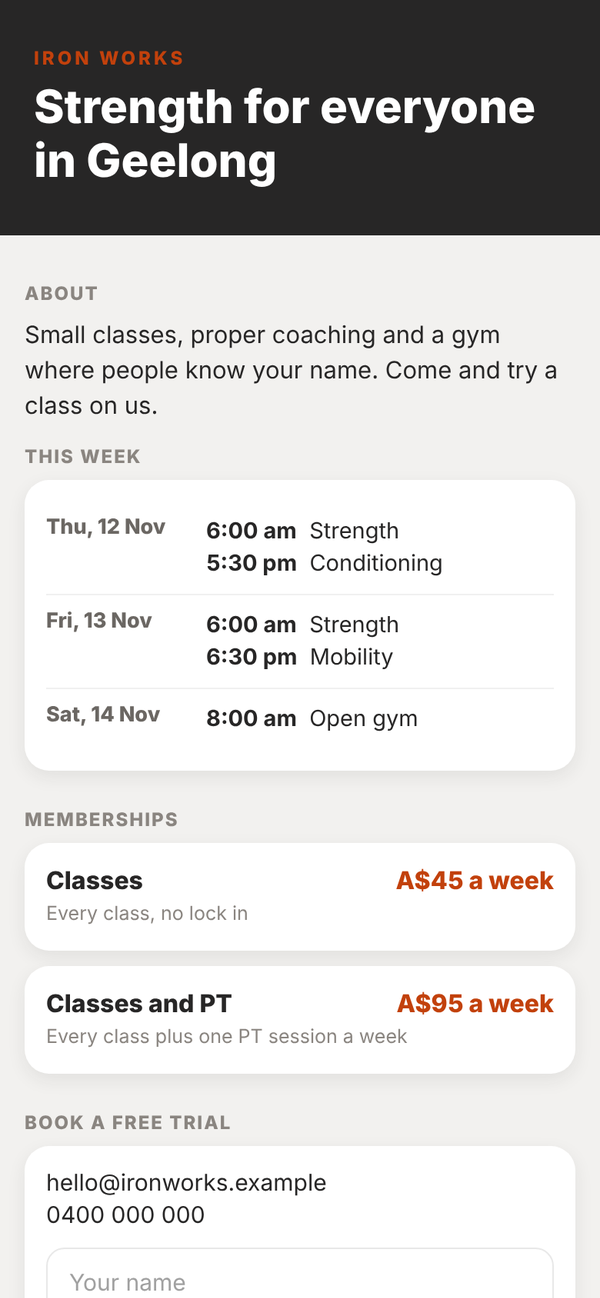
A simple website built from your branding, with this week's classes, your memberships and a trial form that lands in Leads. You can use your own domain.
Branding add-on
With the Branding add-on your gym gets a website built from what is already in Totality. It is included on Club and Enterprise, and A$9.99 a month on Studio as part of Branding.
Find it with Find a screen on your dashboard, or in Everything under Growing.
Set it up#
- Save your branding with a link name first. Your website uses the same link name, logo and colour.
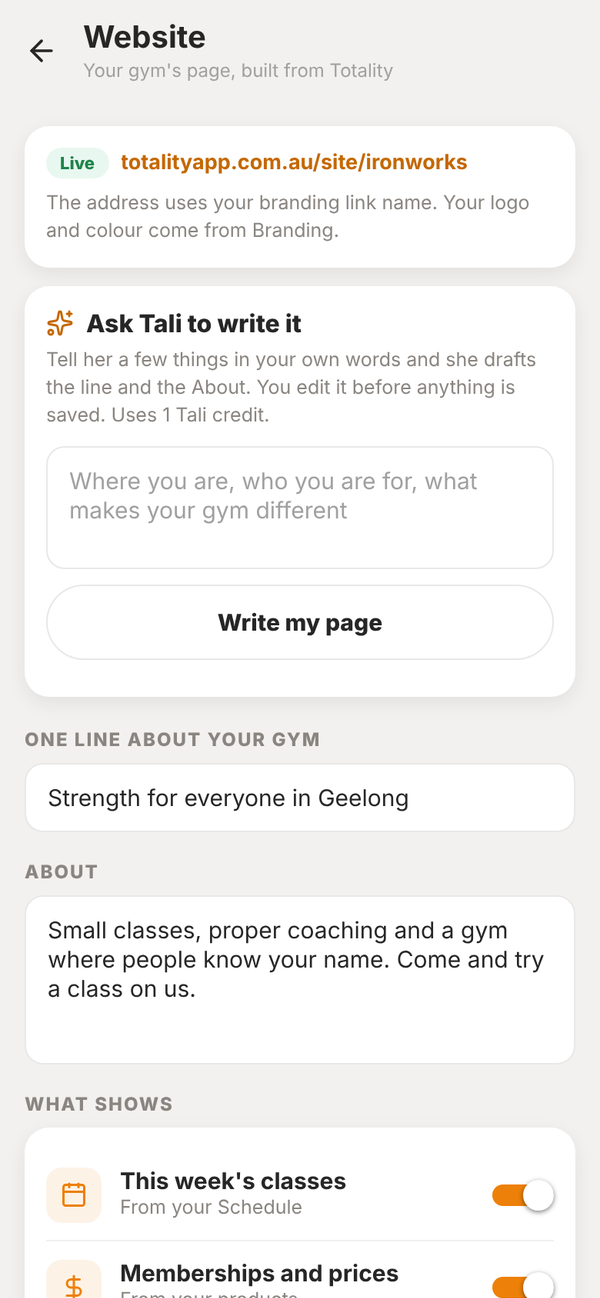
- Open Website. Your address is shown at the top, for example totalityapp.com.au/site/ironworks.
- Write One line about your gym and an About. Or type a few things under Ask Tali to write it and tap Write my page. Tali drafts both for 1 Tali credit and you edit them.
- Under What shows, choose what goes on the page: This week's classes from your Schedule, Memberships and prices from your products, and A free trial form.
- Add an email and phone number to show if you want them.
- Tap Save changes. Nothing is live until you save.
Trial requests land in Leads#
When someone fills in the free trial form, they appear in Leads as a new lead from your website. On autopilot can line up a first reply for you.
Your own domain#
Already own a domain? Ask for it from the Your own domain card on the Website screen. It is part of Branding at no extra charge. We connect it for you, then the card shows two records to add where you bought the domain. Once the domain answers, your website shows there.
Take it offline#
Tap Take it offline and the page stops showing. Your words are kept for when you put it back.
Do I need to know how to build a website?
No. The page is built from your branding, your schedule and your products. You write two short pieces of text, or Tali drafts them.
Can I change the layout?
Not in this version. You choose what shows and write the words.