
Totality for gym owners
One-off charges and POS payment links
Charge a member's saved card for a one-off item, or send anyone a payment link to pay on their own phone.
There are two ways to take a one-off payment, both included on every gym plan:
| Charge a member | POS payment link | |
|---|---|---|
| Who | A member with a card saved with your gym | Anyone, including walk-ins |
| How they pay | Their saved card is charged straight away | They open a link and pay on their own device |
| Good for | A drink, merch, a replacement bottle, a missed fee | Casual visits, drop-in PT, merch for non-members |
Both go to your Stripe account, with the 3.5% platform fee taken from your payout. The member pays the price you set.
Charge a member#
Open the Sales tab, then Charge a member.
- Pick the Client.
- Under What are you charging for? pick Product and choose one of your products, or pick Custom amount and type the Amount (AUD) and a Description (for example Replacement water bottle).
- Tap Charge now.
- Check the message ("Charge Priya Nair $15.00 for ...") and tap Charge.
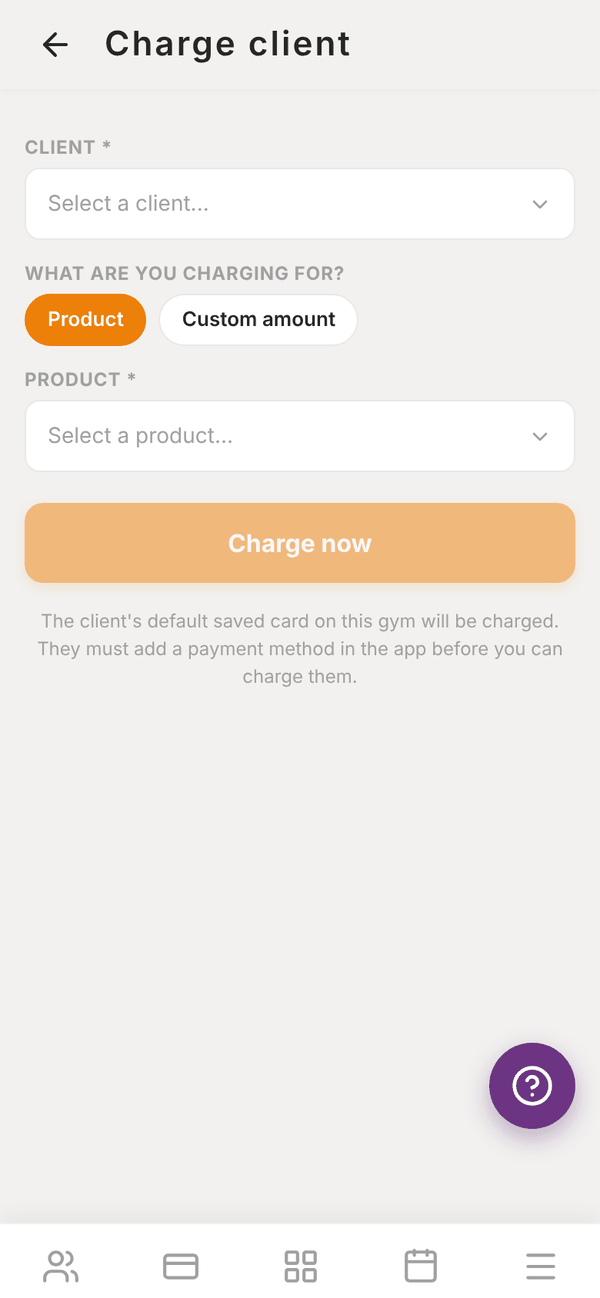
"The client's default saved card on this gym will be charged. They must add a payment method in the app before you can charge them."
The result tells you exactly what happened:
| Message | Meaning |
|---|---|
| Payment successful | Charged. It shows in Revenue |
| Payment processing | The bank is still processing it. It usually clears shortly |
| Needs client approval | Their bank wants them to approve it (3D Secure). This cannot be done on your device. Send them a POS link instead |
| Card declined | The card was declined, with the reason |
| Charge not completed | Something went wrong. "It is safe to try again: the client will not be charged twice." |
Create a POS payment link#
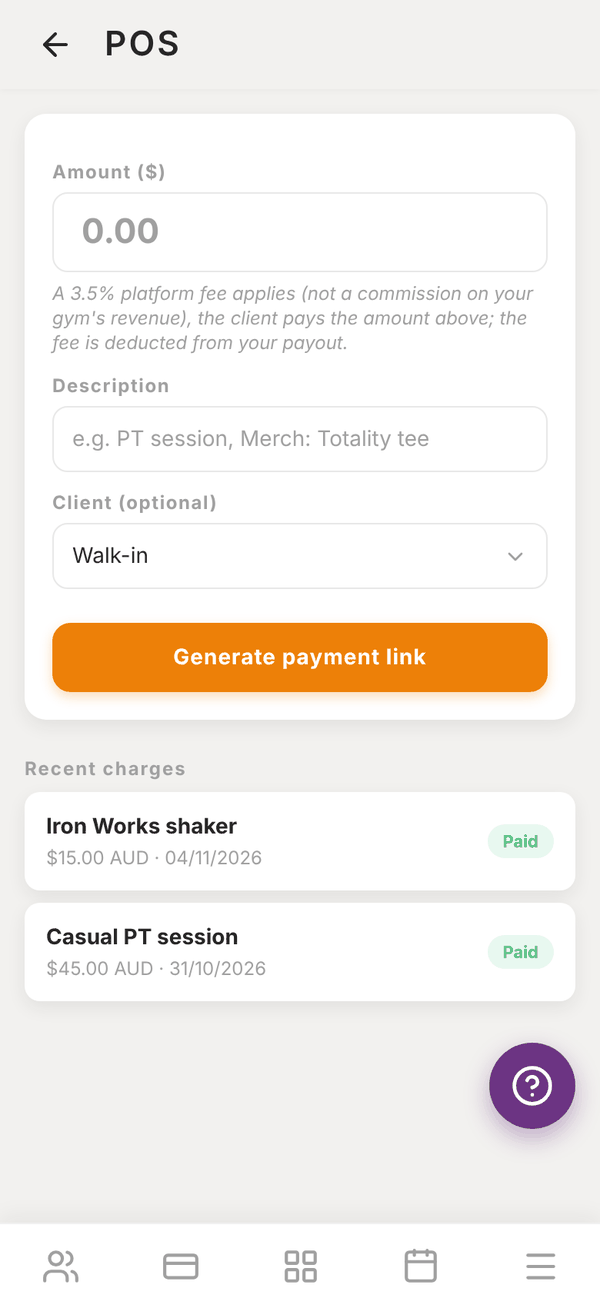
Open the Sales tab, then POS payment link.
- Enter the Amount ($).
- Enter a Description, for example "PT session" or "Merch: Totality tee".
- Optional: pick a Client, or leave it as Walk-in.
- Tap Generate payment link.
- Share it: Copy, SMS or Email. Or let them scan or tap it on your screen.
They pay on Stripe's secure checkout page with any card. Recent charges at the bottom shows each link as Pending, Paid, Expired or Failed. Tap New charge to start another.
Questions#
Can I take a card on a terminal or tap-to-pay reader?
No card reader is needed or supported. Use a POS payment link: the person pays on their own phone.
Do trainers see the POS screen?
Trainers at your gym can create POS payment links too. The money goes to your gym's Stripe account and the trainer is recorded on the payment.
How do I refund a charge?
There is no refund button in Totality for one-off charges. Email admintotality@gmail.com with the member's name, the date and the amount, and we will help. (When you cancel a class session, paid bookings are refunded automatically. See Classes.)
Is there a fee on POS payments?
Yes, the 3.5% platform fee, taken from your payout. Stripe's card fees also apply.