
Totality for gym owners
Units and region
Choose kilograms or pounds, kilojoules or calories, how dates look, and the starting units for new members.
Units and region changes how weights, energy, distances and dates show for you. It never changes your saved data: everything is stored the same way and simply shown in the units you pick. Each change saves straight away.
Open More, then Settings, then Units and region under Tools.
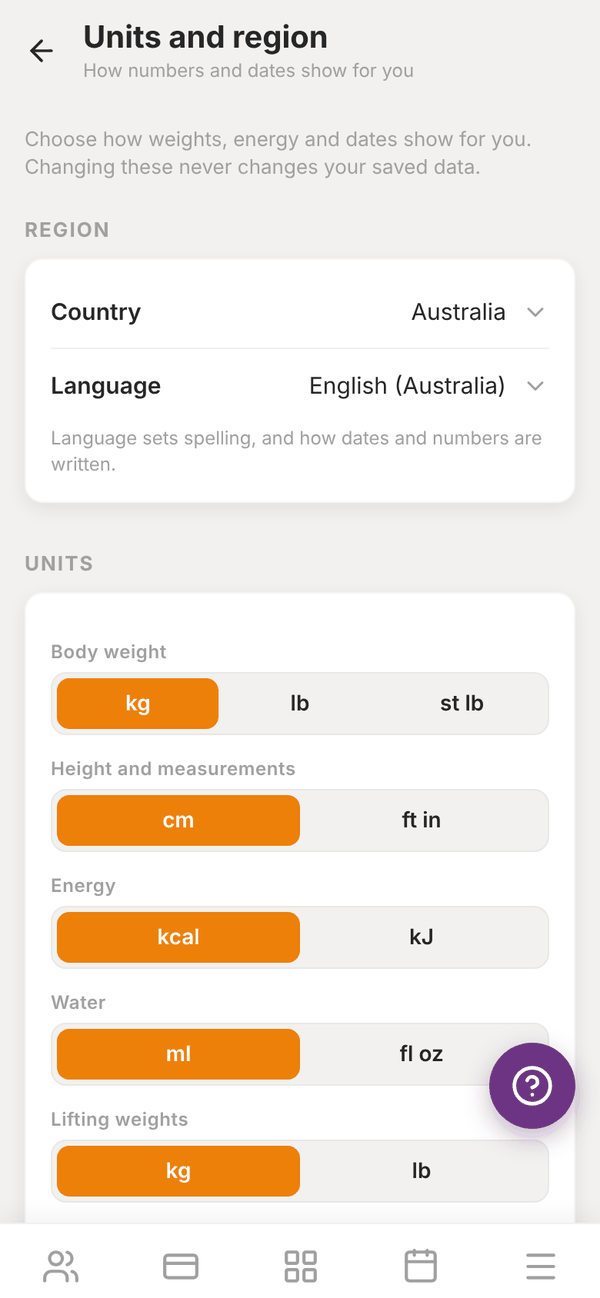
Region#
- Country: where you are.
- Language: sets spelling, and how dates and numbers are written. English (Australia) writes dates as 5/11/2026.
Units#
When you change your country, every unit switches to that country's usual ones, and a message says so. You can still change any single unit after that. Use Australia's usual units (or your country's) puts them all back.
| Setting | Choices |
|---|---|
| Body weight | kg, lb, st lb |
| Height and measurements | cm, ft in |
| Energy | kcal, kJ |
| Water | ml, fl oz |
| Lifting weights | kg, lb |
| Distance | km, miles |
Dates and time#
- Week starts on: Monday, Sunday or Saturday.
- Time: 12 hour or 24 hour.
- Today looks like shows an example so you can check.
Starting units for new clients#
NEW CLIENTS sets what new members see picked when they first set up the app: Their phone (whatever their phone is set to), Metric or Imperial. They can change it any time in their own settings.
Questions#
If I switch to pounds, do my members' numbers change?
No. Your setting only changes what you see. Each member has their own Units and region setting.
Will changing units mess up old workouts?
No. Everything is saved the same way underneath and just shown in the units you pick.