
Totality for gym owners
Allied health and clinic tools
Switch your business to allied health or clinic, then set up services with prices, your own intake forms, treatment notes and funding types.
If you run an allied health practice or clinic, Totality speaks your language. Tell it what kind of business you are and you get services you book by the appointment, intake forms you write yourself, and treatment notes on each client. The words across the app change too: clients instead of members, practitioners instead of trainers, appointments instead of sessions.
Tell Totality you're a clinic#
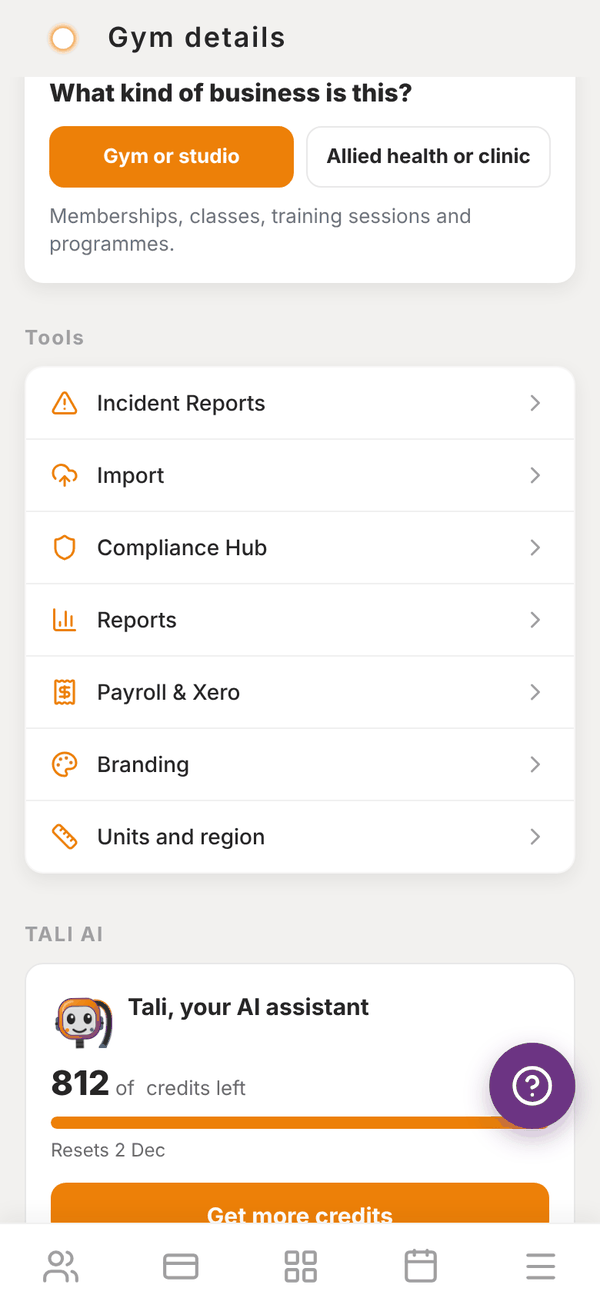
- Open Settings on your dashboard.
- Under What kind of business is this?, tap Allied health or clinic: "Appointments by service, intake forms you write, and treatment notes on each client."
- Under it, switch on the tools you use: Services, Intake forms and Treatment notes.
- Tap Set up services and intake forms.
Switching a tool off hides it. Nothing already saved is deleted. To go back, tap Gym or studio.
Services#
A service is an appointment type with its own length and price, like an initial consult or a follow-up. Open Sales and billing, Services and intake forms, or Services in your dashboard's quick actions.
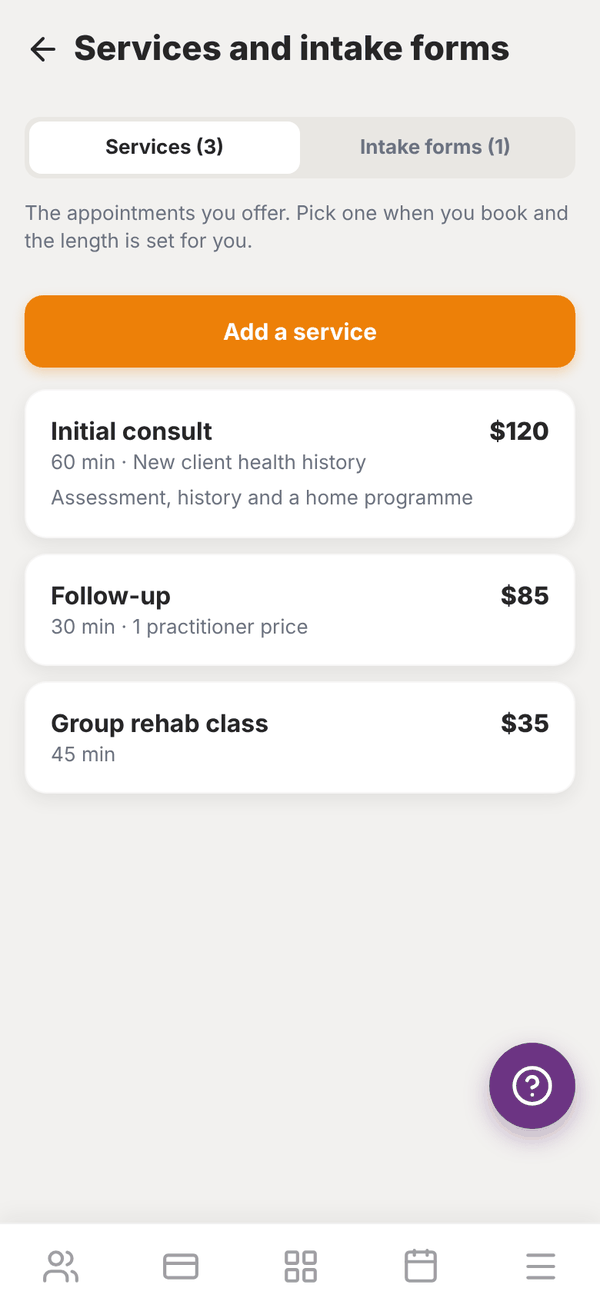
- Tap Add a service.
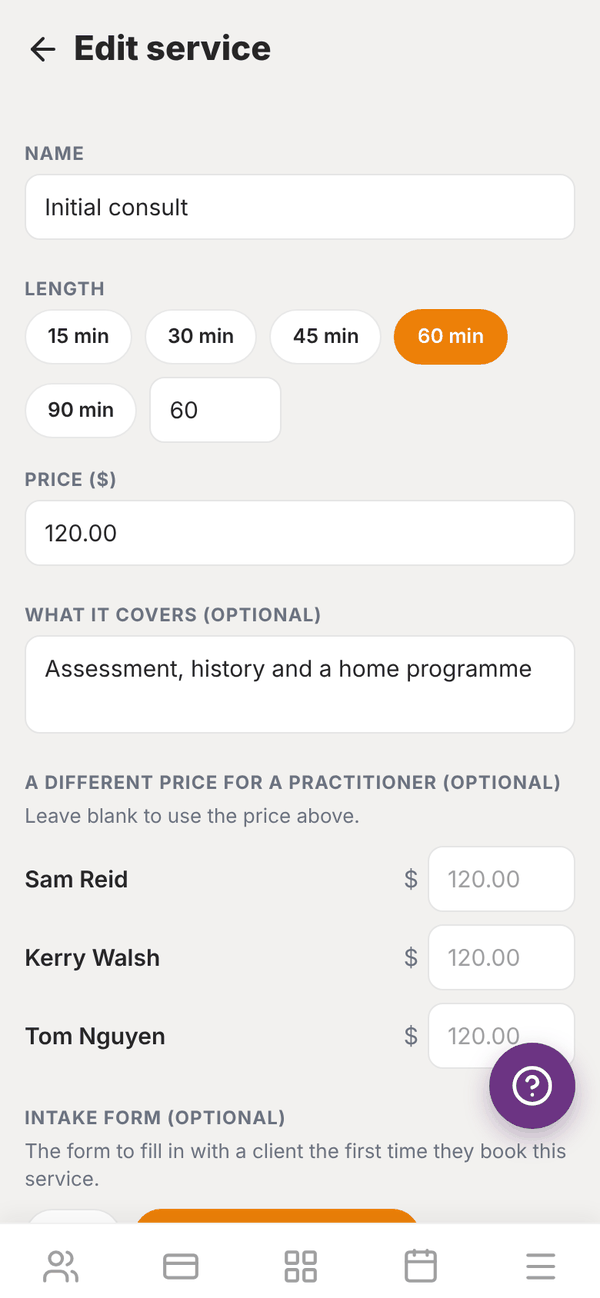
- Fill in the NAME (like "Initial consult"), pick the LENGTH (15, 30, 45, 60 or 90 min, or type your own, 5 to 480 minutes) and the PRICE ($).
- Add WHAT IT COVERS (OPTIONAL). Staff see it when they book.
- Under A DIFFERENT PRICE FOR A PRACTITIONER (OPTIONAL), type a price next to anyone who charges differently. Leave it blank to use the price above.
- Under INTAKE FORM (OPTIONAL), pick the form to fill in with a client the first time they book this service, or None.
- Leave Available to book on, and tap Save service.
When you book an appointment on the schedule, pick the service and its length and price fill in.
Intake forms#
Your own questions, filled in before a first appointment. On the Intake forms tab:
- Tap Add an intake form.
- Give it a FORM NAME, like "New client health history".
- Tap Add a question for each one. Type the question and pick its type: Short answer, Long answer, Yes or no or Pick one (with at least two choices). Turn on Must be answered if it can't be skipped.
- Leave In use on, and tap Save form.
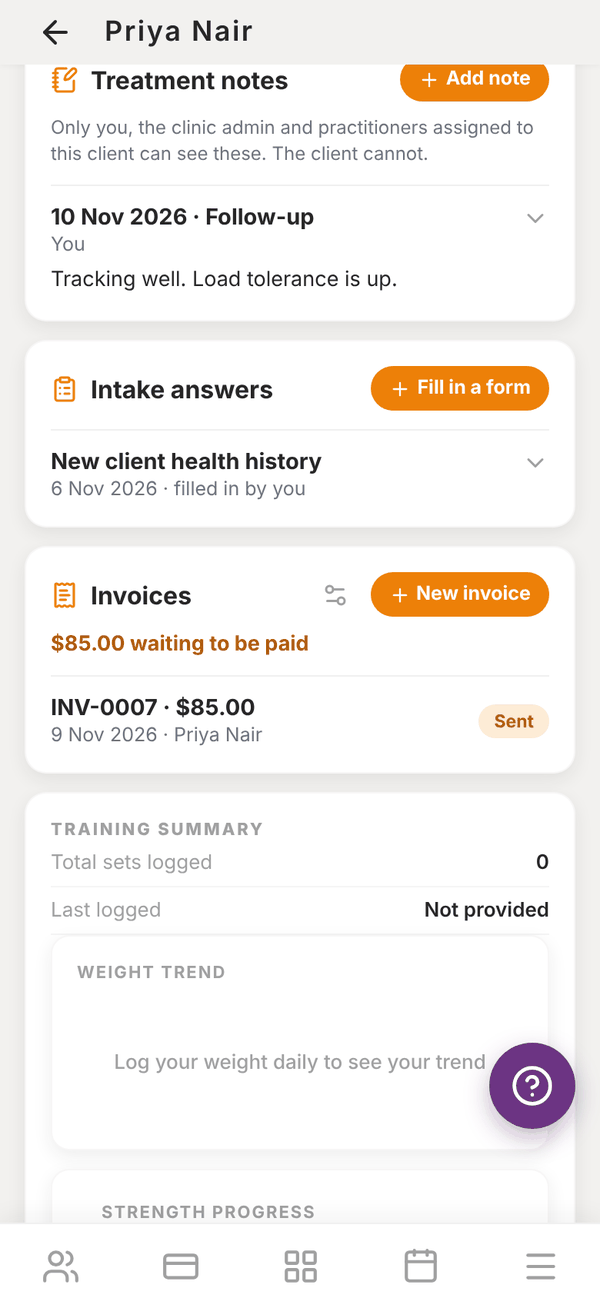
Fill a form in from the client's page: tap Fill in a form under Intake answers, pick Which form?, answer the questions and tap Save answers. Answers show under Intake answers on the client.
Treatment notes#
After an appointment, open the client and tap Add note under Treatment notes. A note has four parts, and you only need to fill in one:
- What the client told you: how they feel, what has changed, pain out of 10
- What you found: tests, measures, range, what you did today
- Your assessment: what it means and how they are tracking
- Plan: home programme, next appointment, anything to follow up
Pick the Date and the SERVICE, then tap Save note. Only you, the clinic admin and practitioners assigned to that client can see treatment notes. The client can't.
Funding and referrals#
On any client, Funding & Referrals records how their care is funded: Medicare, DVA, Workcover, NDIS, Aged Care, Private Health, or a funding type of your own. Add the referral details and upload the referral document. Your own funding types are offered on every client once you've used them. See Client detail.
Take payment after booking#
When you book a single appointment for a priced service that no pack covers, Totality asks Booked. Take payment?:
- Charge their saved card: opens Charge with the amount filled in.
- Send a payment link: they pay on their own phone.
- Write an invoice: for the client, a health fund or a funder. See Invoices.
- Not now.
Questions#
Can a clinic still sell memberships and classes?
Yes. Every gym tool is still there. Switching to clinic changes the wording and adds the clinic tools.
Can my clients see their treatment notes?
No. Treatment notes are only for you, your admin and practitioners assigned to that client.
I have more than one clinic.
Set up one location, then copy its Services and intake forms to the others. See More than one location.
Is there an extra charge for the clinic tools?
No. They're part of every gym plan.