
Totality for gym owners
Gym schedule, PT bookings and cash off
See every trainer's week in one place, book PT sessions for any member, settle sessions against credits one at a time or a whole week at once.
The Gym schedule shows every 1:1 PT session and class across your gym. You can see one trainer or everyone, book sessions for any member, and settle sessions so PT credits are used and trainers get paid.
Open the Schedule tab, then Gym schedule.
Find your way around#
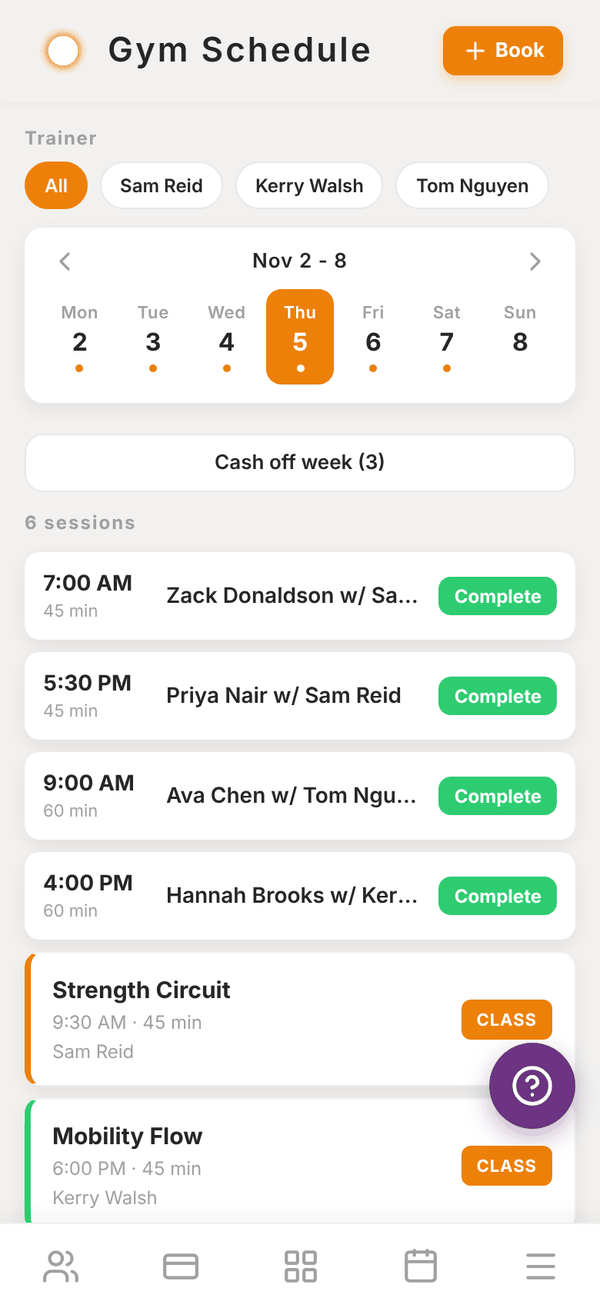
- Trainer: tap All or one trainer's name to filter.
- The week strip: tap a day, or use the arrows to change week. A dot under a day means something is booked.
- The list shows the day's sessions, grouped into Morning, Afternoon and Evening. Each shows the time, length, member and trainer. Classes show with a CLASS tag.
- Complete on a session marks it done.
Book a PT session#
- Tap + Book.
- Pick the Client and the Trainer.
- Pick the Date and Start time, and a Duration: 30, 45, 60, 75 or 90 minutes.
- Optional: add Notes.
- To book the same slot every week, turn on Recurring (weekly) ("Book the same slot every week") and pick the Number of weeks: 4, 6, 8, 12 or 16.
- Tap Book session.
If the member has an unused PT credit with that trainer, one credit is used for the session (and given back if you cancel it). If they have none, the session is booked as pending settlement, ready to be cashed off once they have a credit. See PT packages and credits.
Manage a session#
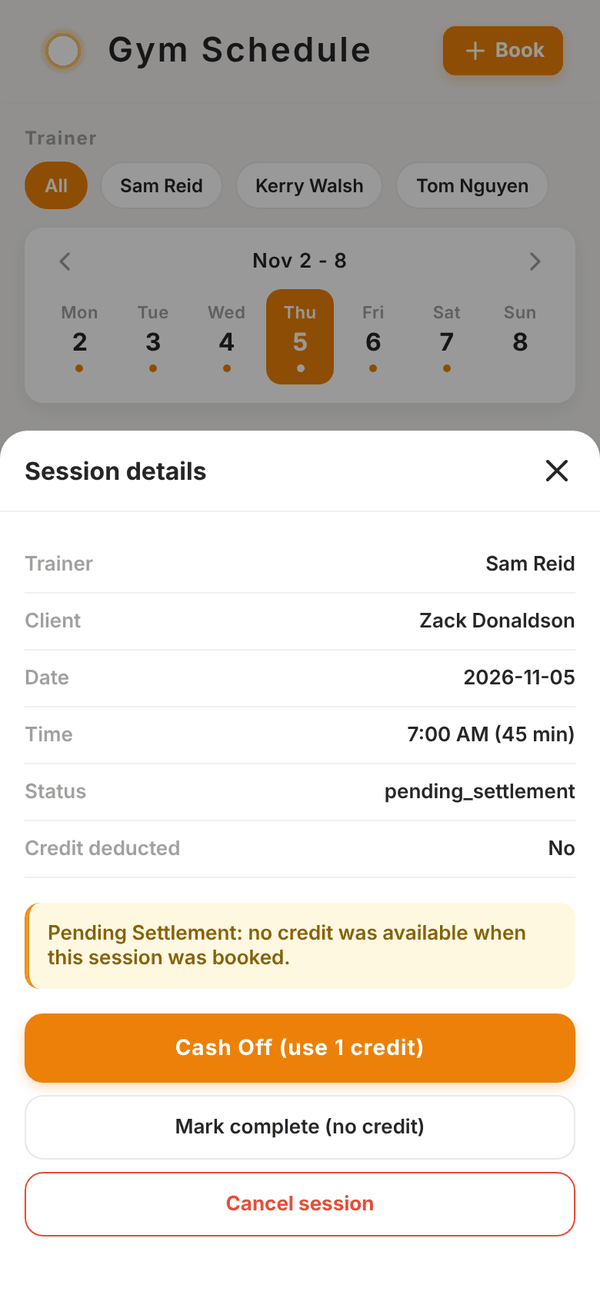
Tap a session to see its Session details: trainer, client, date, time, status and whether a credit was used.
| Button | What it does |
|---|---|
| Mark complete | The session happened. It counts towards the trainer's pay |
| Mark no-show | The member did not turn up. The credit is still used |
| Cancel session | Cancels it and gives the credit back. For a weekly booking, choose This session only or All future sessions |
| Edit Session | For completed or no-show sessions: change the status or whether a credit was used. A reason is required and the change is logged |
Cash off and Cash off week#
A session is pending settlement when it was booked with no credit: "Pending Settlement: no credit was available when this session was booked." It is not paid to the trainer until it is settled. Open it and tap:
- Cash Off (use 1 credit): uses one of the member's credits and marks it complete. Use this once they have bought or been given more credits.
- Mark complete (no credit): marks it complete without using a credit, for example if they paid you some other way.
To settle a whole week at once, tap Cash off week (3) under the week strip. The number is how many sessions in that week are pending. The button changes to Sure? Cash off 3: tap it again within 3 seconds to go ahead.
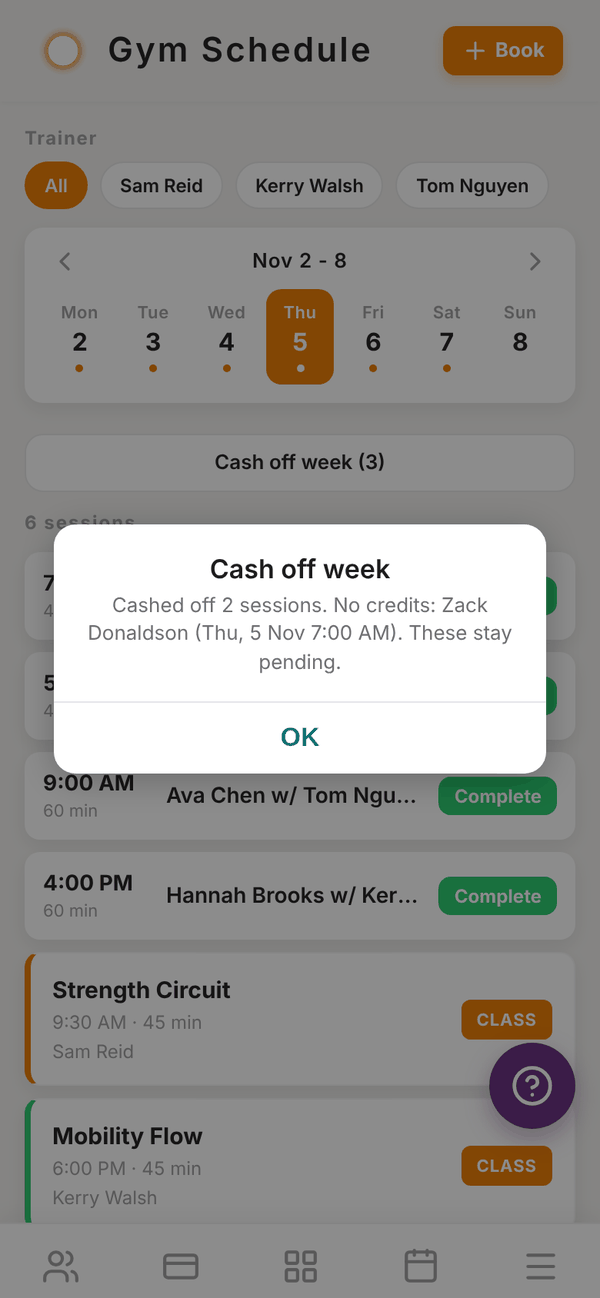
Totality settles every pending session in the week that has a credit available, using the member's oldest unexpired credit for that trainer. You then see a summary, for example "Cashed off 2 sessions. No credits: Zack Donaldson (Thu 5 Nov 7:00am). These stay pending." Sessions with no credit stay pending until you sort them out.
Questions#
A session will not cash off.
The member has no unused, unexpired credit with that trainer. Give them credits (see PT packages), or use Mark complete (no credit).
Can trainers book their own sessions?
Yes. Trainers book and settle their own clients' sessions in their app, and those show here too.
Does the gym schedule sync to my calendar?
Your own sessions, classes you teach and lead appointments assigned to you can sync with Calendar sync in Settings.
What happens to a pending session I never settle?
It stays pending, and payroll does not pay the trainer for it. Payroll shows a note when a pay period has sessions that are not complete.