
Totality for gym owners
A member's page and intake
Everything about one member in one place, and how to do their intake (PAR-Q, health history and waiver) with them.
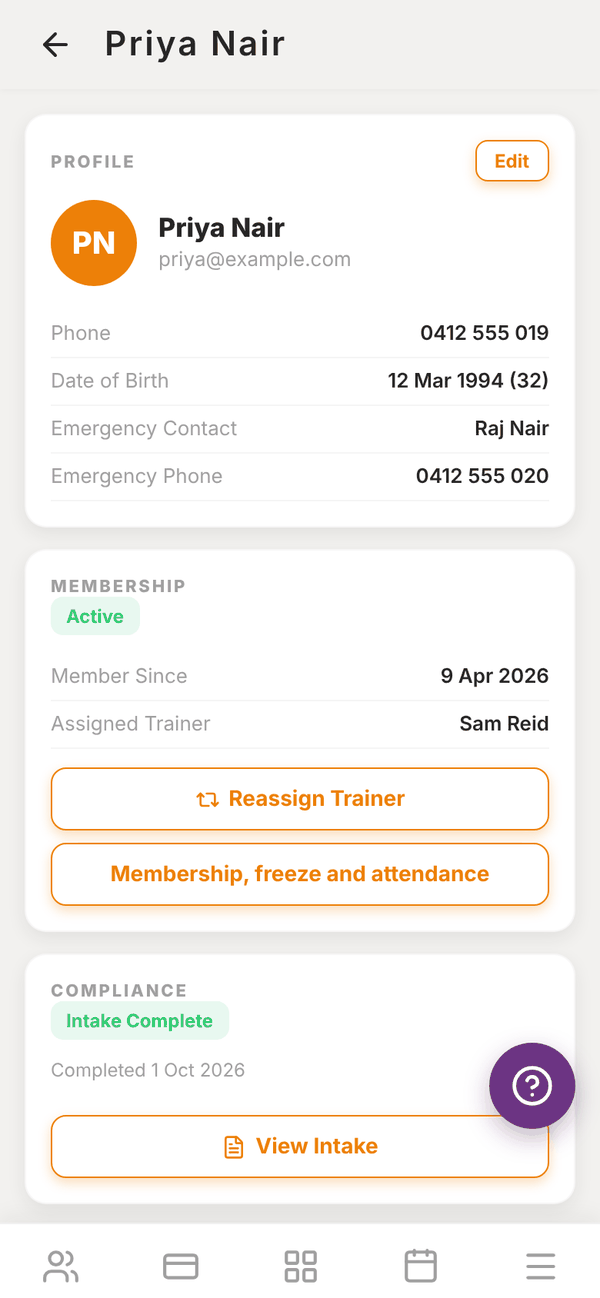
Tap any member on the Clients list to open their page. It has everything about them, top to bottom.
Profile#
Phone, date of birth (with their age), emergency contact name and phone. Tap Edit to change them, then Save.
Membership#
Their status (Active, Inactive or Lead), Member Since and Assigned Trainer.
- Reassign Trainer: give them to a different trainer.
- Membership, freeze and attendance: opens their member status, where you can freeze their membership and see their visits.
Intake (PAR-Q and waiver)#
The COMPLIANCE card shows Intake form not completed with a Complete Intake button, or Intake Complete with the date and a View Intake button.
Do the intake with the member, on your phone or tablet, when they join:
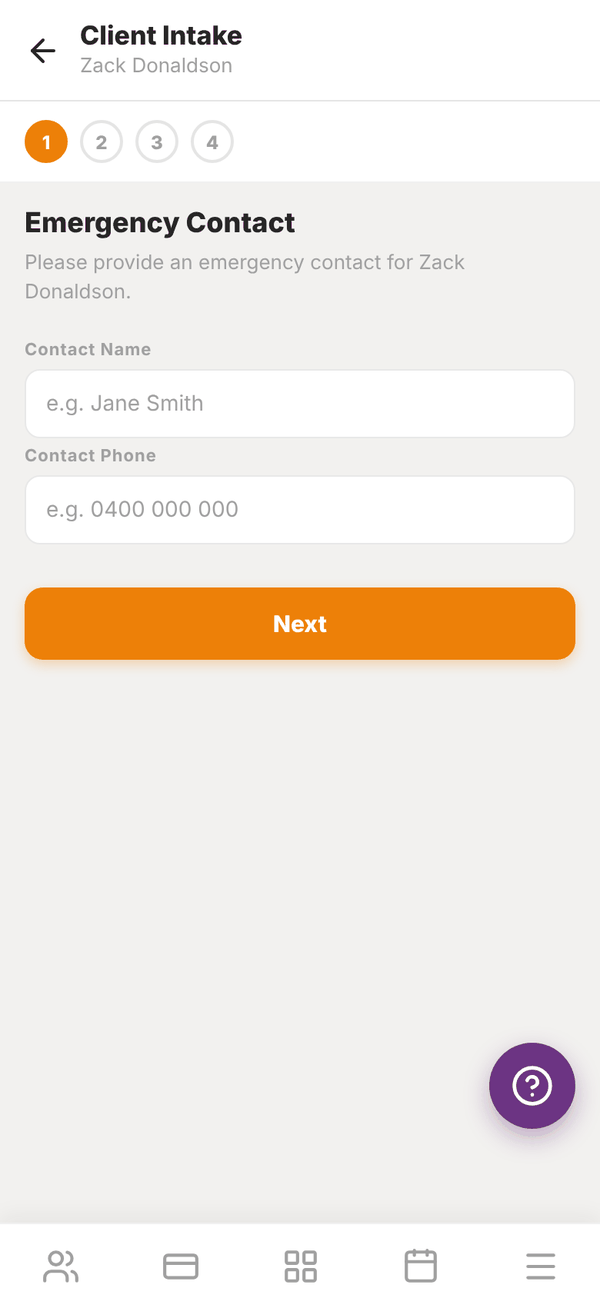
- Tap Complete Intake.
- Emergency Contact: their Contact Name and Contact Phone. Tap Next.
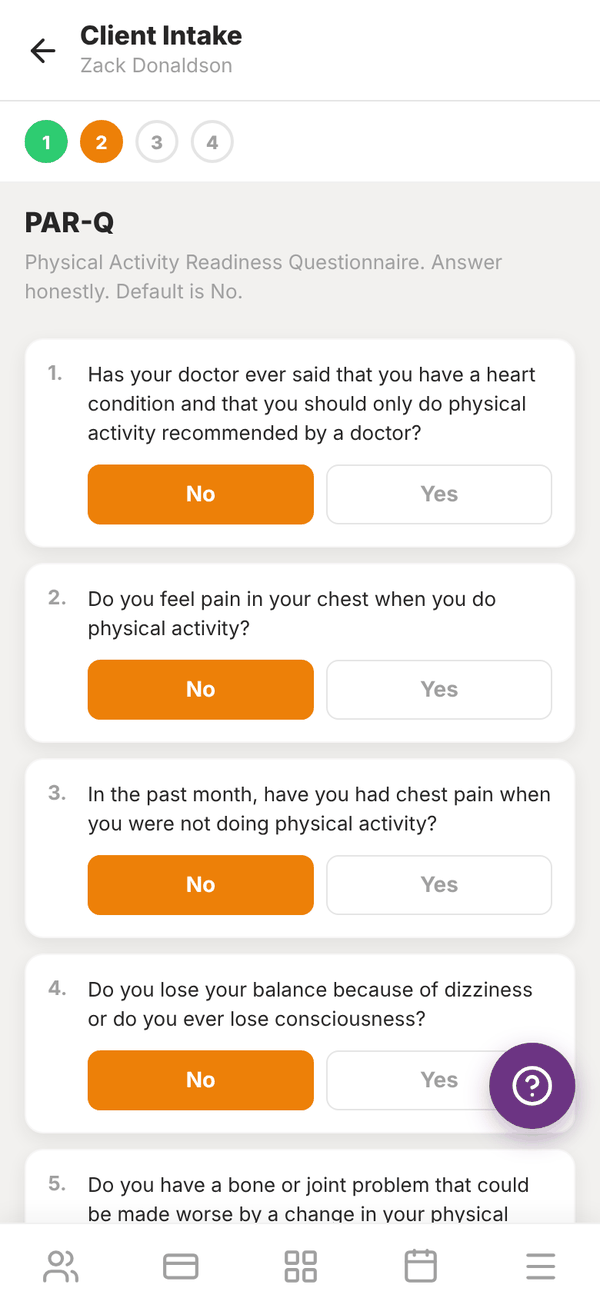
- PAR-Q (Physical Activity Readiness Questionnaire): seven yes or no health questions. Each starts on No. Tap Yes where it applies and add notes. Tap Next.
- Health History: Injuries and Medical Conditions. Goals: their Primary Goal (Lose Weight, Build Muscle, Improve Fitness, Sport Performance or Rehabilitation) and Fitness Level (Beginner, Intermediate or Advanced). Tap Next.
- Liability Waiver: the member types their full name, draws their signature with their finger, and ticks I have read and agree to the above.
- Tap Save Intake.
View Intake shows the answers, the PAR-Q, their goals and the signed waiver with who signed and when.
Payment#
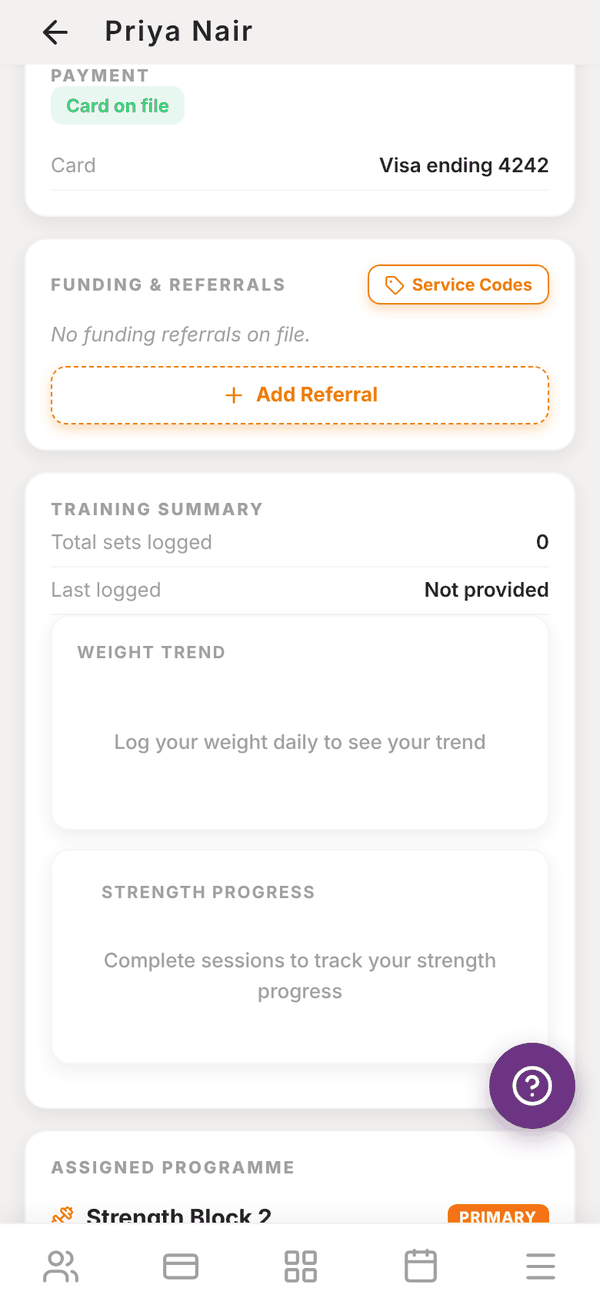
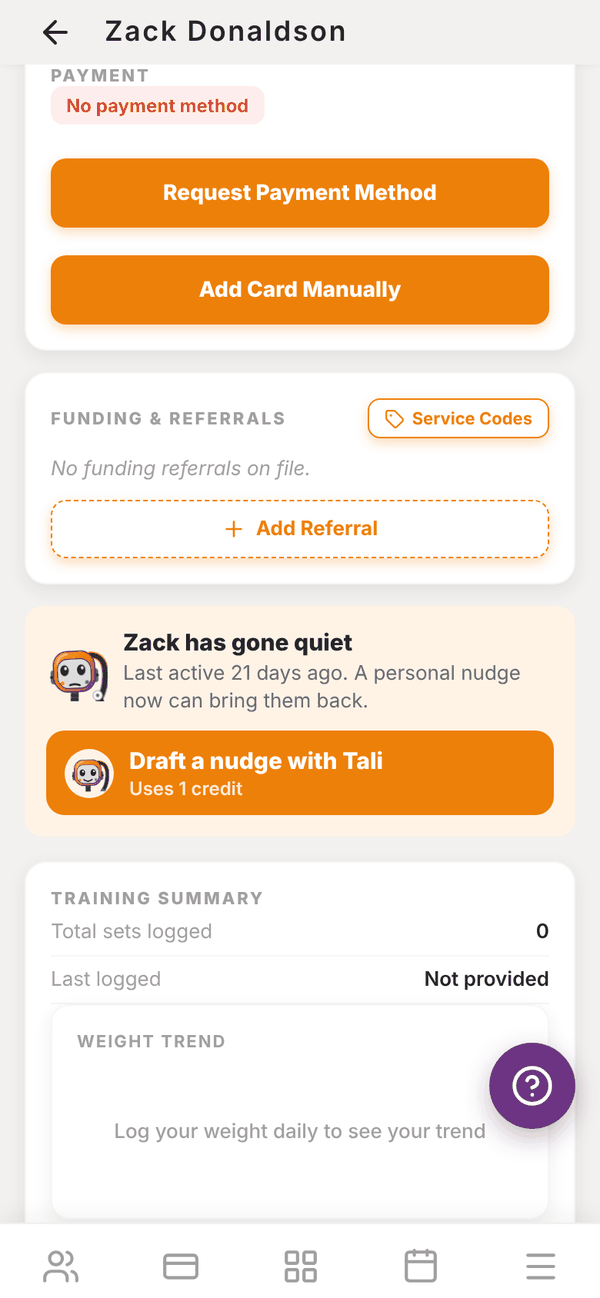
Their card on file (for example Visa ending 4242), or No payment method with Request Payment Method and Add Card Manually. See Failed payments and cards.
Funding & Referrals#
For members whose training is funded, for example through Medicare, DVA, Workcover, NDIS or Aged Care.
- Add Referral: pick the Funding Type and fill in what it needs, such as the referring GP and provider number, the Workcover claim and case manager, or NDIS plan dates and support coordinator. You can upload the referral document.
- Service Codes: your gym's list of item codes and rates for funded services. These can also be attached to PT packages.
Clinic sections#
When your business is set up as a clinic, the client's page also has Treatment notes, Intake answers and Invoices. See Allied health and clinic tools and Invoices. Funding types can be the built-in ones or your own, and your own ones are offered on every client once used.
Tali's nudge#
If the member has not used the app for 14 days or more, a card says "Zack has gone quiet" with Draft a nudge with Tali (uses 1 credit). Tali writes a friendly message in your voice, you edit it, and Send message sends it to them in the app. See Tali AI for gyms.
Training#
- TRAINING SUMMARY: total sets logged, when they last trained, their weight trend and strength progress, and View full session history.
- ASSIGNED PROGRAMME: their programme (the main one is marked PRIMARY), this week's sessions with Run Session to coach one live, and Remove from client. See Programmes.
Admin notes#
Private notes about the member, with who wrote them and when. Type in Add a note... and tap Save Note. Members never see these.
Deactivate#
At the very bottom, Deactivate Client makes them inactive (or Reactivate Client brings them back). See Members.
Questions#
Can members fill in their own intake?
Members answer their own onboarding questions when they first set up the app. The intake here is the version you do together at the gym, with the waiver and signature.
Can members see admin notes?
No. Members never see them.
I need to change a member's email.
Email admintotality@gmail.com with the old and new address.