
Totality for gym owners
Revenue and insights
See money in from Stripe, your business expenses and net, revenue broken down by type, product and trainer, and download CSVs.
There are two money screens, both under the More tab, then Insights:
- Revenue: money in through Stripe, your expenses and your net. Quick to check.
- Exports and revenue breakdown (the Insights screen): revenue split by type, product and trainer, with CSV downloads for your accountant. Part of every gym plan Studio Club Enterprise.
Both need Stripe connected. Before that, Revenue shows Connect Stripe to see revenue.
Revenue#
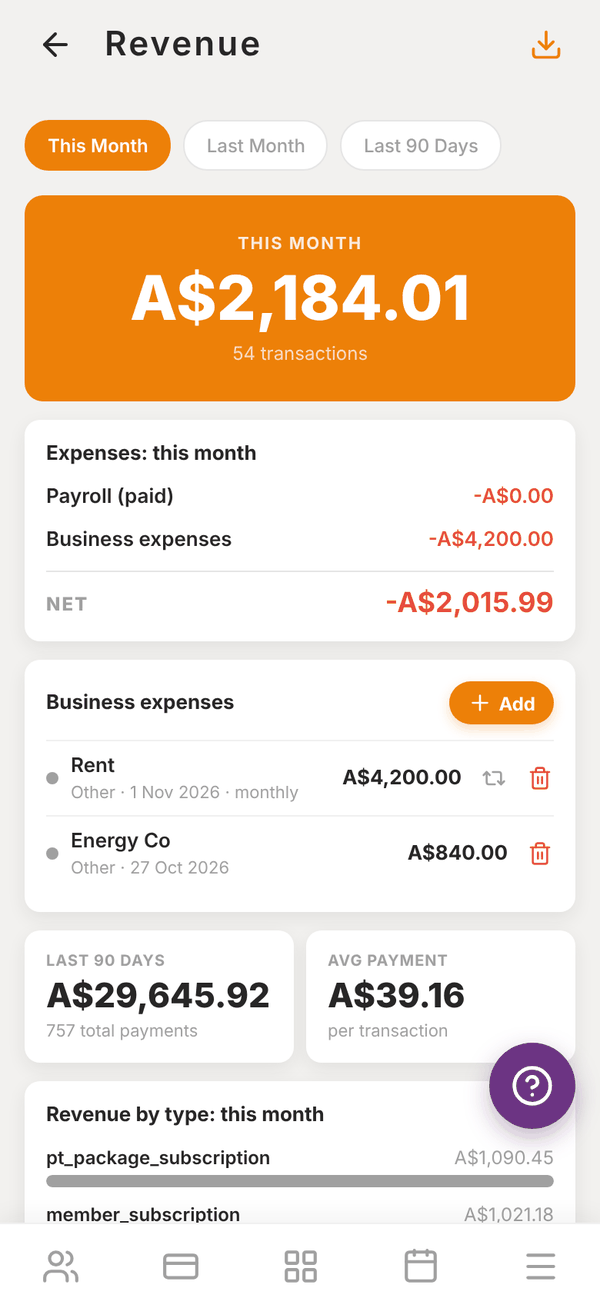
- Pick This Month, Last Month or Last 90 Days.
- The orange card shows what you took in that period and how many transactions. Amounts are what you receive, after the 3.5% platform fee.
- Expenses: this month subtracts Payroll (paid) (pay periods you marked paid in Payroll) and Business expenses to give your NET.
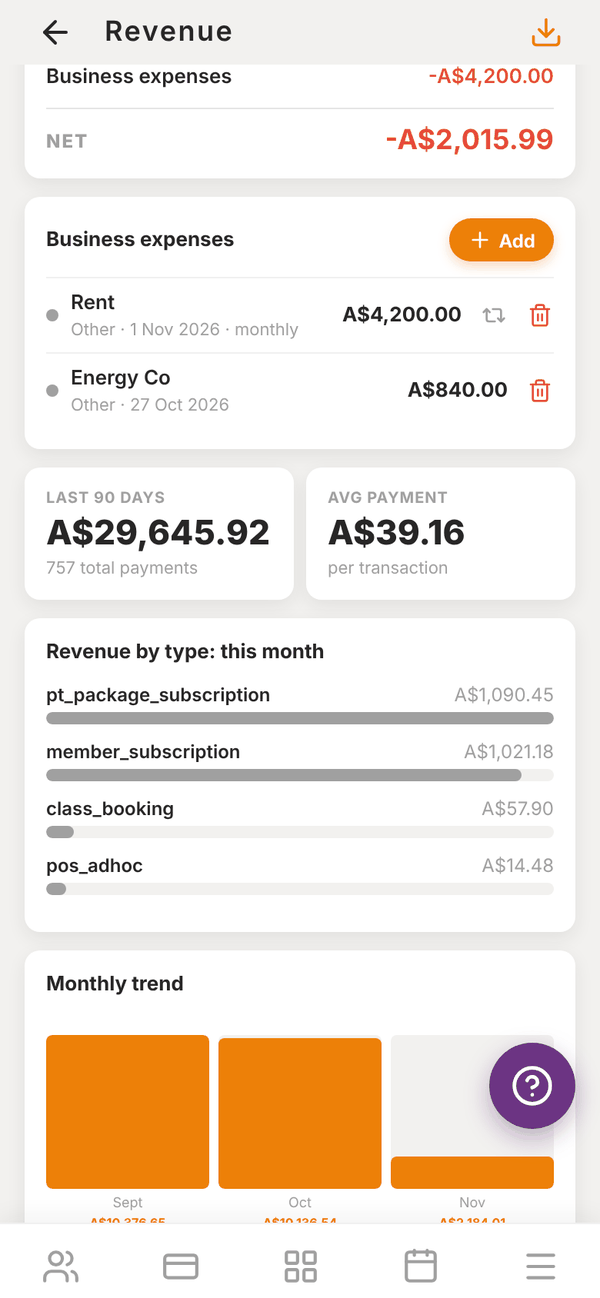
- LAST 90 DAYS and AVG PAYMENT (per transaction).
- Revenue by type: PT packages, memberships, class bookings and POS.
- Monthly trend: a bar for each month.
- The recent transactions list.
- The download button at the top right exports the transactions as a CSV.
Revenue reads straight from your Stripe account, and covers the last 90 days.
Add a business expense#
Rent, power, equipment and other running costs are entered by hand so your net is right.
- In Business expenses, tap + Add.
- Enter the Vendor / description, Amount (A$) and Date (YYYY-MM-DD).
- Pick a category: Rent, Utilities, Equipment, Marketing, Software, Insurance, Cleaning or Other.
- Turn on Recurring monthly for things like rent, so it counts every month.
- Tap Add Expense.
Tap the bin next to an expense to delete it. Staff pay is added automatically from Payroll, so do not enter it here.
Exports and revenue breakdown#
Open Insights, then Exports and revenue breakdown.
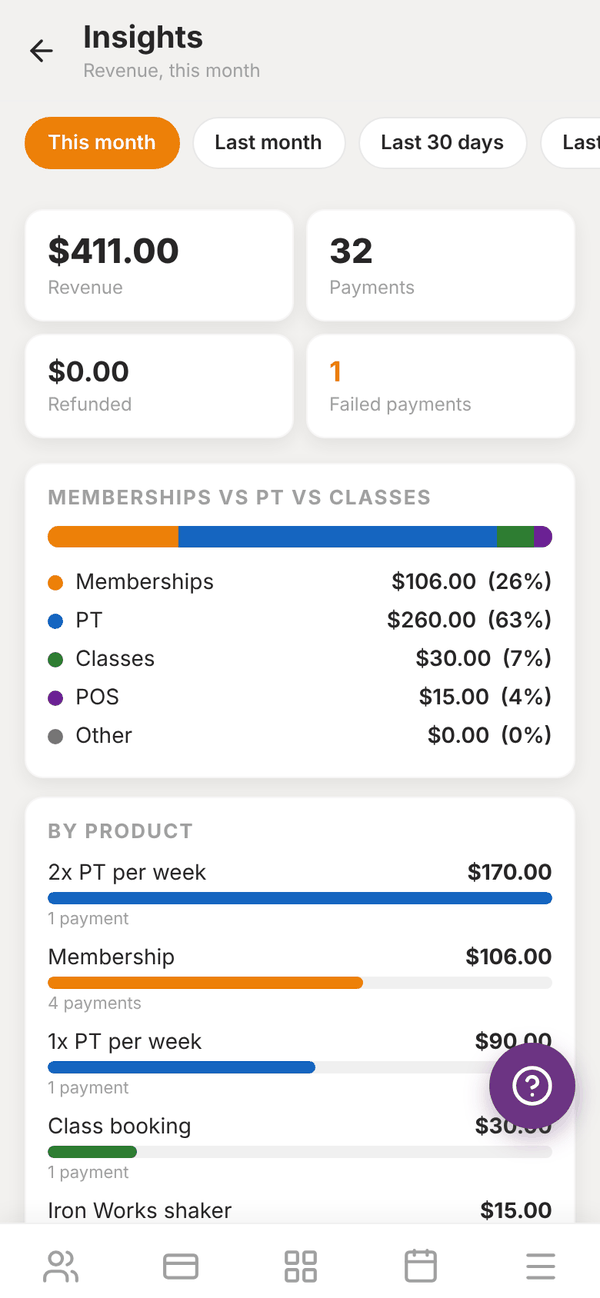
- Pick This month, Last month, Last 30 days, Last 90 days or This year.
- Four totals: Revenue, Payments, Refunded and Failed payments.
- Memberships vs PT vs classes: revenue split into Memberships, PT, Classes, POS and Other, with percentages.
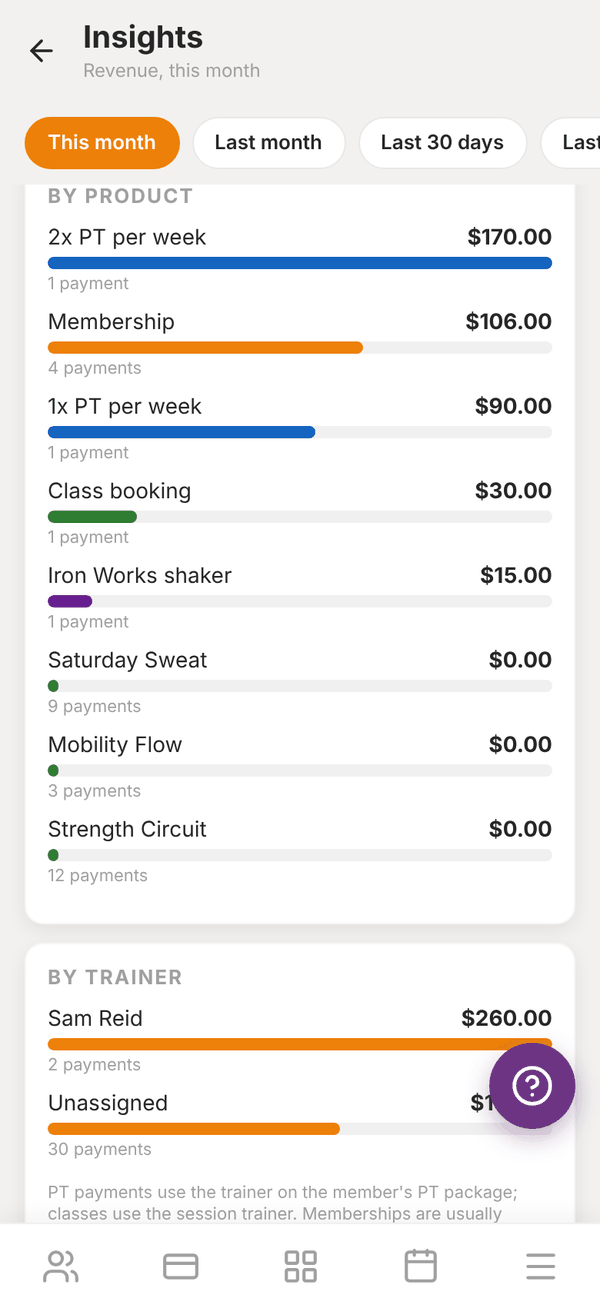
- By product: each membership, package, class and product, with how many payments.
- By trainer: "PT payments use the trainer on the member's PT package; classes use the session trainer. Memberships are usually unassigned."
- Export: Summary CSV (the totals and breakdowns) and All transactions CSV (every payment in the period). On a phone, the file opens your share sheet so you can email or save it.
Questions#
Why do Revenue and Insights show slightly different numbers?
Revenue reads directly from Stripe, after the platform fee. Insights reads Totality's own record of payments, with refunds and failed payments shown separately. They count the same payments in slightly different ways.
Can I see revenue from before I joined Totality?
No. Only payments taken through Totality are shown. Imported payment history is kept as a record but is not included.
Where is Marketplace revenue?
It has its own screen under Insights. See Marketplace and shop.