
Totality for gym owners
Invoices
Write itemised invoices for a client, a health fund or a funder, email them, and mark them paid.
Invoices let you bill a client, a health fund or a funder with an itemised invoice, then email it and keep track of what's paid. Open Invoices from your dashboard's QUICK ACTIONS, or Sales and billing, Invoices.
Your invoice details#
Do this once. On a client's Invoices section, tap Your invoice details:
- BUSINESS NAME, ABN, ADDRESS, EMAIL and PHONE
- Registered for GST: on, your invoices say Tax invoice and show the GST included in the total. Your prices are treated as GST inclusive.
- HOW TO PAY (OPTIONAL): for example bank transfer to your BSB and account, with the invoice number as the reference
Tap Save details. Changing them later doesn't change invoices you've already written.
Write an invoice#
- Open the client and tap New invoice under Invoices.
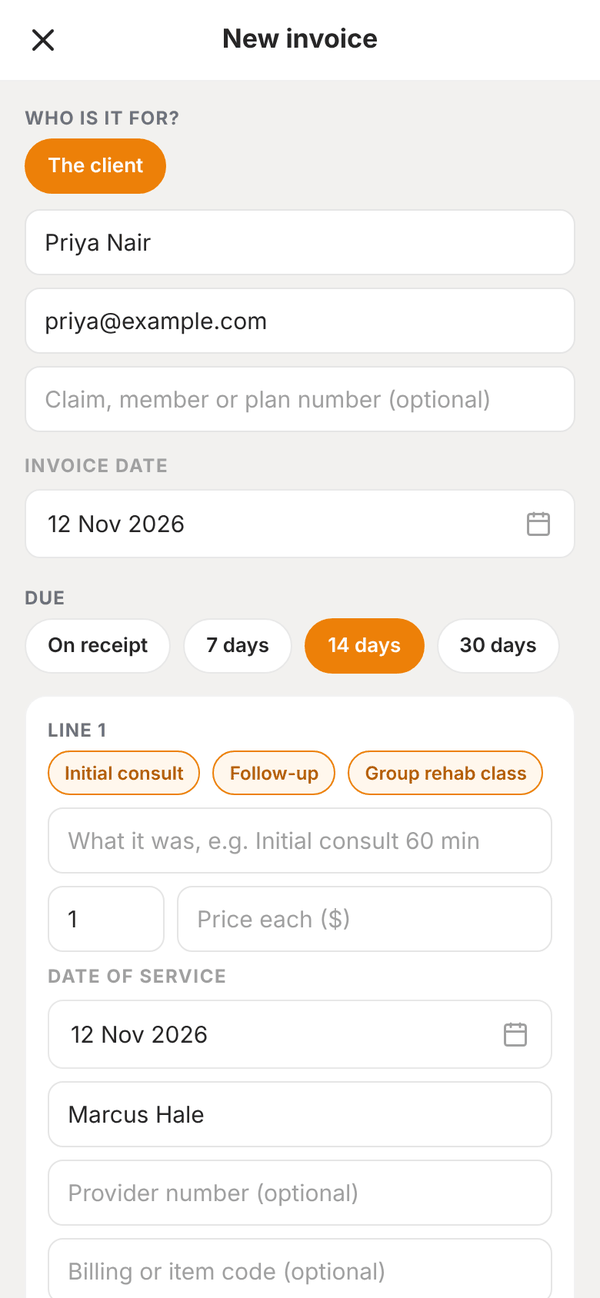
- Under WHO IS IT FOR?, pick the client, or a funder or health fund already on their Funding & Referrals. The name and email fill in. Add a Claim, member or plan number if there is one.
- Check the Invoice date and when it's due: On receipt, 7 days, 14 days or 30 days.
- For each line, write what it was (like "Initial consult 60 min"), the quantity and the Price each ($). Add the Date of service, and if it's needed, who provided it, their provider number and a billing or item code. Tap Add a line for more.
- Add a NOTE ON THE INVOICE (OPTIONAL).
- Tap Save invoice. Saving gives it a number. Nothing is sent yet.
Send it and get paid#
Open the invoice and tap Email invoice. It goes to the email on the invoice. Or tap I gave it to them another way.
When it's paid, under MARK AS PAID, tap how: Card, Payment link, Bank transfer, Cash or Paid by funder. Marking it paid only updates the invoice. It doesn't charge anyone. Tap Mark as not paid to undo it, or Void this invoice to cancel it.
The Invoices screen#
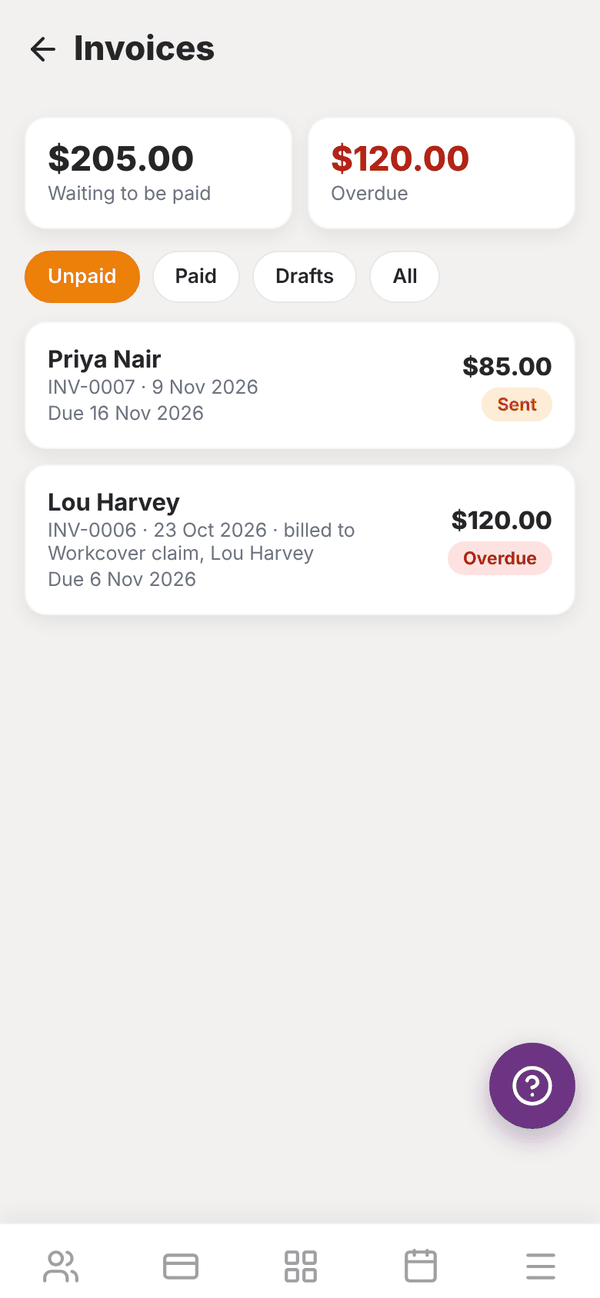
Invoices lists every invoice with Unpaid, Paid and Drafts tabs, and what's Waiting to be paid and Overdue. Tap one to open it.
Questions#
Does an invoice charge the client's card?
No. Invoices are for billing and record keeping. To take money, use Charge a member or a payment link.
Can I invoice an insurer or NDIS?
Yes. Add the funder on the client's Funding & Referrals first, then pick them under WHO IS IT FOR?.
Can trainers write invoices?
Yes, from their own app, for their own clients.