
Totality for gym owners
Failed payments and cards
Follow up payments that did not go through, retry them, send members a link to update their card, and get members to add a card in the first place.
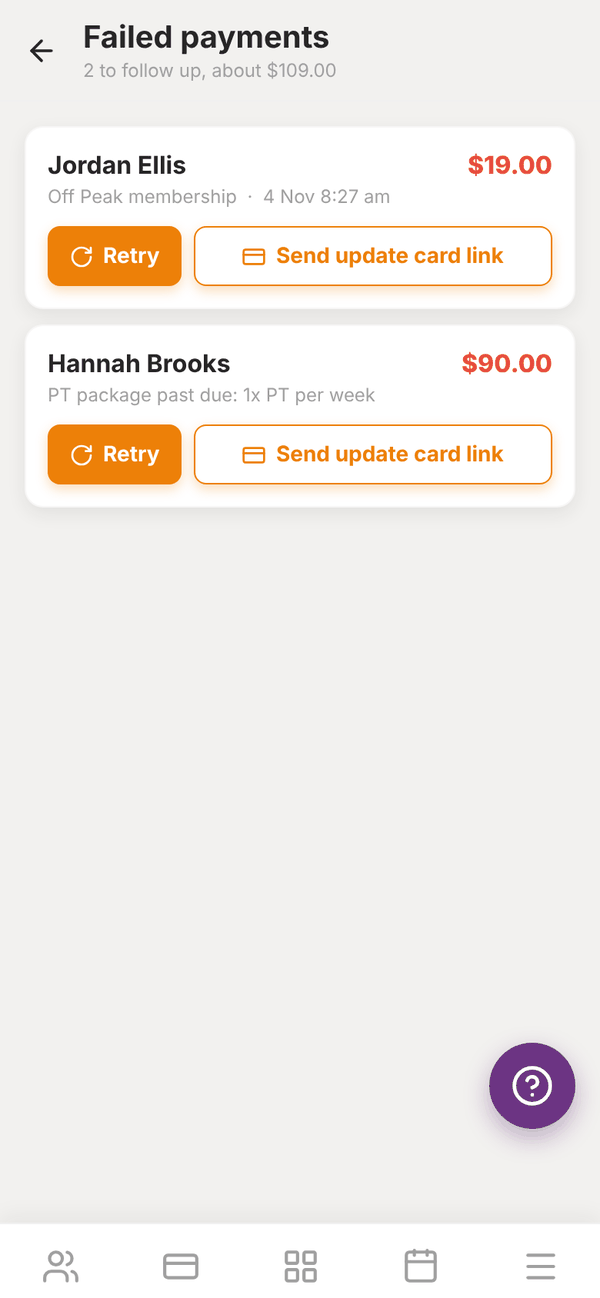
Cards expire and get declined. Failed payments lists every member payment that needs following up, so nothing slips through. Your dashboard shows the count as "2 failed payments".
Open the Sales tab, then Failed payments.
What is listed#
- Card payments that failed in the last 120 days, unless a later retry paid them.
- Memberships that are past due (the last billing failed).
- PT packages that are past due.
Each row shows the member, what it was for (for example "Off Peak membership" or "PT package past due"), when, and the amount. The header totals it up, for example "2 to follow up, about $109.00".
Retry a payment#
Tap Retry. Totality tries the member's newest saved card with your gym again. While it works it says "Retrying...". If it goes through, the row shows a green tick, and it drops off the list next time you open it. If it fails again, you see why.
Retrying is safe: tapping twice, or two people retrying at once, will not charge the member twice.
Send an update card link#
Tap Send update card link ("Sending link..."). The member gets a push notification and an email (if their settings allow) with:
- a link to the Payments screen in their app, to add a new card, and
- when there is an unpaid invoice, a link to pay the overdue amount straight away with a new card.
Once they have added a new card, tap Retry if the payment is still listed.
Ask a member to add a card#
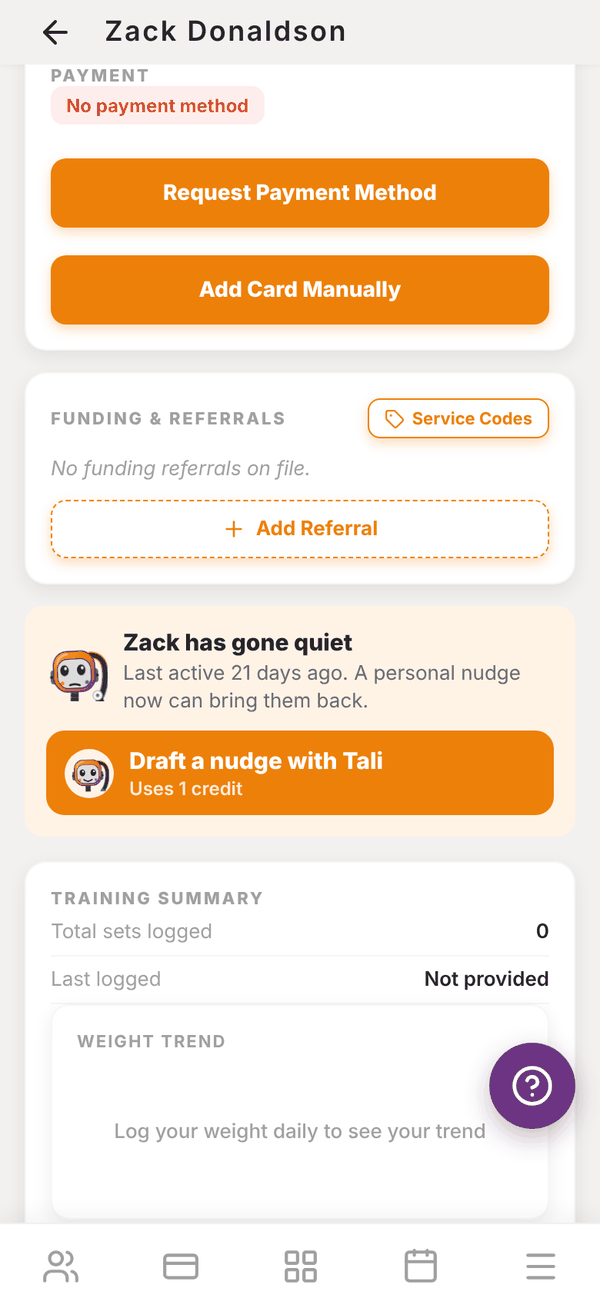
A member needs a card saved with your gym before you can start their membership, charge them or book them into paid classes. On the member's page, under PAYMENT:
- Card on file shows their card, for example Visa ending 4242.
- No payment method means they have not added one yet. You get two buttons:
- Request Payment Method: sends them a push notification ("Iron Works is requesting you to add a payment method. Open the app and go to Payments."). You see "Request sent".
- Add Card Manually: opens a secure Stripe page where you type the card in for them, for example at the front desk with the member there.
On the Members tab in Memberships, Ask to add card on a member's row emails them a link to add a card.
Questions#
Does Stripe retry failed membership payments by itself?
Stripe may retry automatically, depending on the retry settings in your Stripe account. You do not have to wait: tap Retry any time.
A member updated their card but the row is still there.
Tap Retry. The payment is only cleared when it is actually paid.
Why does a payment show up twice on the dashboard and here?
It should not. The dashboard count and this list use the same rules, and a past due membership is only listed once even when it also has a failed payment. Pull down to refresh.
Can the member pay another way?
Yes. Take the money in cash or by bank transfer, then cancel or settle it in your own records. For a card payment on the spot, send a POS payment link.