
Totality for gym owners
Class roster, attendance and waitlists
Mark who turned up to each class, record no-shows, and manage the waitlist for full classes.
The Class roster is where you take attendance and look after waitlists. Open the Schedule tab, then Attendance (or Waitlists, which opens the same screen). From a class session you can also tap Roster and attendance.
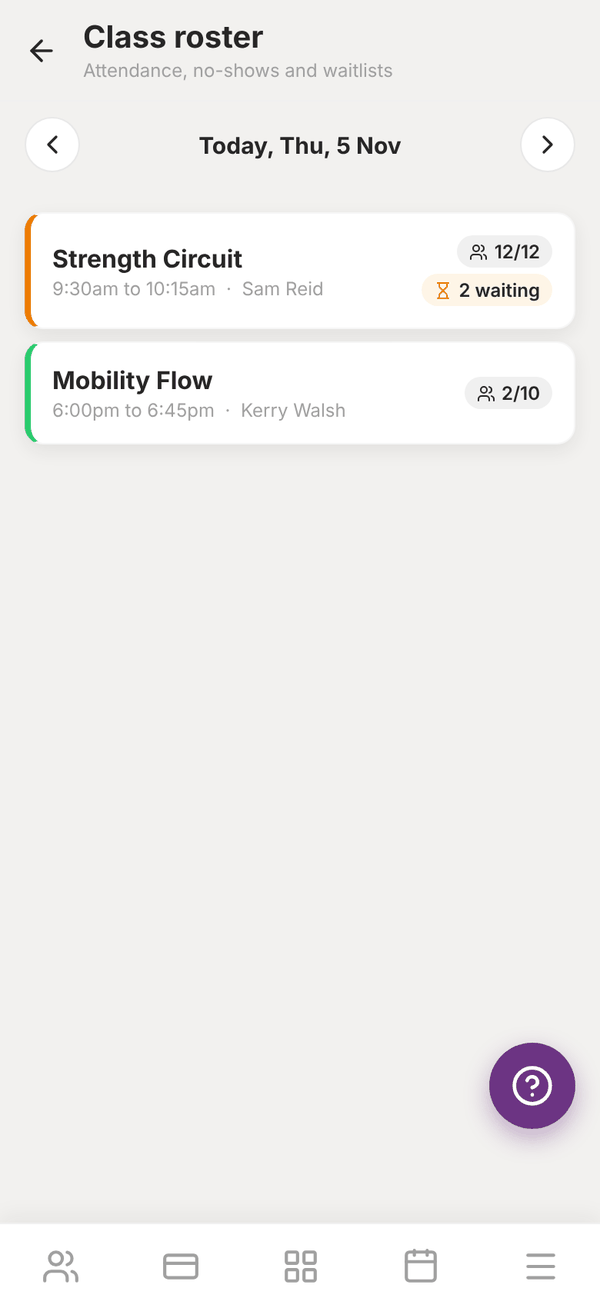
Pick a class#
The screen opens on today. Use the arrows to move a day at a time. Each class shows its time, trainer, how many are booked out of the capacity (for example 12/12) and how many are waiting. If there are no classes that day you can tap Open the class timetable.
Tap a class to open its roster.
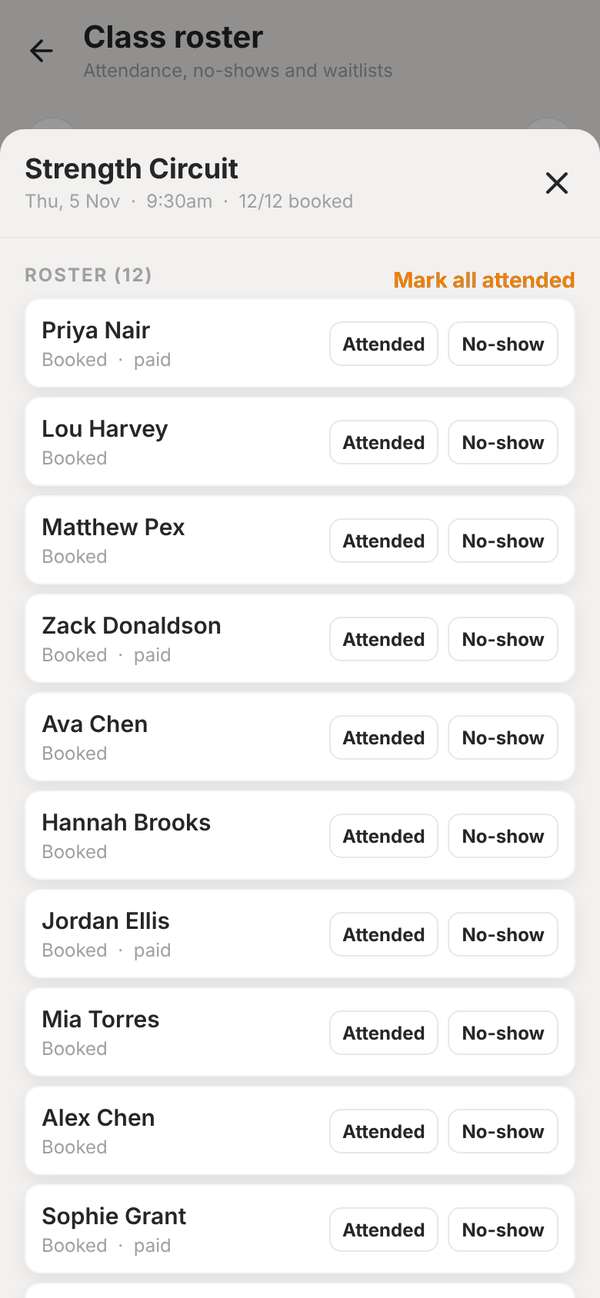
Take attendance#
Under ROSTER each booked member shows whether they paid, with two buttons:
- Attended: they came.
- No-show: they booked but did not come.
Marked someone by mistake? Tap the same button again to clear it. Most of the time everyone comes, so tap Mark all attended at the top and then fix the odd no-show.
Attendance shows on each member's status page (Classes, 30 days and No-shows). See Check-in and freezes.
Waitlists#
When a class is full, members can join the waitlist in their app. The Waitlist section of the roster shows people in queue order, with their status:
| Status | Meaning |
|---|---|
| Waiting | In the queue |
| Spot held until ... | Offered a spot, waiting for them to take it |
| Booked | Got a spot |
| Left / Expired | Left the queue, or did not take the offer in time |
When a spot frees up:
- If the class is free for that member (no casual price, or covered by their membership), the next person is booked in automatically and gets a push.
- If they would need to pay, they are offered the spot. It is held for up to 2 hours, or until the class starts if that is sooner, and they get a push to book and pay. If they do not, it goes to the next person.
Totality checks waitlists every 5 minutes, and straight away when someone cancels. To fill spots straight away, tap Fill free spots now. To take someone off the list, tap Remove and confirm.
Frozen members are skipped.
Questions#
Does marking a no-show charge the member?
No. It is a record only.
Can I make a class bigger to fit the waitlist?
Yes. Edit the class on the Classes screen and raise the capacity, then tap Fill free spots now on the roster.
Do no-shows lose their booking fee?
Nothing is refunded for a no-show. The booking stays as paid.