
Totality for gym owners
Your dashboard
The middle tab: your setup steps, Tali's brief, what needs you today, your key numbers and shortcuts to every section.
The Dashboard is the middle tab. It answers one question: what needs me today? Pull down on it to refresh.
Set up your gym card#
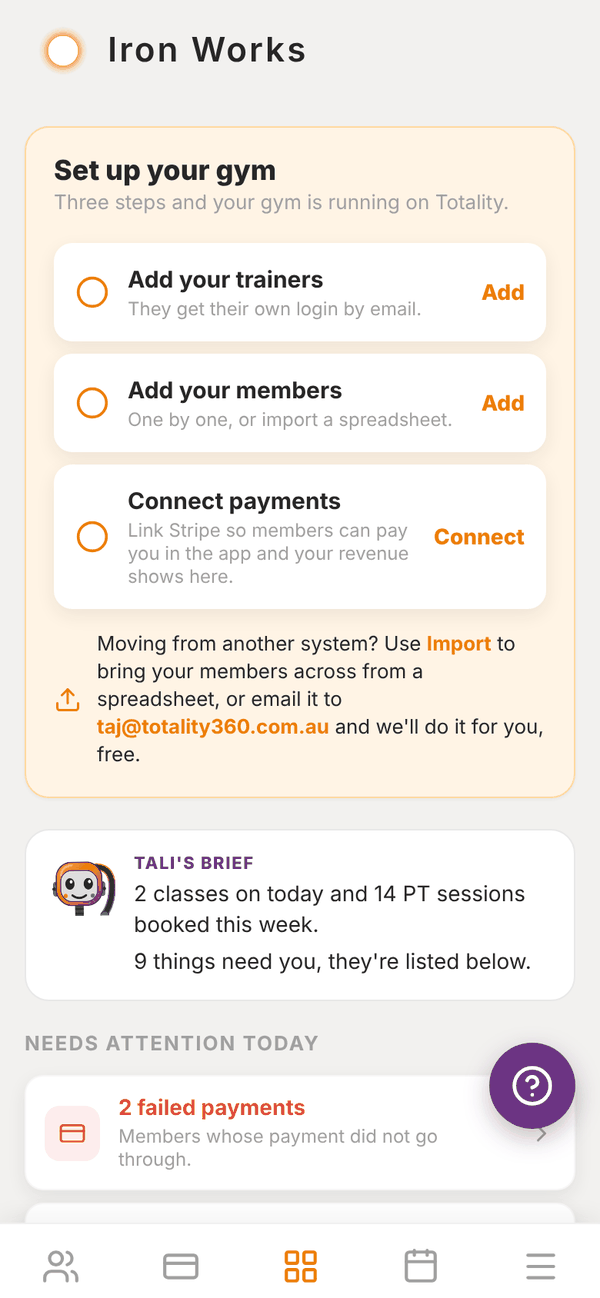
Until your gym is fully set up, a Set up your gym card sits at the top with three steps:
- Add your trainers: "They get their own login by email." Tap Add to invite a trainer.
- Add your members: "One by one, or import a spreadsheet." Tap Add to add a member.
- Connect payments: "Link Stripe so members can pay you in the app and your revenue shows here." Tap Connect to set up Stripe.
Each step gets a green tick when it is done, and the card disappears once all three are ticked. Under the steps there is a shortcut to Import, for bringing members across from another system, and an email address you can send your spreadsheet to if you would like the Totality team to import it for you, free.
Tali's brief#
The TALI'S BRIEF card sums up your day in a line or two: how many classes are on today, how many PT sessions are booked this week, and how many things need you. When Tali has drafted messages for you during the week, it says so here too. Writing the brief costs no credits.
Needs attention today#
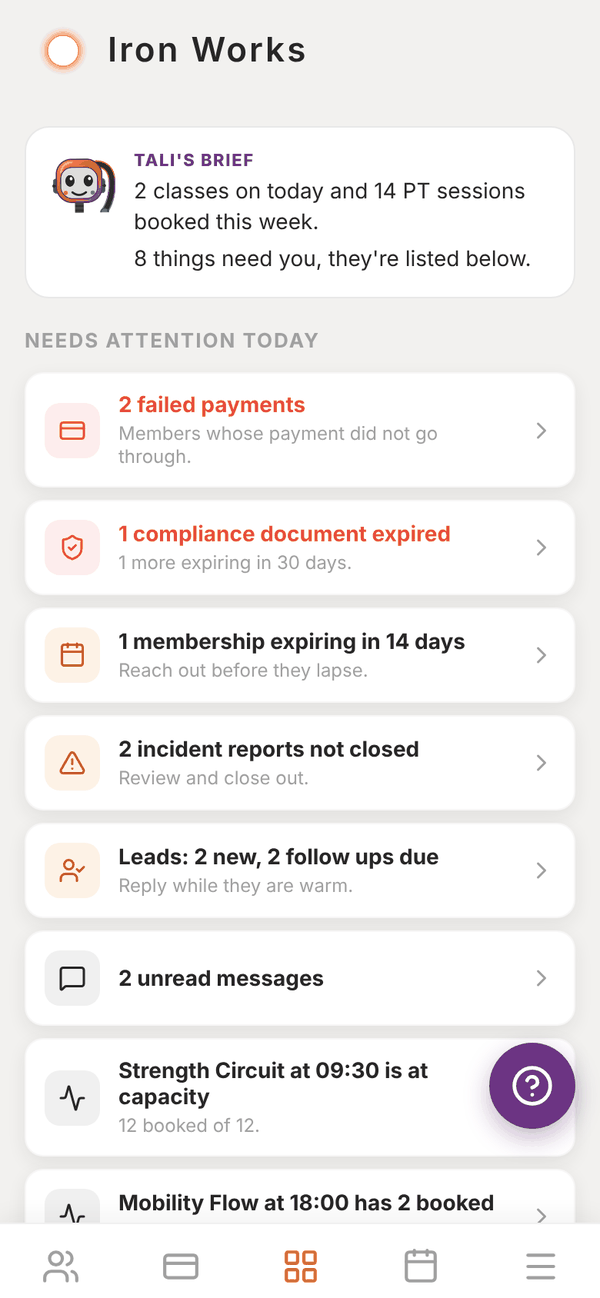
This is a list of things to act on, most urgent first. Red rows are urgent. Tap any row to open the screen where you fix it. You might see:
| Row | What it means | Tapping it opens |
|---|---|---|
| Your free trial has ended / Trial ends in 3 days | Pick a plan so nothing stops working | Choose a plan |
| Your Totality payment failed | Your own Totality subscription payment did not go through | Your Totality plan |
| Close to your member limit / Member limit reached | You are at 90% or 100% of your plan's members | Choose a plan |
| Connect Stripe to take payments / Finish your Stripe setup | Stripe is not connected or still needs details | Stripe Connect setup |
| 2 failed payments | Member payments that did not go through in the last 120 days | Failed payments |
| 1 membership expiring in 14 days | A fixed-term membership or PT package ends in the next 14 days | The member, or Memberships |
| 1 compliance document expired | A staff certificate has expired or expires within 30 days | Compliance |
| 2 incident reports not closed | Reports that are Open or In Review | Incident reports |
| 2 check-ins waiting for your reply | Weekly check-ins from clients you coach yourself | Check-ins |
| Leads: 2 new, 2 follow ups due | New leads and follow-ups due today or overdue | Leads |
| 2 unread messages | Messages to you from members | Messages |
| Strength Circuit at 09:30 is at capacity | Today's class is full or over capacity | Classes |
| Mobility Flow at 18:00 has 2 booked | Today's class is less than a quarter full. "Worth a reminder post?" | Classes |
When nothing needs you, it says All clear. Nothing needs you right now.
Key numbers#
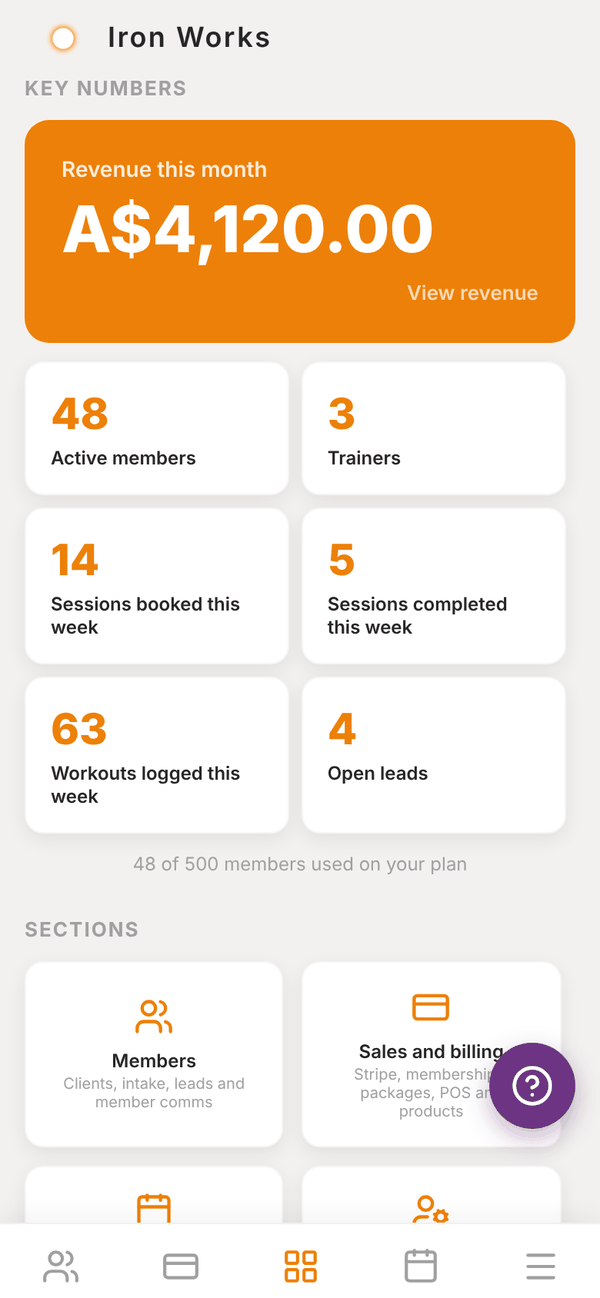
- Revenue this month: money in from Stripe this calendar month, after the platform fee. Tap it to open Revenue. Before Stripe is connected it says Connect Stripe to see revenue.
- Active members and Trainers: tap to open the lists.
- Sessions booked this week and Sessions completed this week: PT sessions across the whole gym. Tap to open the gym schedule.
- Workouts logged this week: workouts your clients logged in the app.
- Open leads: tap to open Leads.
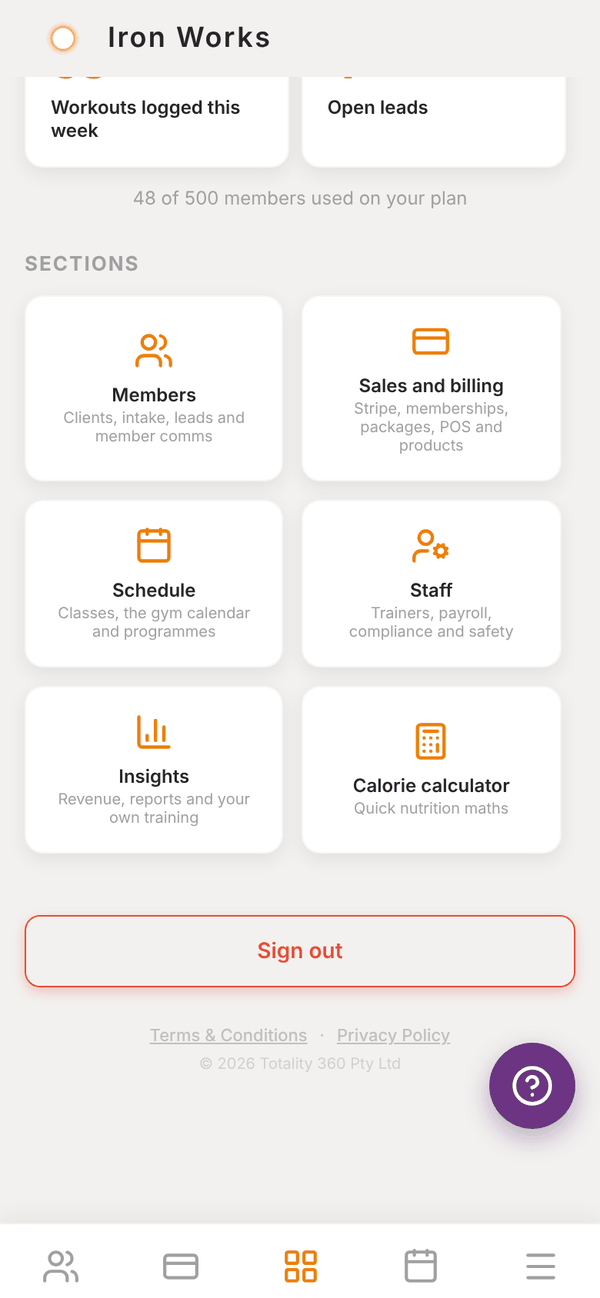
Under the numbers you can see how much of your plan you are using, for example "48 of 500 members used on your plan".
Quick actions#
Under QUICK ACTIONS are the things you do most, one tap away: Book session (Book appointment for a clinic), Add client, Charge a card, Payment link, Invoices, Messages, Services (clinics), Locations (Studio, Club and Enterprise) and Invite trainer (Invite practitioner for a clinic). See Invoices, More than one location and Allied health and clinic tools.
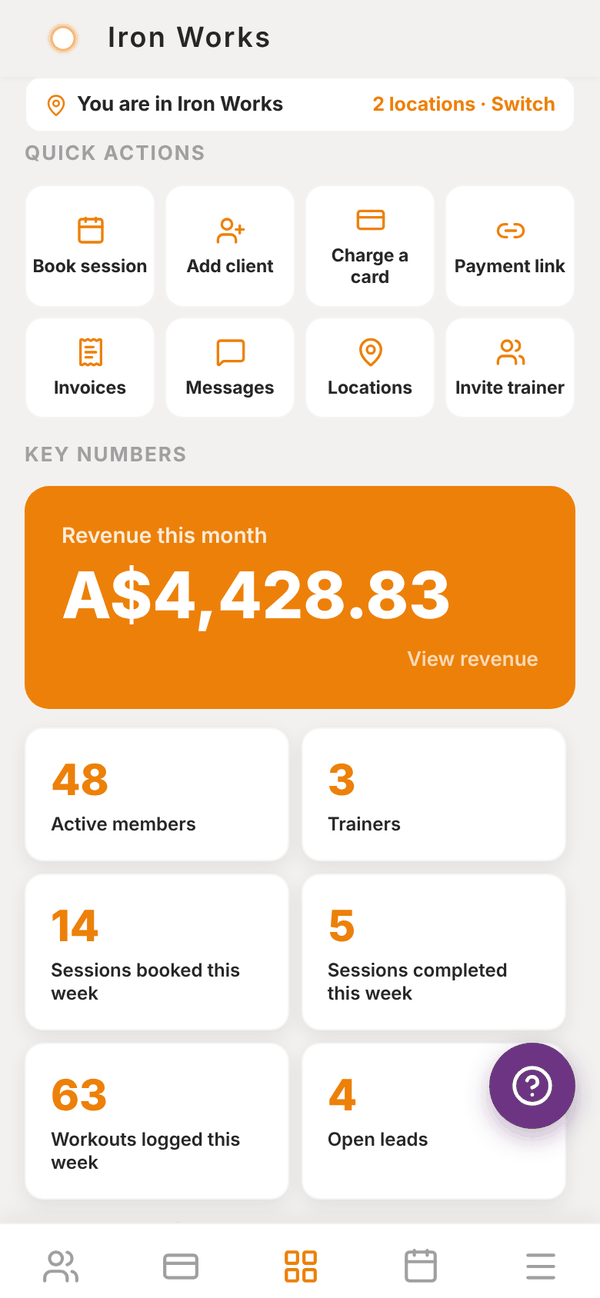
With more than one location, a bar at the very top says which one you're in, with Switch.
Sections#
The SECTIONS grid has a tile for each part of the app: Members, Sales and billing, Schedule, Staff and Insights, plus a Calorie calculator for quick nutrition maths with a member. At the very bottom is Sign out, and links to the Terms & Conditions and Privacy Policy.
Questions#
How often does the dashboard update?
Every time you open it. If you have been on it a while, pull down to refresh.
Why does revenue on the dashboard not match my bank?
The dashboard shows money taken through Stripe this calendar month, after the 3.5% platform fee. Your bank receives Stripe payouts on Stripe's own schedule and after Stripe's card fees. See Revenue and insights.
Why is a check-in row showing when I don't coach anyone?
That row only counts check-ins from clients assigned to you personally. If you do not coach, it will not appear.
Can I hide a row?
No. A row goes away when the thing behind it is dealt with, for example when a failed payment is retried and paid, or a lead is contacted.