
Totality for gym owners
Stripe Connect and payouts
Connect your own Stripe account so members can pay you, and understand the 3.5% platform fee.
Totality takes member payments through Stripe, a payments company used by millions of businesses. Your gym gets its own Stripe Express account. Members pay by card in the app, and the money goes to your Stripe balance and then to your bank.
You need Stripe connected before you can sell memberships, PT packages, paid classes, POS payment links, one-off charges or shop products.
Connect Stripe#
- Tap the Sales tab. Until Stripe is set up, an orange Connect Stripe to get paid card sits at the top. Tap it, or tap Stripe Connect setup.
- Read the Connect your Stripe account card and tap Connect Stripe account.
- Stripe opens in your browser. Enter your business details, your ID and the bank account you want payouts to go to. Stripe checks these for you (this is called KYC).
- When Stripe says you are done, come back to Totality.
- Pull down on the Connect Stripe screen to refresh it.
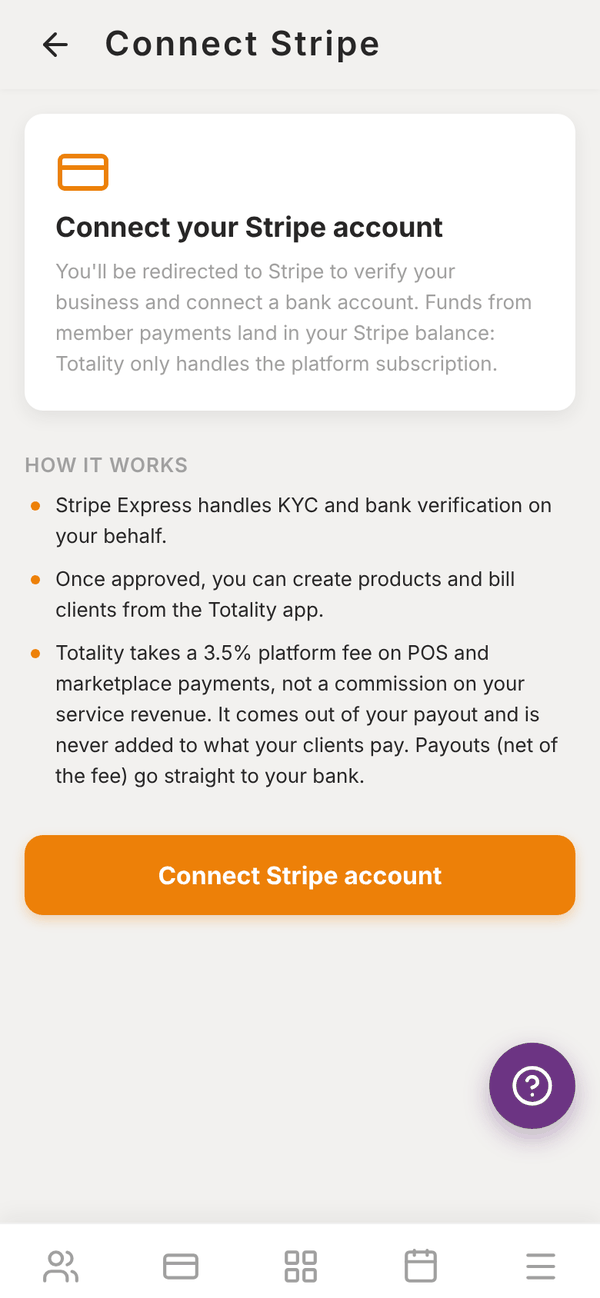
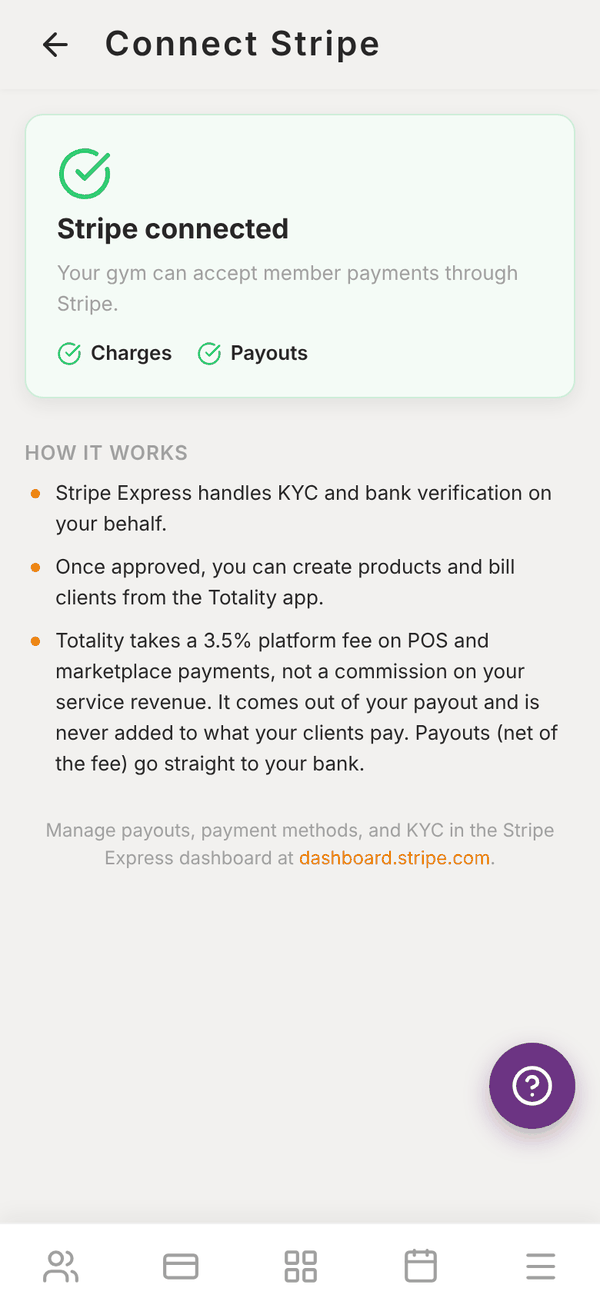
When everything is approved, the screen says Stripe connected with a green tick next to Charges and Payouts. The Connect payments step on your dashboard's setup card ticks itself off.
If Stripe needs more details#
If you left Stripe before finishing, the screen says Onboarding in progress and the button changes to Complete Stripe setup. Your dashboard shows Finish your Stripe setup. Tap the button to carry on where you left off. Payments and payouts start once Stripe has everything it needs.
Managing payouts#
Payout timing, your bank account and tax details are managed by Stripe. Use the Stripe Express dashboard at dashboard.stripe.com to see payouts, update your bank account or answer any Stripe questions.
The platform fee#
| Commission on your coaching or membership revenue | None |
| Platform fee on payments members make in the app | 3.5% |
| Who pays it | You, out of the payout. It is never added to what your member pays |
| Stripe card fees | Charged by Stripe as normal |
The fee applies to memberships, PT packages, paid class bookings, POS payment links, one-off charges and shop sales. Payouts, net of the fee, go straight to your bank.
Questions#
How long does Stripe take to approve me?
Often a few minutes. If Stripe needs extra documents it can take longer, and Stripe will email you.
When does money reach my bank?
On Stripe's payout schedule for your account. You can see and change it in the Stripe Express dashboard.
Can I use the Stripe account I already have?
Totality creates a new Stripe Express account for your gym, connected to Totality. You sign in to it with your email. Your old Stripe account and its customers are not moved across.
Do my members need a Stripe account?
No. They just add a card in the Totality app.
Why does revenue in Totality look 3.5% lower than the amount charged?
Totality shows what you actually receive, after the platform fee. See Revenue and insights.