
Totality for gym owners
Your Totality plan
Subscribe after your trial, see and change your plan, add or remove add-ons, update your card, and cancel or reactivate.
This page is about what you pay Totality. (What members pay you is in Memberships.) Open the Sales tab, then Your Totality plan, or Settings, then Subscription & Billing.
If you are still on your free trial, it opens Choose a plan. Once you have subscribed, it opens your Subscription.
Subscribe#
- On Choose a plan, pick Monthly or Yearly · Save 15%.
- Read what each plan includes. While trialling, the top card says Free trial and CURRENT.
- Tap Subscribe on Studio, Club or Enterprise.
- Stripe's secure checkout opens with the price. On a monthly plan, your first-months discount is already applied. Enter your card and confirm.
- Come back to Totality. Your plan shows as CURRENT within a minute or so.
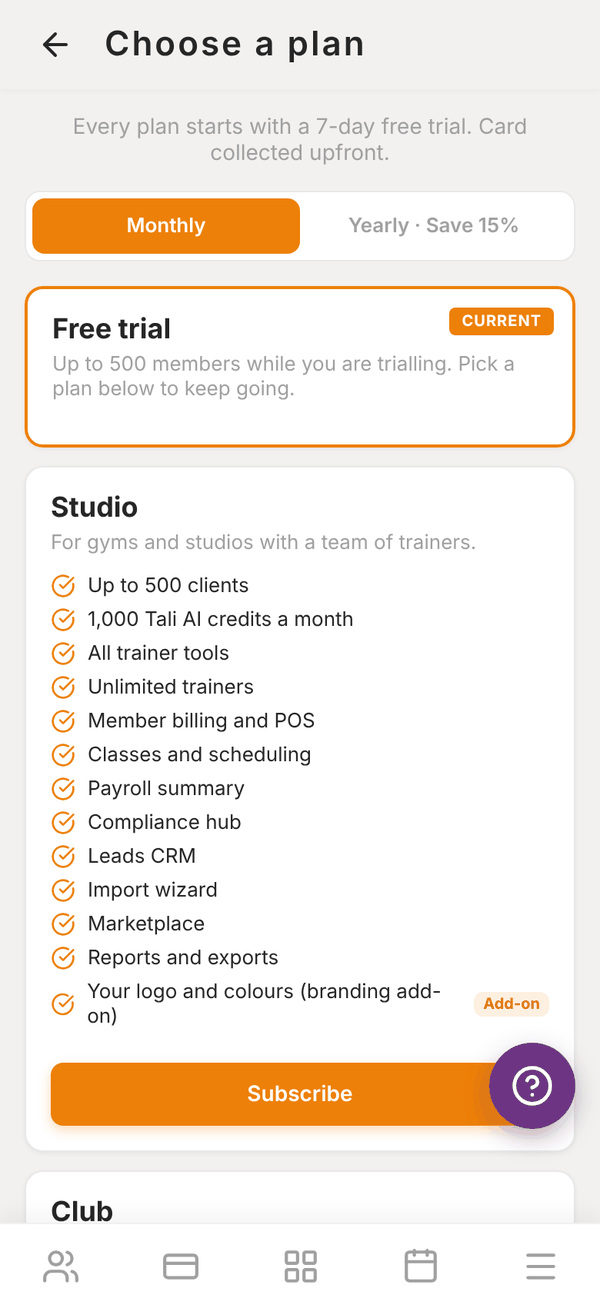
Your paid plan starts when you subscribe, and your card is charged then. See Plans for gyms for prices and what each plan includes.
Your subscription#
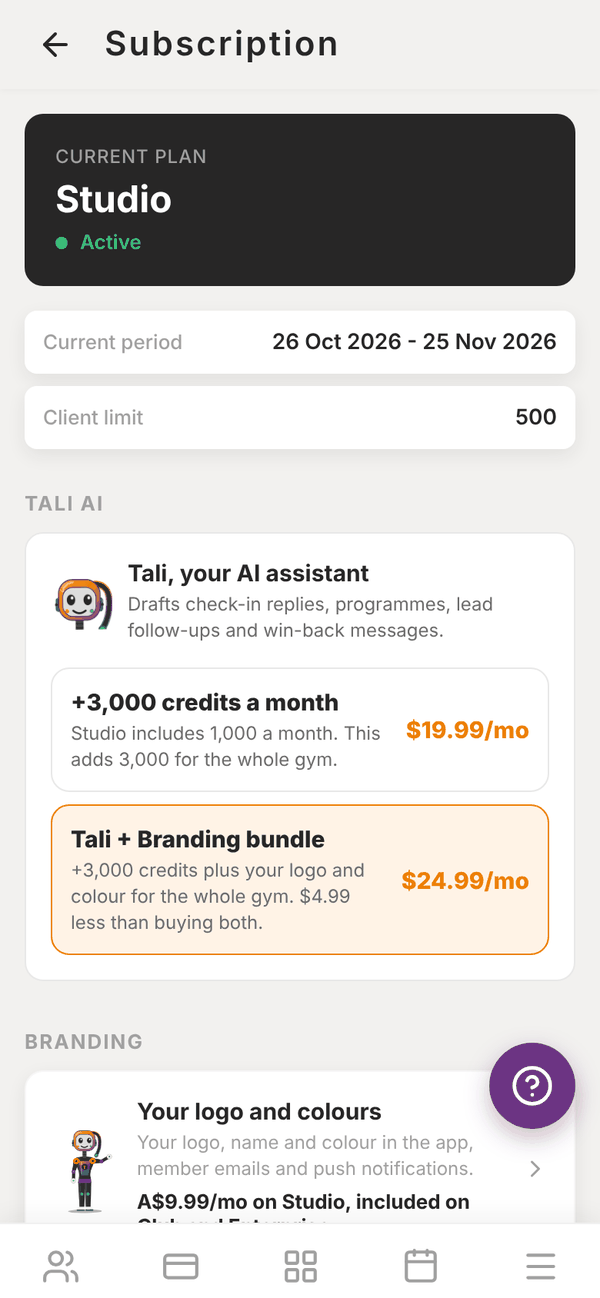
The Subscription screen shows:
- CURRENT PLAN and its status: Active, Free trial, Payment failed or Cancelled.
- Current period: the dates you have paid for.
- Client limit: your plan's member limit.
- The TALI AI and BRANDING add-on cards (see below).
- Manage: Change plan, Connect Stripe (member billing), Products, Member billing, Charge a client (one-off), Cancel subscription or Reactivate subscription, and Manage billing (Stripe).
Change plan#
To move to a different plan once you are subscribed:
- Open More, then Settings, then Subscription & Billing.
- Tap Change Plan.
- Pick Monthly or Yearly · Save 15%.
- Tap Switch to this plan on the plan you want.
You see Plan change scheduled: "Your new plan will take effect at your next billing date."
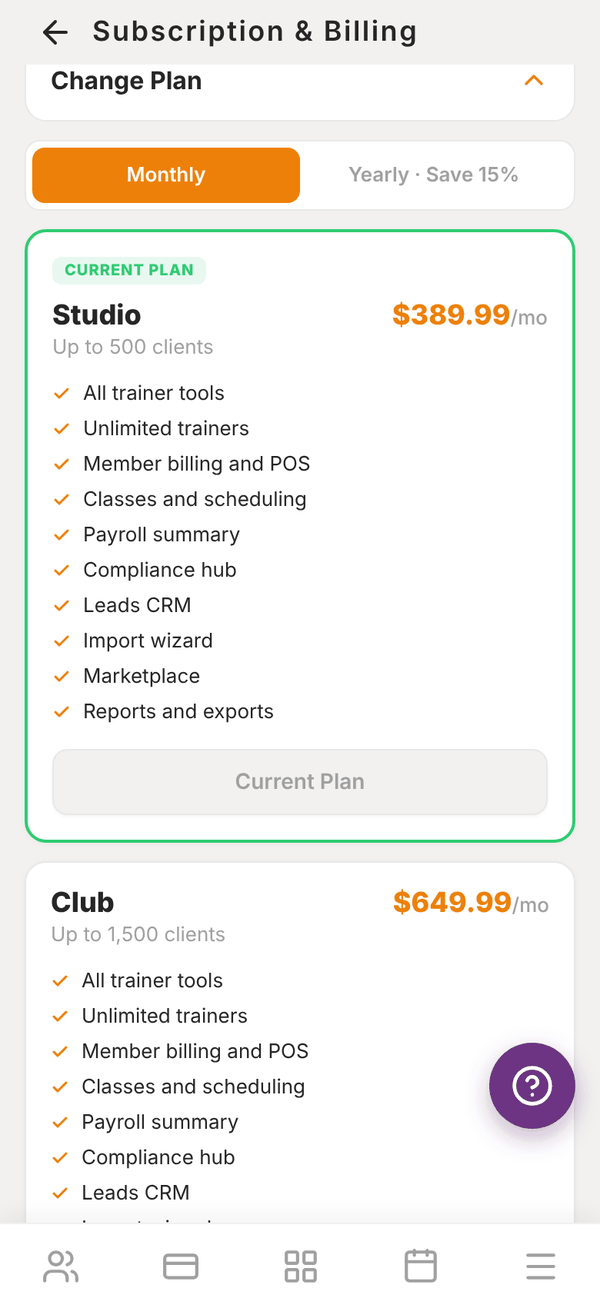
You can also tap Change plan on the Sales subscription screen and pick a plan there. Once you are subscribed it changes your plan the same way, with the same Plan change scheduled message.
Add-ons#
On the TALI AI card:
- +3,000 credits a month for the whole gym, A$19.99 a month (Studio and Club).
- Tali + Branding bundle, +3,000 credits plus your logo and colour for the whole gym, A$24.99 a month, A$4.99 less than buying both (Studio).
Enterprise shows "Unlimited Tali AI is included in Enterprise."
The BRANDING card opens Branding, where you add (Studio) or set up (Club and Enterprise) your logo, name and colour.
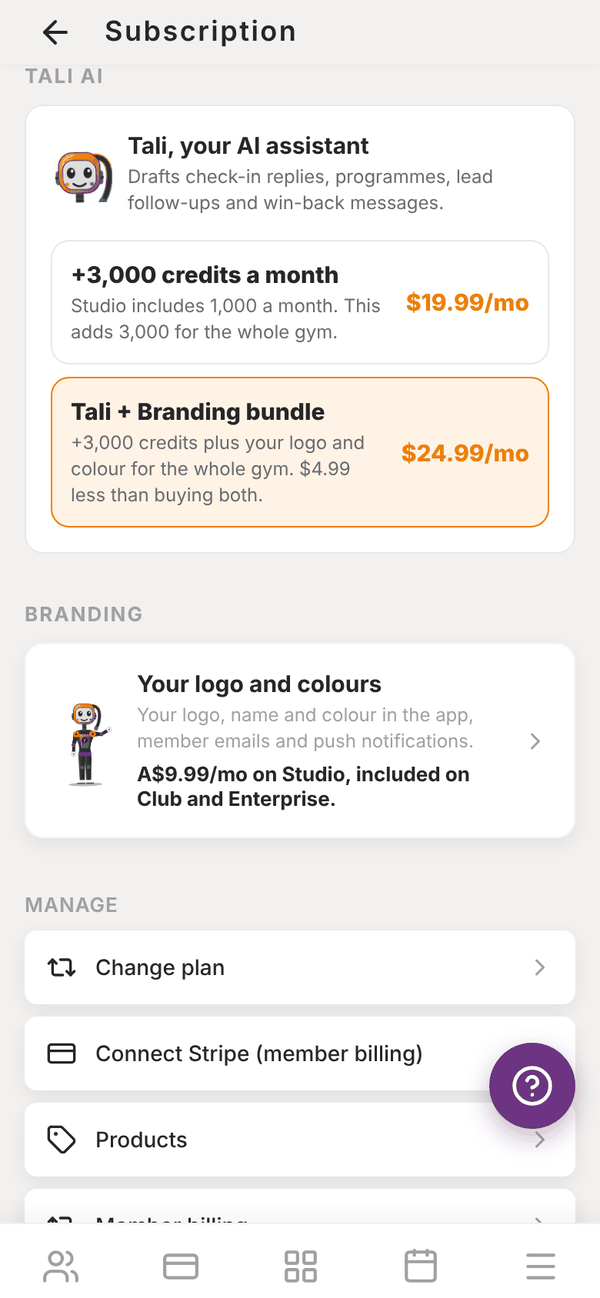
Anything you already pay for on its own is switched over when you buy a bundle, so you are never charged twice.
Update your card or see invoices#
Tap Manage billing (Stripe). Stripe's billing page opens, where you can change your card, see past invoices and download receipts.
If a payment fails, the screen shows Payment failed with Update payment method, and your dashboard shows "Your Totality payment failed". Update your card straight away to avoid any interruption.
Cancel#
- Tap Cancel subscription.
- Read "You will keep access until the end of the current billing period. You can reactivate before then."
- Tap Cancel plan, or Keep plan to stay.
The screen then shows "Cancels on" with the date. Changed your mind? Tap Reactivate subscription before that date.
When the period ends, your account becomes read only, like at the end of a trial. Your members, programmes and history are kept safe. Choose a plan any time to switch everything back on.
Questions#
Can I switch from monthly to yearly?
Yes. In Settings, then Subscription & Billing, tap Change Plan, pick Yearly · Save 15% and tap Switch to this plan on your plan. The change takes effect at your next billing date.
Where do I get a tax invoice?
Tap Manage billing (Stripe) and open the invoice you need.
What happens if my card fails?
Your plan shows Payment failed. Tap Update payment method and add a working card. Stripe tries again.
Can I pause my plan?
No. You can cancel at the end of a period and subscribe again later. Your data is kept.