
Totality for gym owners
Signing up and your first login
Create your gym's account, set up the basics and take the quick tour.
You can create your gym's Totality account yourself in a few minutes, on your phone or at totalityapp.com.au. Your 7-day free trial starts as soon as the account is made, with no card needed.
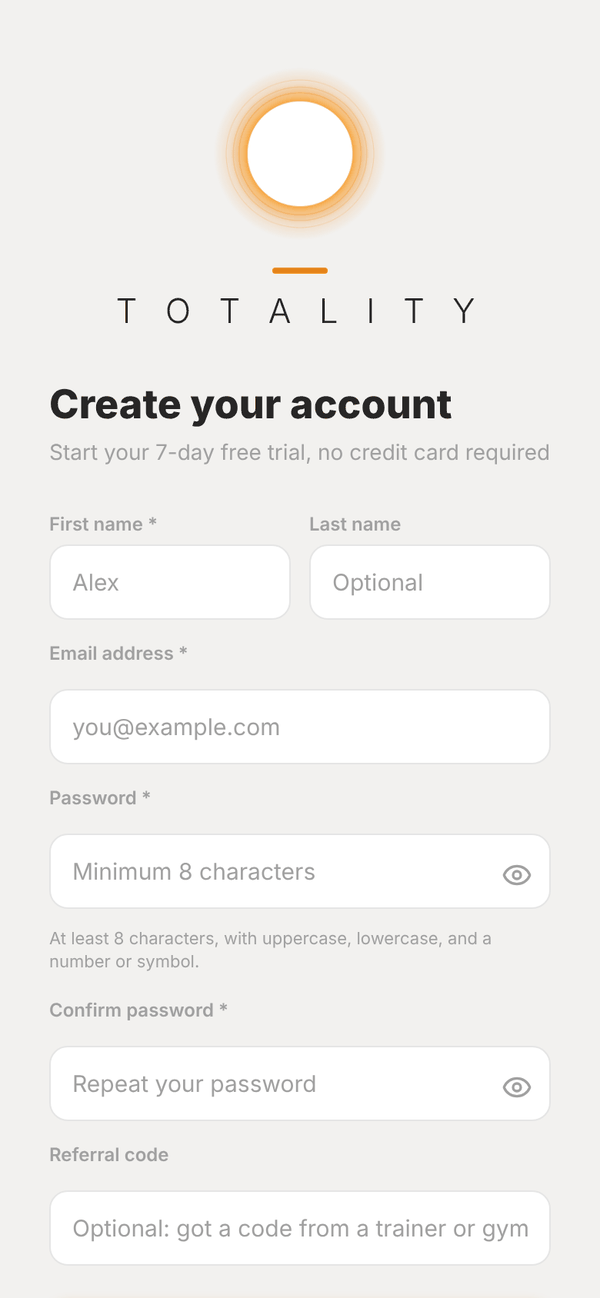
Create your account#
- Get the Totality app from the App Store or Google Play, or go to totalityapp.com.au on a computer.
- Tap Get Started: It's Free.
- Fill in First name, Last name (optional), Email address, Password (at least 8 characters, with uppercase, lowercase, and a number or symbol) and Confirm password.
- If another gym or trainer gave you a referral code, type it in Referral code. If you opened their share link, it is filled in for you.
- Tap Create Account.
Tell Totality you run a gym#
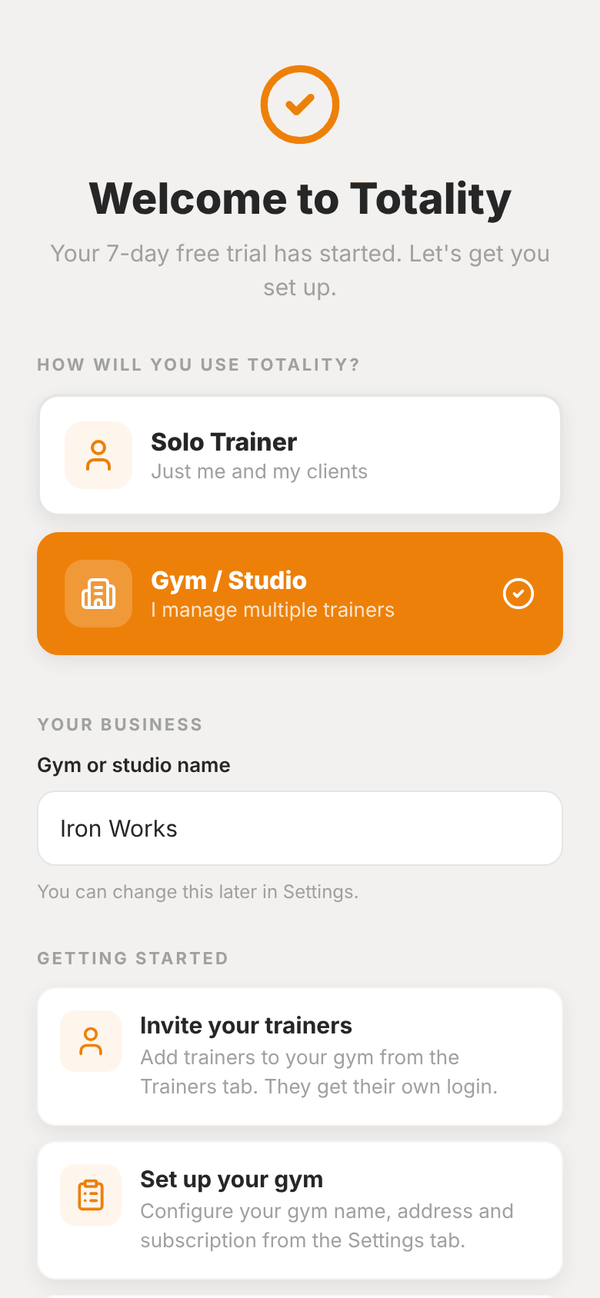
Next you see Welcome to Totality with the line "Your 7-day free trial has started."
- Under HOW WILL YOU USE TOTALITY? pick Gym / Studio ("I manage multiple trainers"). Solo Trainer is for one independent trainer, and does not give you the gym tools.
- Under YOUR BUSINESS, type your Gym or studio name, for example Iron Works. You can change it later in Settings.
- Read the GETTING STARTED tips and tap Let's Go →.
Set up your gym#
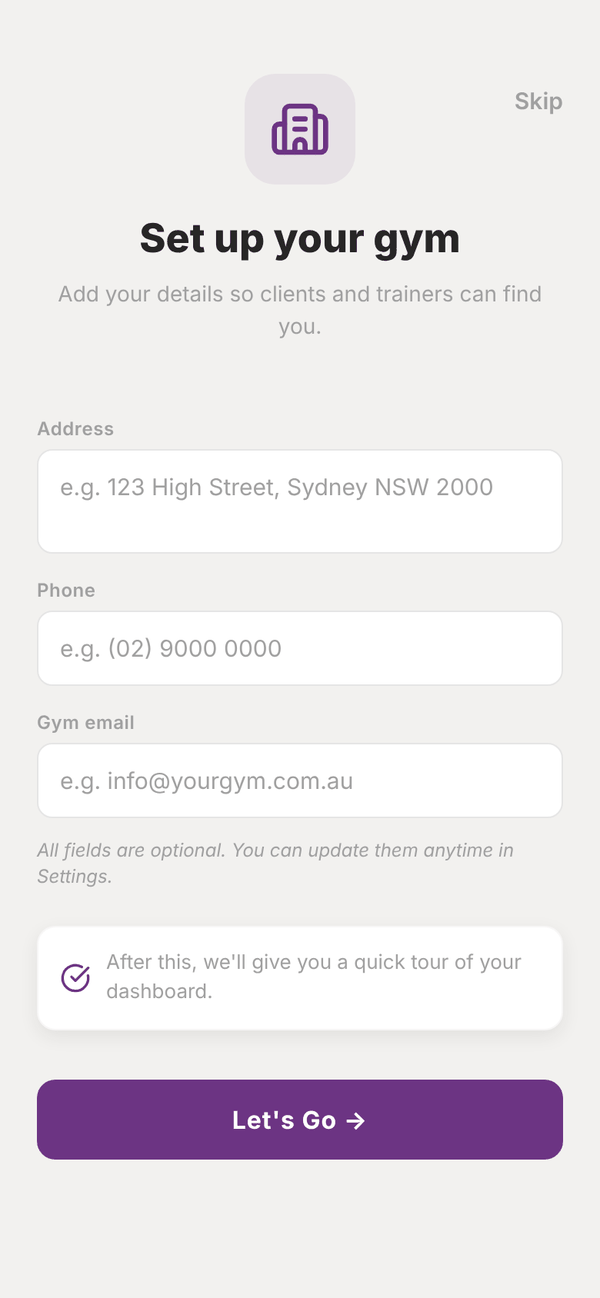
The Set up your gym screen asks for your gym's Address, Phone and Gym email, so clients and trainers can find you. All three are optional. Fill them in and tap Let's Go →, or tap Skip and add them later in Settings.
Accept the terms#
The first time you reach the dashboard you are asked to read and accept the Totality Terms & Conditions. Tap Read the full Terms & Conditions to read them, then Accept & Continue.
The quick tour#
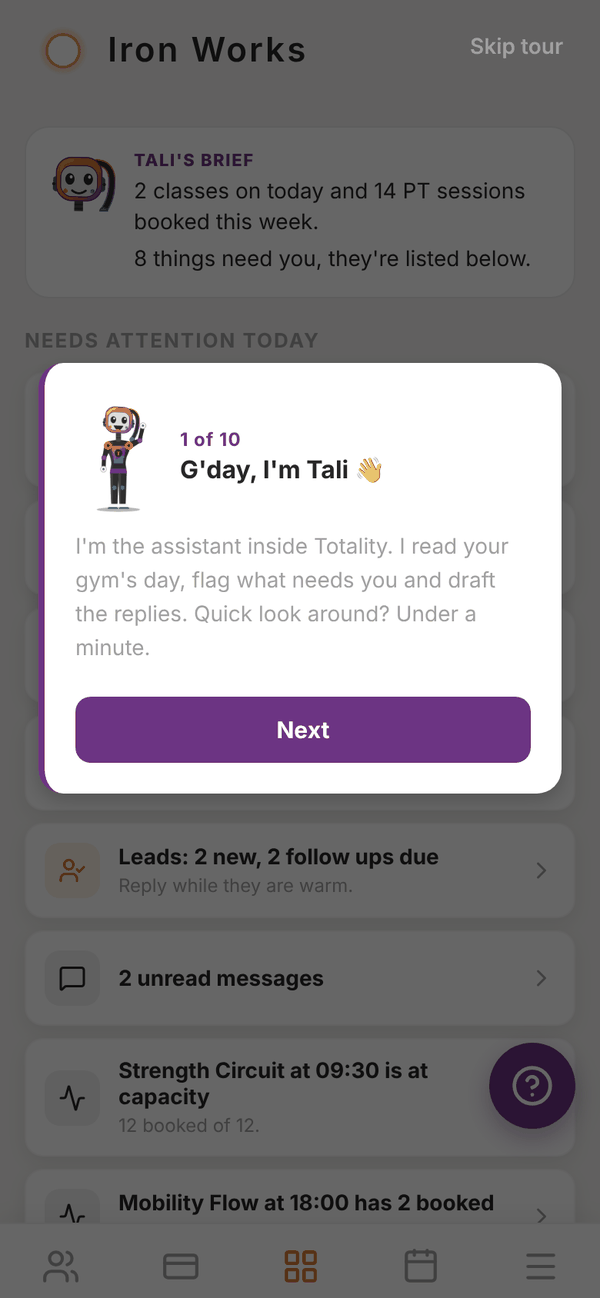
Tali, the assistant inside Totality, then walks you round the dashboard in about a minute. She points out:
- Your morning brief: a short summary of today
- Needs attention today: the list of things to act on
- Key numbers: revenue, members, trainers, sessions and leads
- Sections: Members, Sales and billing, Schedule, Staff and Insights
- each tab along the bottom
There are 10 short steps. Tap Next to move on, Back to go back, or Skip tour at the top right to close it. The tour only shows once.
What to do next#
The dashboard shows a Set up your gym card with three steps: Add your trainers, Add your members and Connect payments. Each one ticks itself off when it is done. See Your dashboard.
Signing in later#
Open the app or totalityapp.com.au, type your email and password and tap Log In. Forgot your password? Tap Forgot Password?, type your email and tap Send Reset Link. The email has a link to set a new one.
Questions#
Do I need a credit card to start the trial?
No. The trial starts without a card. You add your card when you pick a plan.
Can someone else at the gym also be an admin?
Each gym has one owner account that signed up. Your trainers get their own logins with the trainer tools. If you need a second admin login, email admintotality@gmail.com.
I signed up as a Solo Trainer by mistake. What now?
Email admintotality@gmail.com from your account email and we will move you to a gym account.
I have been sent an invite to join a gym. Is this guide for me?
No. If a gym invited you as a trainer, see the trainer guide. If you are a member, see the member guide.
Can I see the tour again?
Not at the moment. Everything it covers is in this guide, starting with Your dashboard.