
Totality for gym owners
Notifications
Choose which push notifications and emails you get, and set quiet hours.
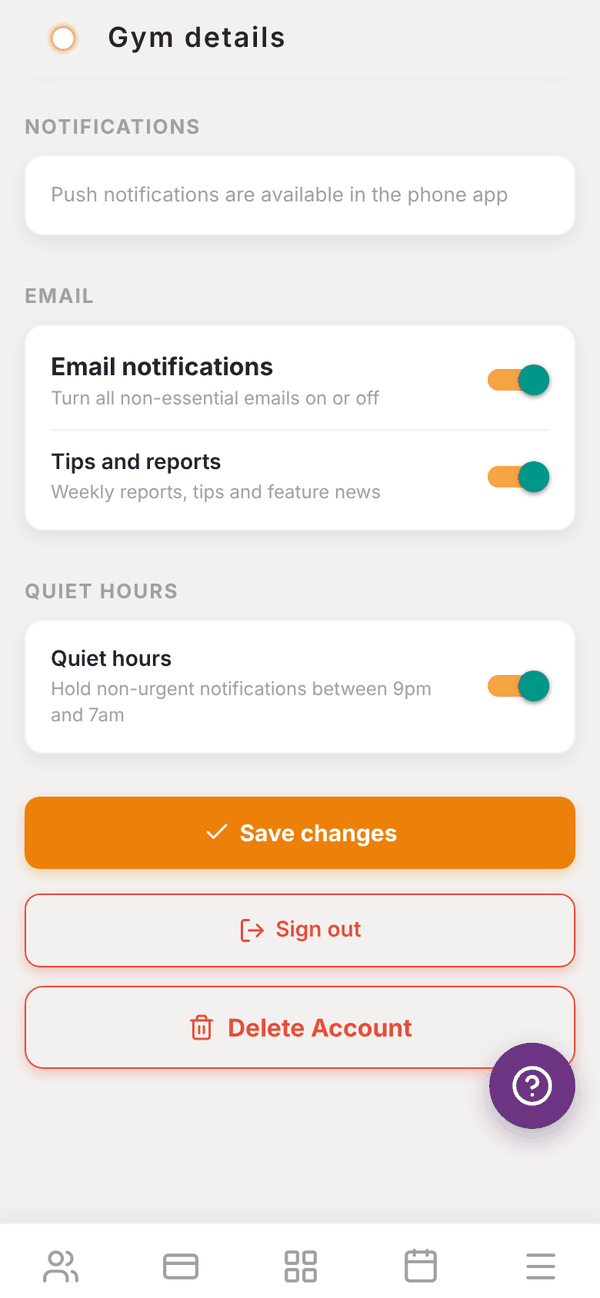
You decide which alerts reach you. Open More, then Settings, and scroll to NOTIFICATIONS, EMAIL and QUIET HOURS. Each switch saves as soon as you tap it.
Push notifications#
Push notifications need the Totality phone app on iPhone or Android. On the web, this section says Push notifications are available in the phone app.
| Switch | When you get one |
|---|---|
| Push notifications | Turns every push on or off |
| Messages | When a client sends you a message |
| Client logged a session | When a client finishes a training session |
| Client submitted a check-in | When a client sends their weekly check-in |
| New client added | When a new client is added to your list |
| New member joined | When a new member joins your gym |
| Staff messages | When a staff member sends you a message |
On iPhone, the first time the app asks, tap Allow so notifications can come through. If you tapped Don't Allow, turn them on in your iPhone's Settings, then Notifications, then Totality. On Android, check Settings, then Apps, then Totality, then Notifications.
Email#
- Email notifications: turns all non-essential emails on or off.
- Tips and reports: weekly reports, tips and feature news.
Essential emails, like password resets, still come through when this is off.
Quiet hours#
Quiet hours holds non-urgent notifications between 9pm and 7am. They arrive after 7am instead.
Questions#
I'm not getting push notifications.
Check you are using the phone app, not the website. Make sure Push notifications is on here and that your phone allows notifications for Totality. Quiet hours may be holding them overnight.
Does turning off email stop my members' emails?
No. These switches only change what you receive. Members manage their own emails in their app.