
Totality for gym owners
Programmes, exercises, check-ins and your own training
Build programmes and gym templates, manage the exercise library, reply to check-ins from clients you coach, and track your own training and food.
Your trainers do most of the coaching in their own app. As the owner you can do everything they can for your own clients, and you look after the gym's shared programme templates and exercises. The trainer guide covers the programme builder and session logging in full.
Programmes#
Open the Schedule tab, then Programmes.
- My Programmes: programmes you have built.
- Collection: your gym's shared templates, from you and your trainers.
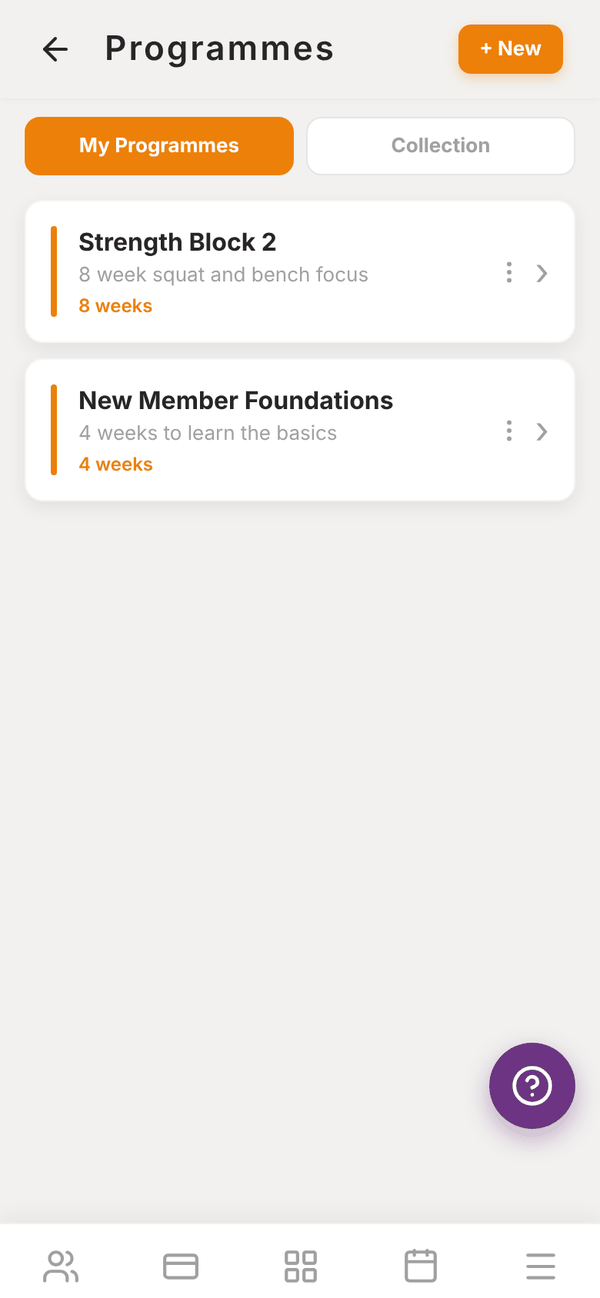
Build a programme#
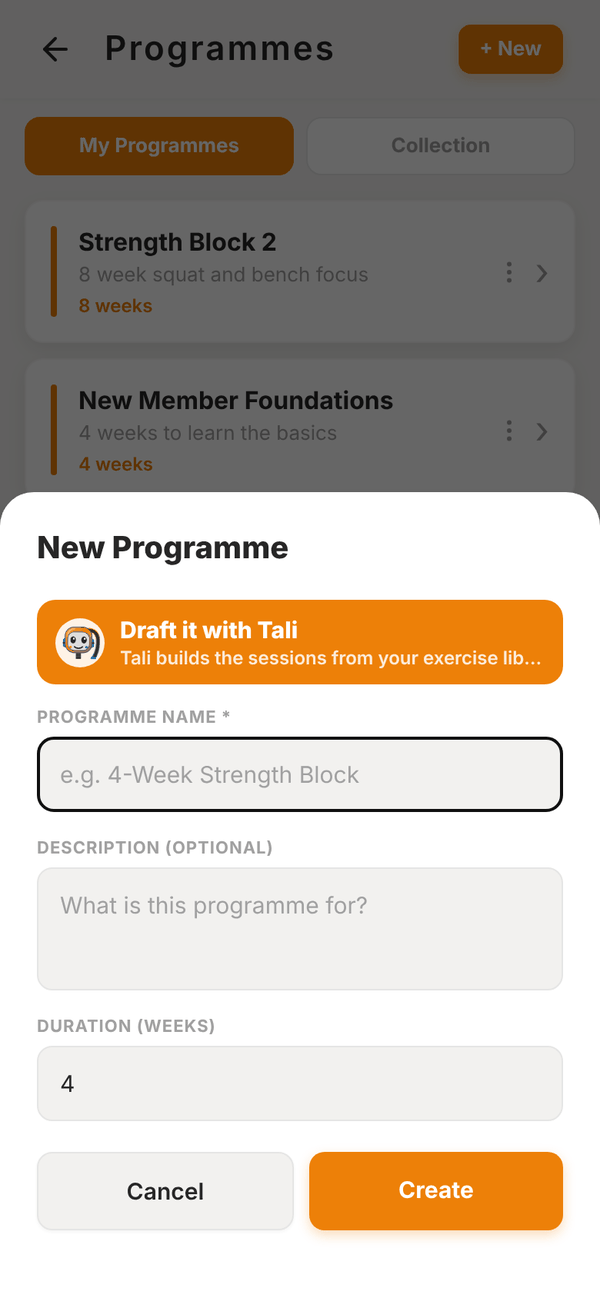
- Tap + New.
- Enter the Programme Name (for example 4-Week Strength Block), an optional Description and the Duration (weeks).
- Tap Create. The programme editor opens.
- Tap + Add Session to add each workout (for example Upper Body A), then add exercises, sets and reps to it.
- Use Copy week to repeat a week, Delete week to remove one, or Extend to add more weeks.
Or tap Draft it with Tali: describe the client and goal, pick days a week and weeks, and Tali builds the sessions using only exercises from your library (uses 5 credits). You can then change anything in the editor. See Tali AI for gyms.
Share a programme with your gym#
In the editor, tap the edit button and turn on Share to Collection. Add Tags (for example strength, beginner, 4-week) to make it easy to find. Your trainers then see it under Collection, and can tap Copy to my programmes to make their own version.
Assign a programme#
- Open the programme and tap Assign to Client.
- Tick the clients who should get it ("Select which clients receive this programme").
- Pick the Start date: today, next Monday, or a date you choose.
- Confirm.
Assign to Me puts it on your own account, so you can follow it in My training.
Exercise library#
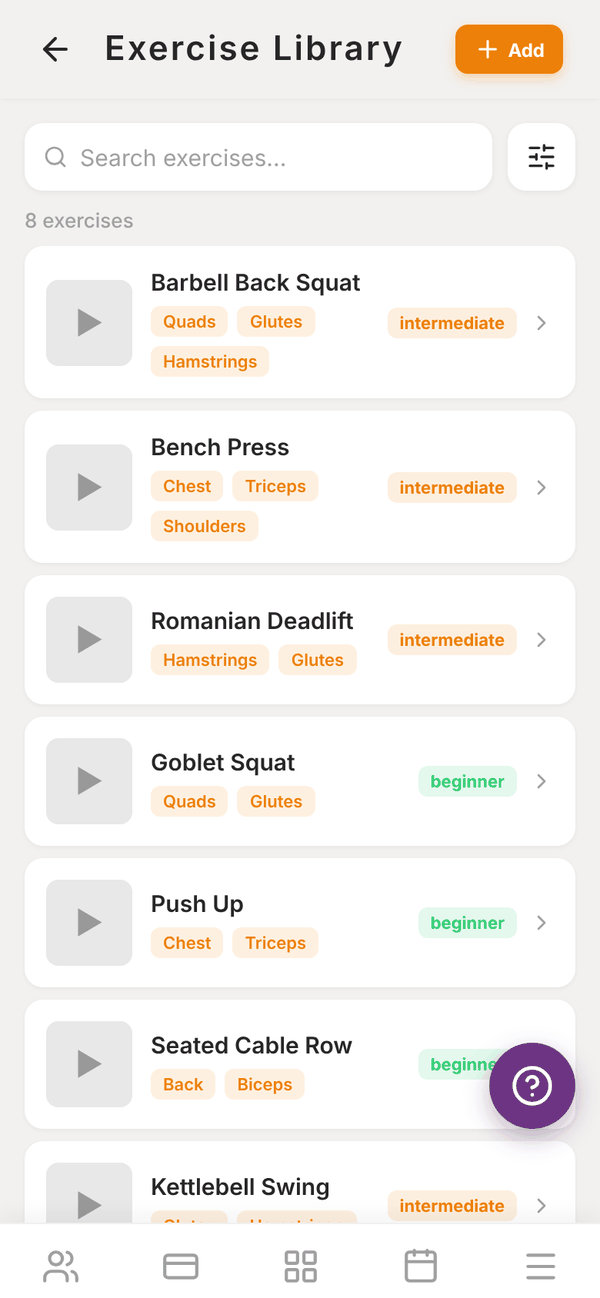
Open the Schedule tab, then Exercise library. It has the Totality library plus any exercises your gym adds.
- Search, or tap the filter button to filter by Goal (Strength, Hypertrophy, Endurance, Mobility, Power, Rehabilitation) and Muscle Group.
- Tap an exercise for its muscles, best uses, coaching cues and video.
- Tap + Add to add your own: Name, Difficulty, Muscle Groups, Equipment, how weight is entered (External Weight, Bodyweight, Banded or Banded + Weight), Description, Why It's Effective, Coaching Cues, Recommended Rep Ranges, Goals, Use Cases and an Exercise Video (upload a file or paste a YouTube link).
Only the Totality team can delete exercises.
Check-ins from clients you coach#
If you coach clients yourself, their weekly check-ins come to you. Your dashboard shows "2 check-ins waiting for your reply". Tap it to open the review screen, read each check-in and reply. Tali can draft the reply for you. Check-ins for your trainers' clients go to those trainers.
Nutrition#
Trainers set calorie and macro targets for their clients and see what they log, in the trainer app. Members log their food in their own app.
Your own training and food#
Under the More tab, then Insights:
- My training: programmes assigned to you. Tap a session to log it.
- My training history: your logged workouts.
- My food log: track your own meals and macros, with Add food, barcode scanning and saved meals.
Questions#
Can I edit a programme a trainer made?
You can see your gym's shared templates in Collection and copy one to your own programmes to change it. Each trainer edits their own.
Can a member have more than one programme?
Yes. One is marked PRIMARY, which is the one they follow by default.
Where do I see a member's workouts?
On their page under TRAINING SUMMARY, then View full session history.