
Totality for gym owners
Reports and expenses
This week's training activity, how busy each trainer is, which members are at risk, and a full expenses report with CSV export.
Reports gives you the health of the gym at a glance. It is part of every gym plan Studio Club Enterprise. Open the More tab, then Insights, then Reports. It is also in Settings, then Reports.
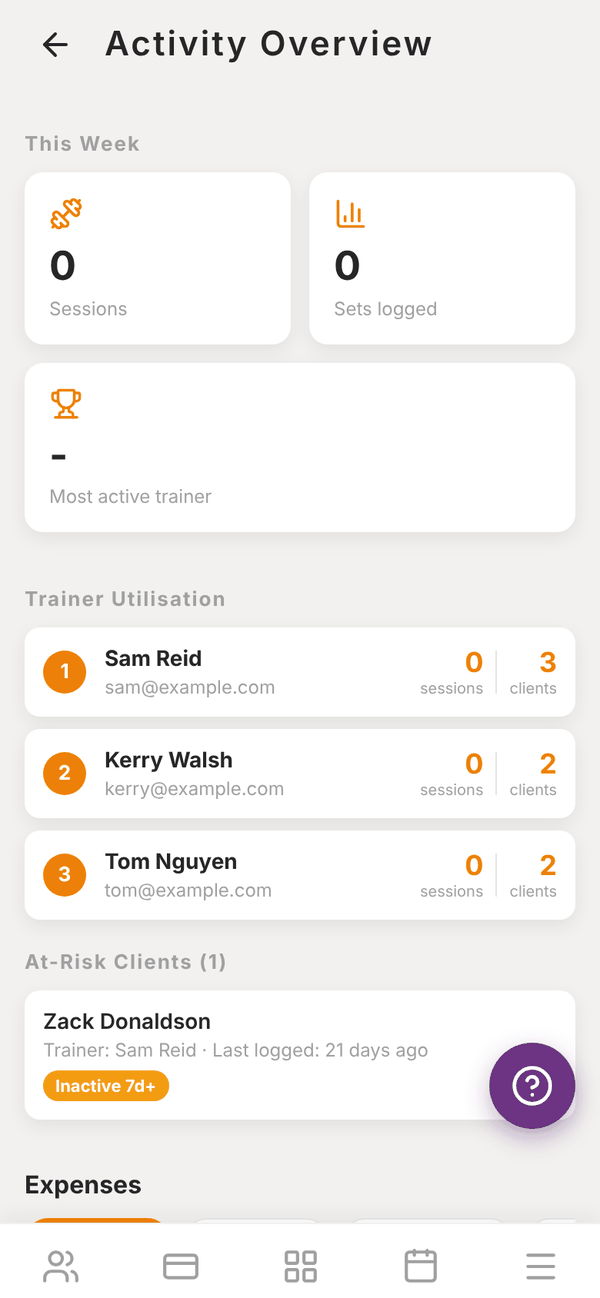
This Week#
- Sessions: workouts logged this week.
- Sets logged: total sets.
- Most active trainer.
Trainer Utilisation#
Each trainer, ranked, with their sessions this week and how many clients they have.
At-Risk Clients#
Members who may be drifting away, with flags:
| Flag | Meaning |
|---|---|
| Inactive 7d+ | No workout logged recently |
| Low scores | Their latest check-in had low energy, sleep or training scores |
| Injury flagged | Their latest check-in mentioned an injury or concern |
When nobody is at risk it says "Everyone's been active recently. Nice." On the member's own page, Tali can draft a nudge for anyone who has gone quiet.
Expenses#
The Expenses report covers everything you spend:
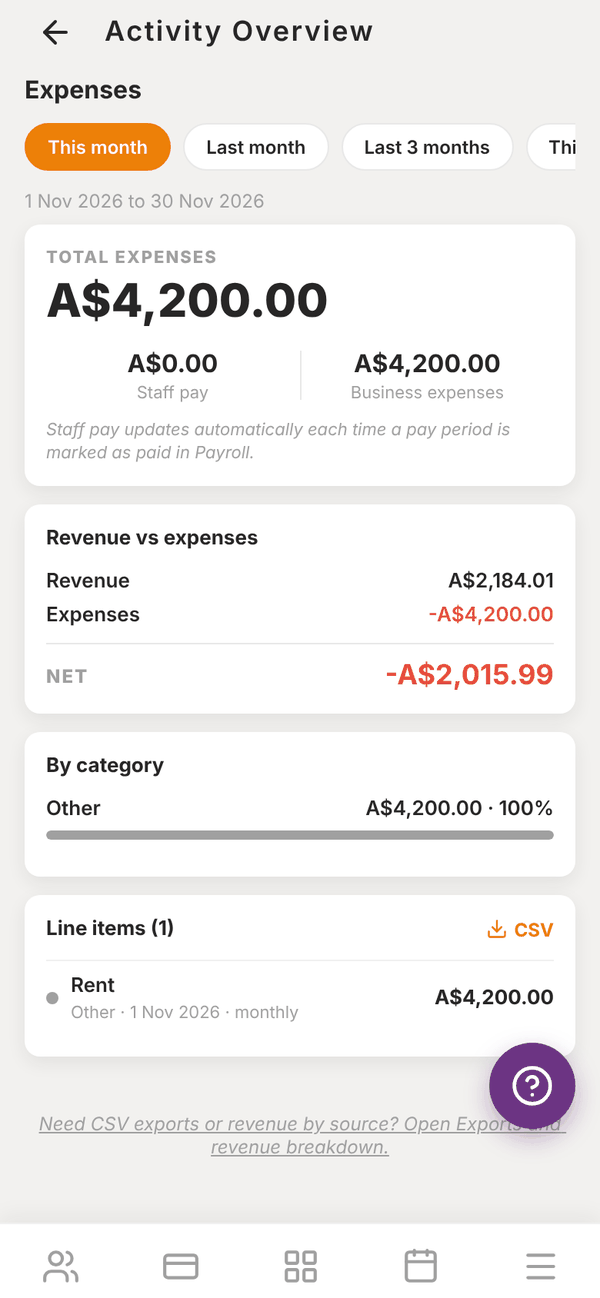
- Pick This month, Last month, Last 3 months, This year or Custom (enter From and To as YYYY-MM-DD).
- Read TOTAL EXPENSES, split into Staff pay and Business expenses. "Staff pay updates automatically each time a pay period is marked as paid in Payroll."
- Revenue vs expenses shows your revenue, your expenses and the NET.
- By category shows where the money goes (Rent, Utilities, Equipment and so on).
- Line items lists every expense. Tap CSV to download them.
Business expenses are entered on the Revenue screen. Monthly recurring expenses show once for each month in the range.
At the bottom, "Need CSV exports or revenue by source?" links to Exports and revenue breakdown.
Questions#
Can I export the activity numbers?
The expenses line items export as CSV here. Revenue and transactions export from Exports and revenue breakdown.
Why does a trainer show 0 sessions?
Sessions counts workouts their clients logged in the app this week. If clients train without logging, it will not show.