
Totality for gym owners
Welcome to Totality for gyms
What Totality does for a gym or studio, how the app is laid out, and where to start.
Totality runs your gym from one app. You can sell memberships and PT packages, take card payments, run classes and bookings, manage your trainers, pay them, keep their certificates up to date, follow up leads and see your numbers. Your trainers get their own login to coach their clients, and your members get the app to book, pay, train and message.
This guide is for the gym owner or admin, the person who set up the gym's Totality account. Trainers and members have their own guides.
Where Totality runs#
Totality works on iPhone, Android and the web. On a computer, go to totalityapp.com.au and sign in with the same email and password. Everything in this guide works in all three places, except push notifications, which need the phone app.
How the app is laid out#
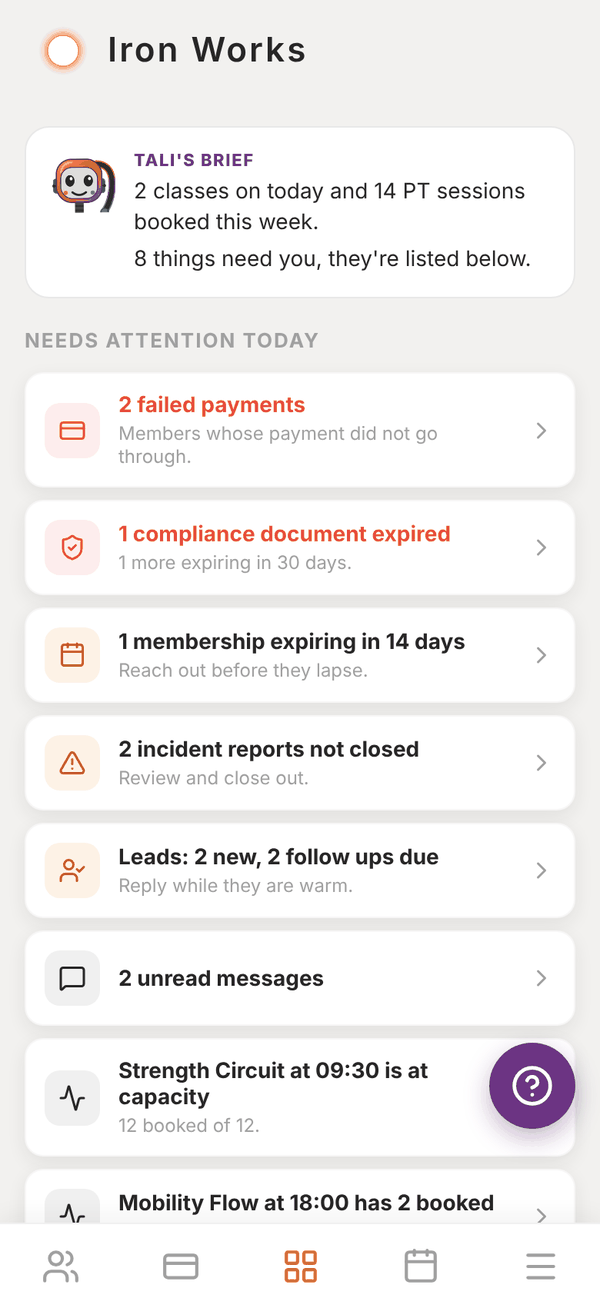
Along the bottom are five tabs. The Dashboard sits in the middle.
| Tab | Icon | What is in it |
|---|---|---|
| Members | Two people | Clients, adding members, leads, messages, announcements, import, front desk check-in |
| Sales | Card | Stripe Connect, memberships, PT packages, POS, charging a member, products, your shop, your Totality plan, failed payments |
| Dashboard | Four squares | What needs you today, key numbers and shortcuts |
| Schedule | Calendar | The gym schedule, classes, programmes, exercise library, attendance and waitlists |
| More | Three lines | Every section in one list, plus Staff, Insights and Settings |
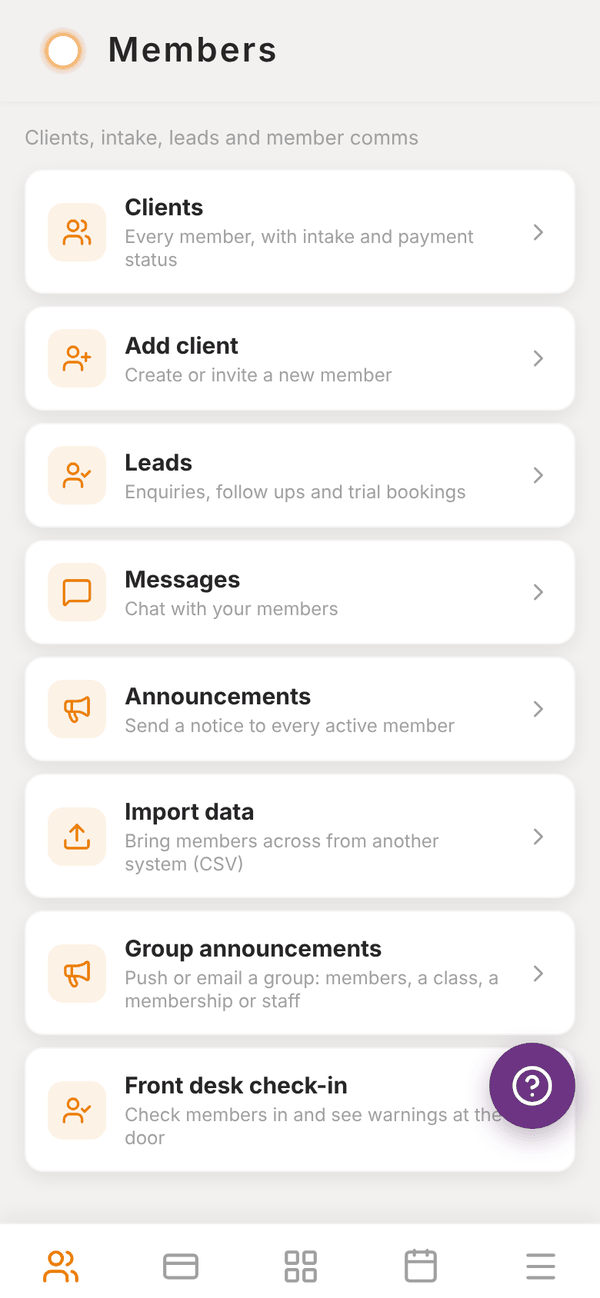
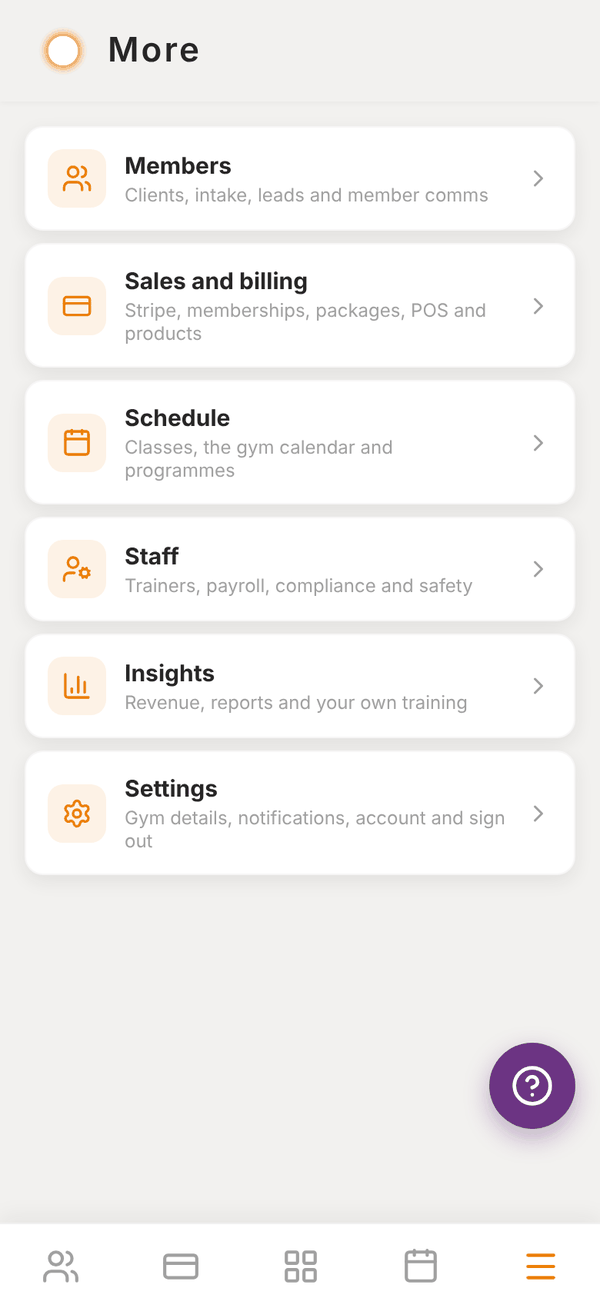
Each section is a list of screens with a short line under each one. Tap a row to open it. A row with a small Locked pill is not part of your plan, and tapping it explains what you need.
Where to start#
If you are new, work through these in order:
- Pick a plan or start your free trial (Signing up).
- Connect Stripe so members can pay you.
- Invite your trainers.
- Set up your memberships and PT packages.
- Bring your members across from your old software, or add them one by one.
- Create your classes and put them on the timetable.
Getting help#
There is a round purple ? button on every screen. Tap it to report a problem or ask for help. You give it a title, a description and a priority (low, medium, high or urgent) and it goes straight to the Totality team. You can also email admintotality@gmail.com.
Questions#
Do my trainers need their own Totality plan?
No. Trainers you invite to your gym are covered by your gym plan. If a trainer already pays for a Solo plan, it is cancelled when they join your gym. See Trainers.
Do my members pay anything to use the app?
No. Members use the app for free. They only pay you, for the memberships, packages, classes and products you sell.
Can I use Totality on my computer at the front desk?
Yes. Sign in at totalityapp.com.au in any web browser. Everything works there except push notifications.
Is there a quick tour?
Yes. The first time you open the dashboard, Tali walks you round it in under a minute. See Signing up.